Save Your Photos

  • Home
  • Blog
  • Disaster Help
    • Disaster Resources
    • Hurricane Harvey Photo Recovery
    • Hurricane Irma Photo Recovery
  • Who We Are
    • Save Your Photos Group
    • The Photo Organizers Blog
    • Association of Personal Photo Organizers
  • Sponsors
    • How To Become A Corporate Sponsor

Oct 18 2017

Save Your Photos: Take Advantage of FREE Software Trials

Save Your Photos: Take Advantage of FREE Software Trials

When choosing an online or desktop photo organizing software, look for providers that offer free trials. Run a test with a small group of photos so you can examine and compare before you commit.

Save Your Photos: Take Advantage of Free Photo Organizing Software Trials | SaveYourPhotos.org


Have you ever tried to google ‘photo organizing software’? The results can be overwhelming and at the very least, confusing. In addition to that, product changes continue to occur at such a rapid pace, it makes it that much harder for you to make decisions.

Now we going to equip you with information that will help you make the right choice for you and your memory collection, and ease some of the fears you may feel about moving forward.


Desktop Photo Organizing Software

A desktop photo organizer is an app or software that you download and install on your computer.

  • Some programs work directly with your folder structure (the hub you created) and apply changes directly to the photos in your folders.
  • Some programs work together with your folder structure and their internal database while applying changes to your photos.
  • Some programs are proprietary and work with their internal database or catalog.

Your workflow will be easier if you choose a program that works with your folder structure. If you select a proprietary program, you would have the added step of importing your photos from your hub into the program. There is no right or wrong; it’s really about personal preference.


Here are some essential features you should expect from a desktop photo organizer:

  1. Is the program user-friendly and does the company provide training tutorials and good customer service?
  2. Does the program use non-destructive editing (does it retain your original image)?
  3. Does the program adhere to IPTC standards for applying metadata to your images? Yes, there are industry standards that you can learn more about here.
  4. Does the program have key features such as keywording, a rating system, simple or advanced editing, captioning or storytelling options, smart albums, etc.?
  5. Does the program offer a pleasant viewing experience or slideshow options?
  6. Will your program organize video formats?
  7. Is it easy for you to export and share images from the program?
  8. Is your metadata intact once you export your image(s)?


Save Your Photos: Take Advantage of Free Photo Organizing Software Trials | SaveYourPhotos.org

Online Photo Organizing Software

An online photo organizer resides in the cloud, and you upload some or all of your photos from your hub.

In this scenario, you are sending a copy of your photos to your online provider and keeping your original images in your hub, which is stored locally on your computer or EHD. The distinct advantage of this option is you naturally, create a 2nd backup of your photo collection that is stored offsite (in a different location than your home computer or EHD). When we discuss backup strategies later, this becomes imperative.

In addition to some of the features we outline above, here are some features you should look for in an online photo organizer. Remember, when choosing an online provider to store and organize your precious photos, you are entrusting their safety to a company. Please do your research!

  1. Do you maintain ownership over your image? Read the fine print!
  2. Do you have complete control over your image privacy settings and are they easy to understand?
  3. Does your provider protect your privacy regarding your personal info? FREE services mine your data for advertising purposes and share your information with third party services.
  4. Does your provider keep your image metadata intact and in its original size? Some services compress your image and strip your metadata upon upload.
  5. Does your provider have any space limitations? Some services have a cap on how much space you have.
  6. Does your provider make it easy for you to retrieve or download your photos if you choose to discontinue the service? Some services charge you a fee or have download restrictions.
  7. Does the service offer keywording, ratings and a folder or album organizing feature and how is this information captured in the metadata? Some providers have very limited organizing options and don’t embed metadata in the image file upon download.
  8. Does your online provider have backup redundancies in place and high-level security?
  9. Does your provider offer a succession plan for your photos? If you pass away, will your family be able to access your account?

Sign up today for more great photo organizing tips directly in your email box.

We also invite you to visit our sister blog The Photo Organizers for more tips and in-depth knowledge from some of the top photo organizing industry professionals. To find a photo organizer near you, visit the Association of Personal Photo Organizers.

Written by Andi Willis · Categorized: Photo Organization · Tagged: cloud based software, digital photos, how to organise digital photos, how to organize digital photos, software

Oct 11 2017

Save Your Photos: Make Good Photo Organizing Software Choices

Save Your Photos: Make Good Photo Organizing Software Choices

When you choose photo organizing software, you need to consider your comfort level with technology, your operating system, your time, and most importantly, your lifestyle.

Save Your Photos: Make Good Photo Organizing Software Choices | SaveYourPhotos.org

We are ready to start talking about photo organizing software, and we have so much to cover we’re breaking this down into two parts.

Take a deep breath!


Are Your Ready For Photo Organizing Software Yet?

Before we discuss all of your options, let’s pause to consider your ‘readiness level.’ Some of you may be entirely satisfied at this stage of the organizing process. Your images are stored in your photo hub in your folder structure, and they have one automated backup in place. You can use the search bar in your operating system to find a picture by name (remember, you gave your photos some basic who, what, where details when renamed) or you can visually search your folders to find them.

Is this good enough for you? Then it’s time to move forward.

Adding photo organizing software at this point has several benefits:

  • Your photo viewing experience is enhanced
  • You can add a deeper layer of organization with keywords or tags, smart albums or collections
  • You can edit photos and apply filters
  • You can identify favorites with ratings
  • You can caption and in some cases journal information

The downside is, you may have a learning curve and financial investment to consider. Or you may run into some tech challenges depending on the age of your operating system or the speed and connectivity of your internet.


Desktop or Cloud-Based?

If you’re ready to proceed, you’ll need to decide whether you want a desktop or a cloud-based photo organizer. There are pros and cons to either.

A desktop photo organizer is an app or software program that you download to your computer. The upside, of course, is your ability to access and organize your photos without an internet connection. On the downside, your photos are only accessible in one location, unless you find a software program that syncs across multiple devices.

An online photo organizer resides in the cloud, and you upload your photo collection. The upside is you can access images from any device, easily share images and albums with others and you have a secondary backup in place by having a copy of your images off site. On the downside, your accessibility and ease of use depend entirely on the quality and capacity of your internet connection.

Which one makes the most sense to you?

Next we’ll look at both options a little closer and we’ll provide some important features to look for.


Sign up today for more great photo organizing tips directly in your email box.

We also invite you to visit our sister blog The Photo Organizers for more tips and in-depth knowledge from some of the top photo organizing industry professionals. To find a photo organizer near you, visit the Association of Personal Photo Organizers.

Written by Andi Willis · Categorized: Photo Organization · Tagged: digital photos, how to organise digital photos, how to organize digital photos, photo organising software, photo organizing software

Oct 04 2017

Save Your Photos: Adding Metadata

Save Your Photos: Adding Metadata

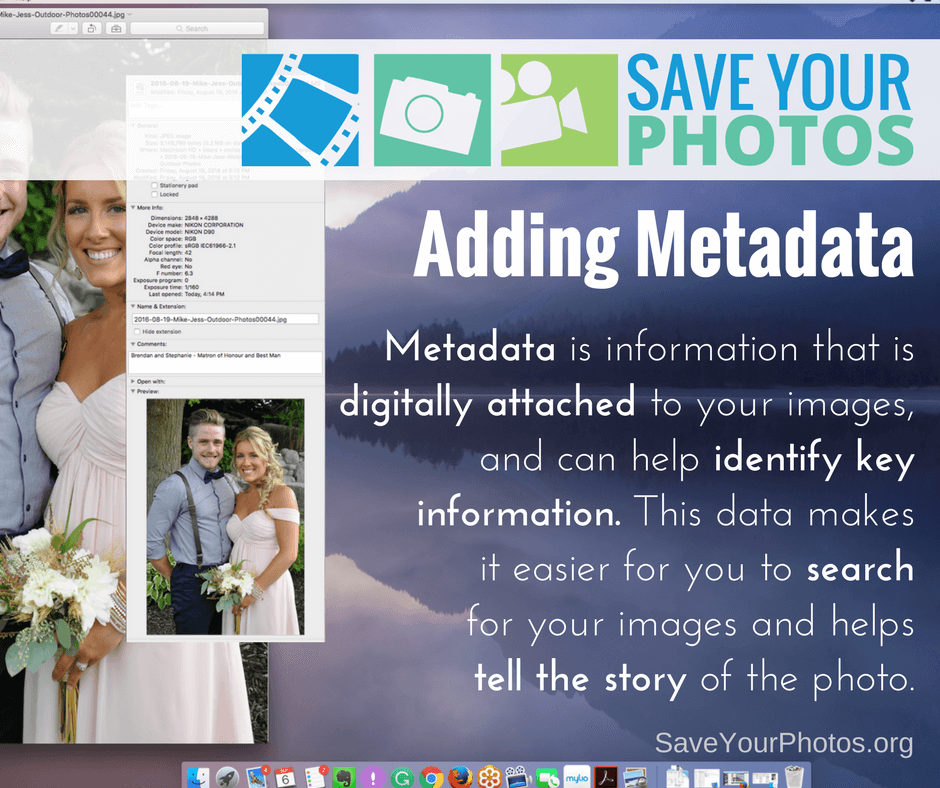
Metadata is information that is digitally attached to your images, and can help identify key information. This data makes it easier for you to search for your images and helps tell the story of the photo.

Save Your Photos: Adding Metadata | SaveYourPhotos.org


Let’s Talk about Metadata

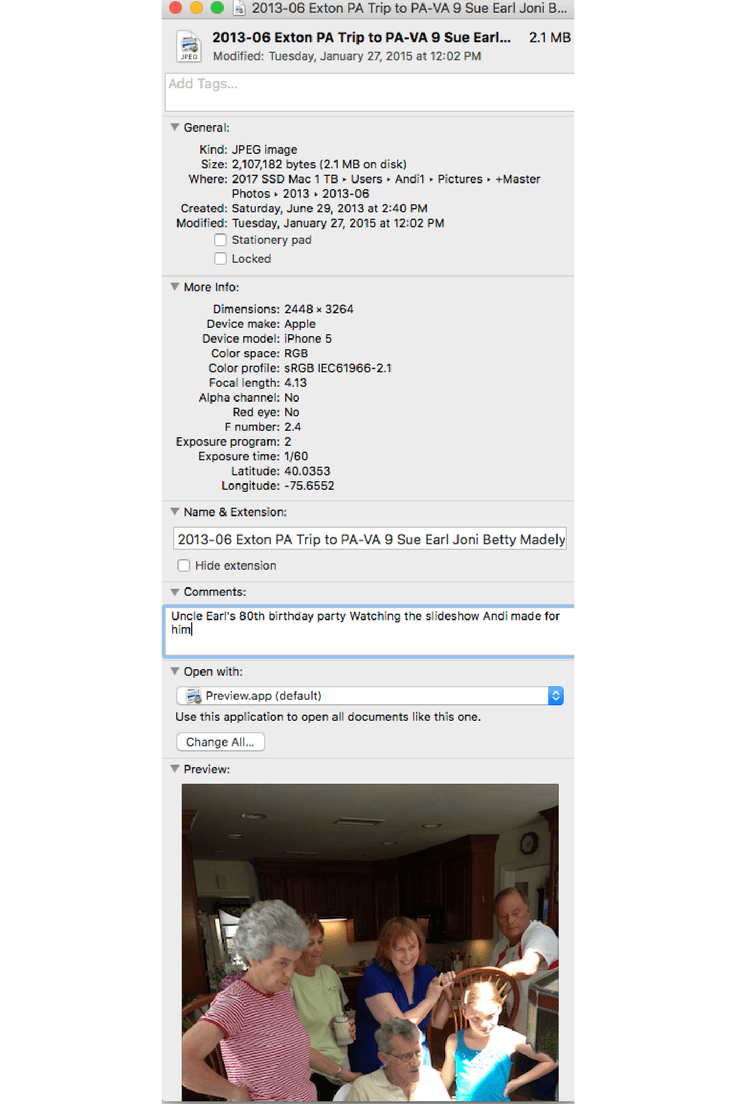
Your digital images contain information called metadata that helps identify valuable information about your photo. This information is digitally attached to your image and stays with your photo. Your digital camera or smartphone is already embedding information such as dates and location data. What a time saver!

Adding metadata to your images is the equivalent of writing information on the back of your printed photos (with a photo safe pencil of course). The more information the image contains, the richer the story.


Save Your Photos: Adding Metadata | SaveYourPhotos.org

When would you need to add or change the metadata? Remember when you got your first digital camera and you didn’t know how to set the date? All those images were created with the wrong date and will need correcting. If you have scanned photos, you’ll need to add exact dates and additional information.

More importantly, you may want to add keywords or tags to make it easy to search for photos, or you might find it helpful to add ratings to identify your favorite images.

Your digital images contain metadata that helps identify valuable information about your photo. Click To Tweet

Some of these tasks can be performed with native tools on your operating system, but they lack the efficiency of photo organizing software.

Next week we’ll be talking about photo organizing software and how to choose the right one for you!


Learn more about metadata at our sister site The Photo Organizers.

Metadata and Photos Part 1: Simplifying the Concept

Metadata & Photos, Part 2: Let Efficiency Rule!


Sign up today for more great photo organizing tips directly in your email box.

We also invite you to visit our sister blog The Photo Organizers for more tips and in-depth knowledge from some of the top photo organizing industry professionals. To find a photo organizer near you, visit the Association of Personal Photo Organizers.

Written by Andi Willis · Categorized: Photo Organization · Tagged: digital photos, how to organise digital photos, how to organize digital photos, metadata

Sep 29 2017

Bridging Generations: Telling the Stories & Saving The Photos

Bridging Generations: Telling the Stories & Saving The Photos

This blog post is sponsored by Forever, the only full-resolution online storage guaranteed for your lifetime plus 100 years. Forever is also a Save Your Photos month sponsor.

Bridging Generations: Telling The Stories & Saving The Photos | SaveYourPhotos.org

Who is your family historian? Who takes the photos? Who keeps the photos? Ever since I was in grade school, I have loved to hear people tell their stories. Raised on a family farm by strict parents in the 1950s, we four children were “seen and not heard.” I have fond memories, however, of the rare times my parents would tell a story about their past. We would sit spellbound around the kitchen table while our parents reminisced, sometimes in German. The first photo taken of me was by a guest at my 3rd birthday party. I inherited this special photo but no story. I was smitten with a lifelong passion – help others tell their stories and bridge generations before it’s too late.

Bridging Generations: Telling The Stories & Saving The Photos | SaveYourPhotos.org
Cameras were a luxury item for my parents in the 1940s — so a guest captured this photo of me at my 3rd birthday party on January 20, 1948 in Belfry, Montana. This was the FIRST photo taken of me that I now treasure as one of my 100 most important photos. Photo courtesy of Lynnette Feusner.

We All Have A Story

I recall in college returning one of my mom’s 8×10 pictures back to her and asking her to write the story behind the photo. She was indignant and replied, “I don’t have a story!” Perhaps the Great Depression (1929-1939) blanketed her memories. On the other hand, I also remember gifting each of my husband’s parents a photo album, mounting corners, and a black pigma pen and asking them to add a few photos and write about them. His aging father spent several days adding some of his favorite photos and, in his shaky hand, identifying some of the people. We treasure and hold dear these 10 pages of written family history. Moving forward into the next generation, our youngest daughter has created numerous family photo books for her son, our only grandchild, during his school years. What do your children know about their grandparents, uncles, and aunts? Photos are our autobiography. They prove we have lived, loved, laughed, and celebrated who we are – our Legacy.

A Tale Of A Story Lost

With the focus in September on Saving Your Photos, we all know of someone who has lost family photos. Recently a prominent Alaskan shared his heart-wrenching story with me. He wrote, “Our family had been quite good about capturing snapshots of our family life, vacations, milestones, etc. — our photo albums had great value. In the later years of my Mom’s life, whenever the family gathered we almost always got out a couple of the photo books to relive and reminisce about our family life. When my mother died a few years ago at age 83, my three siblings and I gathered back at the farmhouse where we grew up for her funeral service and celebration of life.

After my brother and sisters selected our favorite heirloom furniture, etc., we gathered all the photo albums in one place. These included not only our family photos, but also my parents’, and some of my grandparents’ photos (many of them the 2.25-inch square Brownie photos from the 1920s and 1930s). My task was to gather up these priceless albums. When I arrived to pick up the albums, I was shocked to discover that I was too late. My brother had told the company hired to clear out the remainder of the house that whatever was left over was trash and should be taken to the dump. The company had already hauled everything off. I was absolutely, totally devastated to learn that our priceless, irreplaceable family photos were gone forever, with no way to recover them.

This is a reminder of the high stakes and big risks that people take when they either decide not to preserve their photo memories with backup scans or delay the task until it is too late.”

Bridging Generations: Telling The Stories & Saving The Photos | SaveYourPhotos.org
A page out of Wayne Feusner’s album. His handwriting is an important piece of his story. Photo courtesy of Lynnette Feusner

His loss continues to fuel my passion for preserving my own story and family history that I am working on.

After I lost my parents, I inherited a large plastic tub and weathered suitcase of their old photos and outdated media with no written documentation. Over the past 50 years, I have spent countless hours researching old photos, gathering historical documents, and interviewing distant relatives to piece together my history. But what would happen if my work were inadvertently thrown out?

Fortunately, I was introduced to a company whose mission was the same as mine. I finally found the missing piece of the puzzle – Forever, the world’s first permanent photo storage and sharing website. It’s my complete memory-keeping platform. I converted old media and am currently uploading, editing, documenting, and saving my work in my curated Forever library. Forever is my safe, secure, guaranteed storytelling home. For me, Forever was a smart investment because once I purchased my storage account, I experienced peace of mind knowing that I OWNED it and that most of my money was safekeeping my memories forever — it’s like my generational life insurance.

Bridging Generations: Telling The Stories & Saving The Photos | SaveYourPhotos.org
This is another page out of Wayne Feusner’s album. Photo courtesy of Lynnette Feusner

Stories (and Photos) Lost in The Digital Forest

Now that technology has replaced the proverbial shoebox, we are drowning in a sea of digital chaos. Not everyone will feel the immediacy of doing something with their printed and digital photos. Is it because they’re “out of sight, out of mind?” I have found that most people think about their photos only when faced with a tragedy or a deadline such as a milestone graduation, a celebration poster to display at a funeral, or an impending hurricane or tornado. What are YOU waiting for?

If you are ready to begin telling and preserving your own family story, here are some action steps that I recommend to help you keep your family history alive and go from Overwhelmed to Overjoyed!

  • Make a date to work on sorting and curating your printed and digital photos – preferably 15 minutes a day or an hour a week or at least once a month. Put this photo time on your calendar in your phone for an important reminder.
  • Enlist the support of a family member or friend for an accountability partner. After all, you are doing the important work of rescuing lost family memories, and sharing will keep you engaged.
  • Create triple redundancies – back up! One backup must be an offsite solution, commonly known as cloud storage. Please read the terms of service of your web service. Is it permanent, safe, guaranteed, and generational? One company, Forever, has done it right. Choose your storage website wisely because your story matters. After all, it’s your Legacy.


Sign up today for more great photo organizing tips directly in your email box.

We also invite you to visit our sister blog The Photo Organizers for more tips and in-depth knowledge from some of the top photo organizing industry professionals. To find a photo organizer near you, visit the Association of Personal Photo Organizers.


Lynnette Feusner of ForeverLynnette Feusner, postgraduate of the University of Wyoming, is a mother of two adult daughters and one grandson who just celebrated his 21st birthday. Forty years ago, she began teaching people in small groups at the local college, YMCA, Parks & Rec, and in-home gatherings why and how to organize their photos into photo-safe albums. After eight military/civilian moves including their recent move back to Alaska in 2016, her circle of influence has widened to include a local women in business group, a genealogical society, and the chamber of commerce. She hosted the first-ever Save Your Photos Day event in Alaska on September 9. Lynnette is a Lead Ambassador with Forever. She and her husband LeRoy will celebrate their 50th wedding anniversary next June!


Bridging Generations: Telling The Stories & Saving The Photos | SaveYourPhotos.org

Written by Andi Willis · Categorized: Creating Memories · Tagged: forever, save your photos, story telling, tell your story

Sep 27 2017

Save Your Photos: Eliminate Duplicates

Save Your Photos: Eliminate Duplicates

You probably have tons of duplicates in your digital photo hub as the result of inconsistent downloading, importing of multiple backups and many other reasons. Now is the time to get rid of those extras that are cluttering up your photo library.

Save Your Photos: Eliminate Duplicates | SaveYourPhotos.org

Let’s do a quick recap of the process we discussed last time for moving your digital images from all your devices to your digital photo hub.

Your Workflow in Review

  1. Move a group of images into your ‘to organize’ folder in your digital photo hub (DPH).
  2. Eliminate any photos you don’t intend to keep.
  3. Create a folder that represents this group of images, and give your folder a name beginning with a numeric sequence that identifies the date.
  4. Create a subset of folders within that folder, to represent events or themes within that folder.
  5. Rename your image files with the numeric date followed by where, what, who details.
  6. Move your newly organized folder out of ‘to organize’ and into your main folder structure in your hub.
  7. Repeat until you’ve transferred all your images into your hub.

Sounds easy, right? Easy yes, time-consuming for sure! This practice will eventually become your ongoing workflow, and will become far less time consuming once you have the bulk of your photos organized.

Save Your Photos: Eliminate Duplicates | SaveYourPhotos.org
Screenshot of PhotoSweeper

Duplicates Everywhere

Your newly organized ‘hub’ still has some potential problems. Duplicates! You probably have them. There are two kinds of duplicates; exact duplicates created when you brought the same image in from a few different locations. And then there are ‘near duplicates’ which are images so similar they could be the same, but were taken seconds apart. We can thank ‘burst mode’ for these treasures.

We recommend duplicate finders like Duplicate Cleaner (PC)  ($29.95) or PhotoSweeper (MAC) ($9.99)  These affordable options have settings that allow you to look for exact matches or near matches.

Once you find your duplicates, you can delete them entirely or move them into a folder called ‘to be deleted’ if you’re commitment shy.

Eliminate the duplicate photos in your photo library. They are just clutter! #saveyourphotos Click To Tweet

Sign up today for more great photo organizing tips directly in your email box.

We also invite you to visit our sister blog The Photo Organizers for more tips and in-depth knowledge from some of the top photo organizing industry professionals. To find a photo organizer near you, visit the Association of Personal Photo Organizers.
Written by Andi Willis · Categorized: Photo Organization · Tagged: deleting duplicate photos, Duplicate Cleaner, duplicate photos, photosweeper

  • « Previous Page
  • 1
  • 2
  • 3
  • 4
  • 5
  • 6
  • …
  • 8
  • Next Page »

© Copyright 2017 Association of Personal Photo Organizers · All Rights Reserved · Privacy Policy