Save Your Photos

  • Home
  • Blog
  • Disaster Help
    • Disaster Resources
    • Hurricane Harvey Photo Recovery
    • Hurricane Irma Photo Recovery
  • Who We Are
    • Save Your Photos Group
    • The Photo Organizers Blog
    • Association of Personal Photo Organizers
  • Sponsors
    • How To Become A Corporate Sponsor

Jan 24 2018

Save Your Photos: Create Photo Albums

Save Your Photos: Create Photo Albums

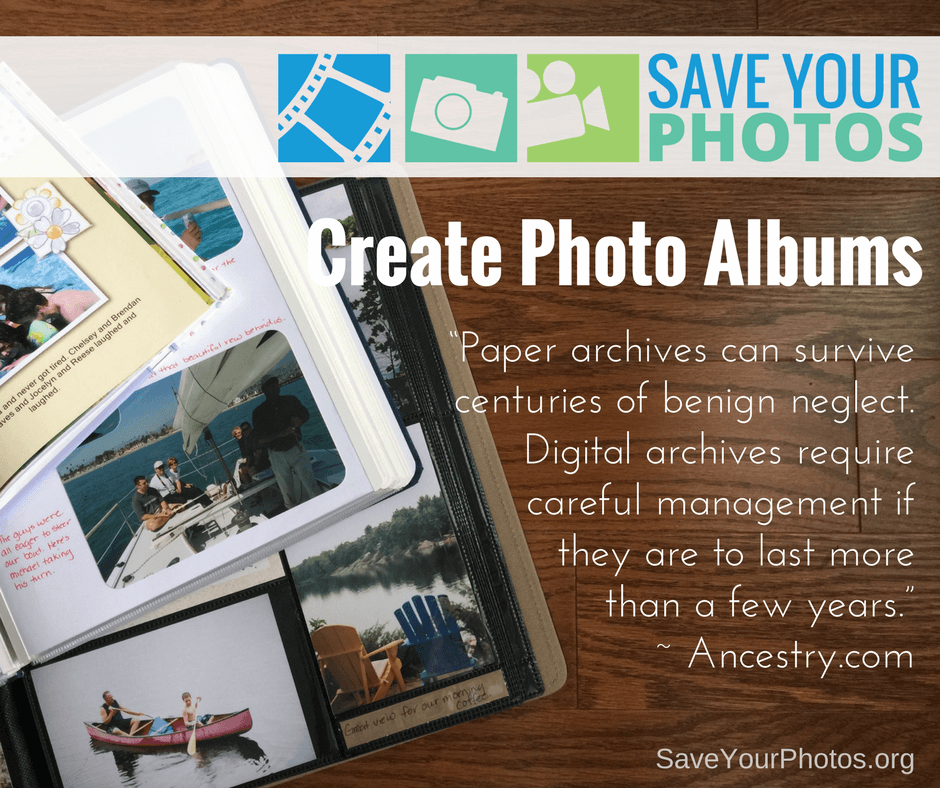
“Paper archives can survive centuries of benign neglect. Digital archives require careful management if they are to last more than a few years.” ~ Ancestry.com
Save Your Photos: Create Photo Albums | SaveYourPhotos.org

We love this quote from Ancestry.com because it speaks to the importance of having some of your priceless memories in print. Your digital images will require careful management and your 3-2-1 backup plan and ongoing maintenance will help ensure the longevity of your images. When you create physical photo albums or photo books, you increase the odds that your family story and precious memories will succeed you!

Printed photo books, scrapbooks, and photo albums don’t rely on technology to enjoy them. You don’t need an internet connection, and you won’t need to migrate them to a new format to view them 50 years from now. When you combine images and words into a documentary-like narrative, you are creating a historical record for future generations with stories that you can celebrate and enjoy today.

Save Your Photos: Create Photo Albums | SaveYourPhotos.org


The market is filled with an abundance of album choices to suit your needs. Scrapbook albums have the added benefit of providing you with a creative outlet. Pocket page albums make it easy to assemble an album quickly if time is an issue for you. Digital photo books make it easy and efficient to use online tools and templates to auto populate a photo book while you focus on the words that tell your story.

Tips for Photo Album Success

  • Quality matters! Choose products that have archive quality or photo safe materials to ensure the longevity of your albums.
  • Select album options that suit your lifestyle, budget and time considerations. Completion is the most important goal. If you don’t enjoy sitting at the computer to create a photo book, it will quickly become a chore. If you are frustrated by the creative process of assembling a scrapbook, it will slow you down. Make healthy choices!
  • Themes rather than chronology will make it easier to curate a story. Favorite topics include Vacations, Sports, Family Traditions or events like Weddings, Anniversaries and Birthdays. Choose the themes that are most common in your family and combine them into an album that spans over time.
  • If you prefer a chronological timeline, choose 10-15 photos per month for an annual Family Yearbook. Or choose 10-20 photos per year for a Celebration of Life.

The greatest reward for your effort will be the joy on the faces of your loved ones enjoying your photo albums!


Sign up today for more great photo organizing tips directly in your email box.
We also invite you to visit our sister blog The Photo Organizers for more tips and in-depth knowledge from some of the top photo organizing industry professionals. To find a photo organizer near you, visit the Association of Personal Photo Organizers.


Written by Andi Willis · Categorized: Creating Memories, Photo Storage · Tagged: photo albums, photo books, photographs, scrapbooking

Dec 13 2017

Save Your Photos: Store Printed Photos Safely

Save Your Photos: Store Printed Photos Safely

Your printed photos and memorabilia should be stored in archival containers and located in rooms with average temperatures and low humidity. Avoid basements and attics.

ave Your Photos: Store Printed Photos Safely | SaveYourPhotos.org


We’re almost ready to talk about scanning your photo collection. But before we do, you need to determine a permanent home for your photos after they’ve been digitized. It is important that your store printed photos safely.


Pass The PAT Test

Printed photos (and memorabilia) should be stored in containers designed for archiving. To be considered ‘archival,’ products must meet rigorous standards developed the Image Permanence Institute, by passing the Photographic Activity Test (PAT). The PAT test is the international standard for photographic archival storage, and you can learn more about it at the Image Permanence Institute.


Keep It Clean

Before you place your scanned prints and memorabilia into their storage containers, wipe the surface of each photo with a clean, lint-free cloth to remove any residue or dust that may be on the picture. And of course, wear your gloves!


Perfect Storage Conditions

Your photo boxes and containers should be stored at room temperature with 40% humidity levels, and away from light.

Stay away from basements and attics and keep them off the ground, preferably on top shelves or the 2nd floor of your home. When floods occur, home’s fill from the basement up. Even though your collection has been digitized, and backed up with the rest of your digital images, you should strive to secure your originals to best of your ability.


Sign up today for more great photo organizing tips directly in your email box.

We also invite you to visit our sister blog The Photo Organizers for more tips and in-depth knowledge from some of the top photo organizing industry professionals. To find a photo organizer near you, visit the Association of Personal Photo Organizers.

Written by Andi Willis · Categorized: Photo Storage · Tagged: how to store pictures, how to store printed photos, photo storage, print photo storage

Nov 29 2017

Save Your Photos: The Chemical Sandwich of Magnetic Albums

Save Your Photos: The Chemical Sandwich of Magnetic Albums

Old magnetic or ‘sticky’ albums contain unsafe components that act like a ‘chemical sandwich’ for your photos. These pictures should be removed and scanned as quickly as possible.

The Chemical Sandwich of Magnetic Albums | SaveYourPhotos.org

The Downside of Magnetic Albums

As you organize and sort your photos, you may come across photos in old scrapbooks, pocket page albums and old magnetic albums that were popular about 25 – 30 years ago. Unfortunately, many of these albums may be accelerating the deterioration of your photos and you need to take steps to remove your pictures now.

The biggest offender is the magnetic or sticky album. The glue on the page surface, the acidic cardboard page and the plastic overlay create a ‘chemical sandwich’ that is rapidly destroying your photos.

If you have these albums in your collection, removing the photos is a priority! Some may be easy to remove, and some may be troublesome.

The Chemical Sandwich of Magnetic Albums | SaveYourPhotos.org

How to Remove Troublesome Photos

Here are a few tips as you approach this next step:

  1. Find a photo in the album that is a ‘throw away’ and try to remove it first by gently lifting a corner. If it comes up easily without having to pull or curl the photo, then proceed.
  2. If the picture is stuck, take a thin metal spatula and gently work under the photo, or slide a piece of unwaxed dental floss under the corner and gently saw back and forth to work through the adhesive.
  3. Try heating the back of the photo slightly with a blow dryer then attempt the dental floss again. Or heat the metal spatula and use this to soften the glue as you work behind the photo.
  4. Try using a product like Un-du which is an adhesive remover used by scrapbookers and safe to use on the backs of photos.

If all this fails, then leave your photos in the albums and make digital copies with a flatbed or mobile scanner.


Sign up today for more great photo organizing tips directly in your email box.

We also invite you to visit our sister blog The Photo Organizers for more tips and in-depth knowledge from some of the top photo organizing industry professionals. To find a photo organizer near you, visit the Association of Personal Photo Organizers.


Written by Andi Willis · Categorized: Photo Storage · Tagged: how to remove a stuck photo, magnetic photo album, photo albums

Sep 06 2017

We Have to Evacuate! How Do I Keep My Photos Safe?

We Have to Evacuate! How Do I Keep My Photos Safe?

If you’re looking at evacuating ahead of a storm, there isn’t time to scan your photo collection. You need to focus on ensuring the safety of your family and preparing your home as much as possible.

We Have to Evacuate! How Do I Keep My Photos Safe? | SaveYourPhotos.org


What To Do Before The Storm Hits

Here are some basic steps you can implement before the storm hits to give your photos the best possible chance of surviving the storm dry and intact.

Backup

Backup your computers and hard drives, including your photo collections. Keep a copy of your backup secure in the cloud. Bring your backup drive with you, and store another copy at a friend’s house that is out of the storm’s path.

We Have to Evacuate! How Do I Keep My Photos Safe? | SaveYourPhotos.org

Find Your Photos

Do a sweep through your basement, first floor, and garage. Do you have boxes or bins of memories stored there? Are your albums on a low bookshelf or coffee table? What about framed photos on walls or mantles? Gather them up so you can protect them. Children may be able to help with this step.

Protect Your Printed Photos

Wrap photos in double layers of plastic, sealed tight. This could mean zip-top bags or a plastic garbage bag sealed with duct tape. Smaller baggies secured inside a larger garbage bag is a good system. If any of your frames have sharp edges, pad them, so they don’t rip the bags. Don’t forget to LABEL THEM. As an added precaution, you can put the wrapped packages in a plastic bin.

We Have to Evacuate! How Do I Keep My Photos Safe? | SaveYourPhotos.org

Plastic bins may be water resistant but are not water tight. Floods can lift and carry heavy boxes, and can tip them over, so the water gets in.  Make sure everything in the bins is wrapped in plastic.

You can put a few desiccant packs (like the ones that come in shoe boxes) in the container, making sure the photos are wrapped up separately and protected from any chemicals.

Get To Higher Ground

Move the bins of wrapped up photos to the highest level of your home and choose an upper shelf of a bedroom closet or any closet on an upper floor. A closet will keep bins from floating around or tipping.


Above all stay safe, and we wish you all the best as you weather the storm and its aftermath. Visit saveyourphotos.org to learn what to do after the storm with any water damaged photos.


Kathy Rogers of Baltimore Photo SolutionsKathy Rogers loves photos and the stories behind them. Since 2012, as the founder and CEO of Baltimore Photo Solutions, she has been helping others to preserve their photos and share their legacies. She is a certified photo organizer and APPO member. 

Kathy’s first career was in health care. She brings lessons learned from her public health training into her photo books for families dealing with dementia and now, in blogging about disaster preparedness.
We Have to Evacuate! How Do I Keep My Photos Safe? | SaveYourPhotos.org

Written by Andi Willis · Categorized: Photo Storage, Safeguard · Tagged: backup, disaster preparation, emergency preparedness, how to keep my photos safe, how to store photos, hurricane, photo storage

Aug 30 2016

Dare to Automate Your Digital Photo Workflow

Dare to Automate Your Digital Photo Workflow

When it comes to organizing your digital photos, do you have a workflow? A what? Learn from Caroline Guntur of The Swedish Organizer, LLC.

Dare to Automate Your Digital Photo Workflow | SaveYourPhotos.org

In today’s fast-paced world, it’s easy to get behind on your to-dos, especially keeping up with your digital media. With so many photos coming at you every day from devices, email, and social media, it can be really overwhelming to stay organized, but we all know that neglecting your memories isn’t a good option. You cannot afford to lose your memories. They are too valuable! So how do you stay on top of everything?

You need to delegate.

Imagine, if you will, an elaborate system of rivers, all running to the same great lake. They are rapids and as such, hard to keep up with. If you try to stop them mid-stream, they’ll be hard to control, and may spill over. Now imagine that these streams aren’t actually real rivers, but your digital photo streams.

If you think about it, your digital photo streams are flowing just as quickly, and are just as hard to keep up with… The stats were released just this past month. An estimated 1.2 trillion photos will flood our devices this coming year, according to Mylio. How many photos will end up in your stream? You should know. You are responsible for curating them.

Instead of trying to stop each and every single stream, try redirecting them all to the same great lake, and back them up from there instead. Maybe this isn’t the most eloquent way of describing it, but it’s how I see my digital photo life. I’d rather deal with one spot over several different ones. So how can you achieve this streamlined workflow?

By using funnels.

In my opinion, the best backup strategies consolidate your digital rapids into one steady stream instead of dealing with them individually. Creating automatic backups is one component of this system because it allows you to re-direct your stream where you want them to go. All it takes is the willingness to set it up. It may sound like a lot of work, but just like organizing anything else, it actually ends up saving you a lot of time.

Here are some examples of ways you can simplify your life by automating your digital photo workflow:

Example #1: Redirect all new photos posted on your social media profiles to a cloud storage provider, like Dropbox or Google Drive.

Why not just grab them off your devices? Because the photos that post to your social media accounts aren’t just your own. Your friends and family members post to your account too, and I doubt you’ll want to borrow all of their devices on top of dealing with your own! If you think about it, Facebook itself is a funnel for all the important people in your life. Now take it one step further, and automate it by using an API service, like Zapier or IFTT.

Dare to Automate Your Digital Photo Workflow | SaveYourPhotos.org

Example #2: Import all the photos from all your devices at the same time, and to the same location.

Why at the same time? Because batching not only save you time, but it ensures that you don’t forget any of your devices. Now take it one step further, and automate it by auto-syncing your photos regularly using a program like Mylio, or to a cloud solution like Forever.

Example #3: Send the photos from your DSLR camera straight to your computer or cloud solution using a wireless SD card.

Remember the old days when you actually had to plug your SD card into your computer? Sure, that’s still a good way to do it, but why not bypass that step entirely? Most Professional Organizers will tell you that the less steps it takes to complete a task, the better, so I challenge you to take it one step further. Automate it with a wireless SD card, for example Eye-fi.

These are just some of the ways you can simplify your workflow by setting up automated rules. Depending on your comfort with technology, budget, likes, and dislikes, you have to find the right solutions for you, but don’t be afraid to think outside of the box. Automation is my best friend, and it can be yours too.


NAPO-79-WEB

A native of Ystad, Sweden, Caroline Guntur now resides just outside of Chicago, IL, where she runs The Swedish Organizer, LLC, a company that provides customized family history solutions to clients around the world. As a Certified Photo Organizer, Personal Historian, and Professional Genealogist, she enjoys helping others preserve and protect their memories. Caroline runs the blog OrganizingPhotos.net, a site that discusses best practices in organizing, digitizing, and preserving family history, as well as SearchingScandinavia.com, a site dedicated to helping Scandinavian-Americans connect with their heritage. She is a member of APPO, NAPO, APH, APG, and NGS.


Dare to Automate Your Digital Photo Workflow | SaveYourPhotos.org

Written by Jackie Lyals · Categorized: Photo Organization, Photo Storage · Tagged: digital photos, how to organise digital photos, how to organize digital photos, photo organising, photo organizing, workflow

  • 1
  • 2
  • Next Page »

© Copyright 2017 Association of Personal Photo Organizers · All Rights Reserved · Privacy Policy