Save Your Photos

  • Home
  • Blog
  • Disaster Help
    • Disaster Resources
    • Hurricane Harvey Photo Recovery
    • Hurricane Irma Photo Recovery
  • Who We Are
    • Save Your Photos Group
    • The Photo Organizers Blog
    • Association of Personal Photo Organizers
  • Sponsors
    • How To Become A Corporate Sponsor

Sep 06 2017

Save Your Photos: Digital Photo Folder Structure

Save Your Photos: Digital Photo Folder Structure

Create a ‘holding tank’ for your messy digital photos in the folder structure of your digital photo hub. Your ‘to-be-organized’ folder is your ‘dumping ground’ for all the images you bring in from devices, camera cards, the scanner, etc.
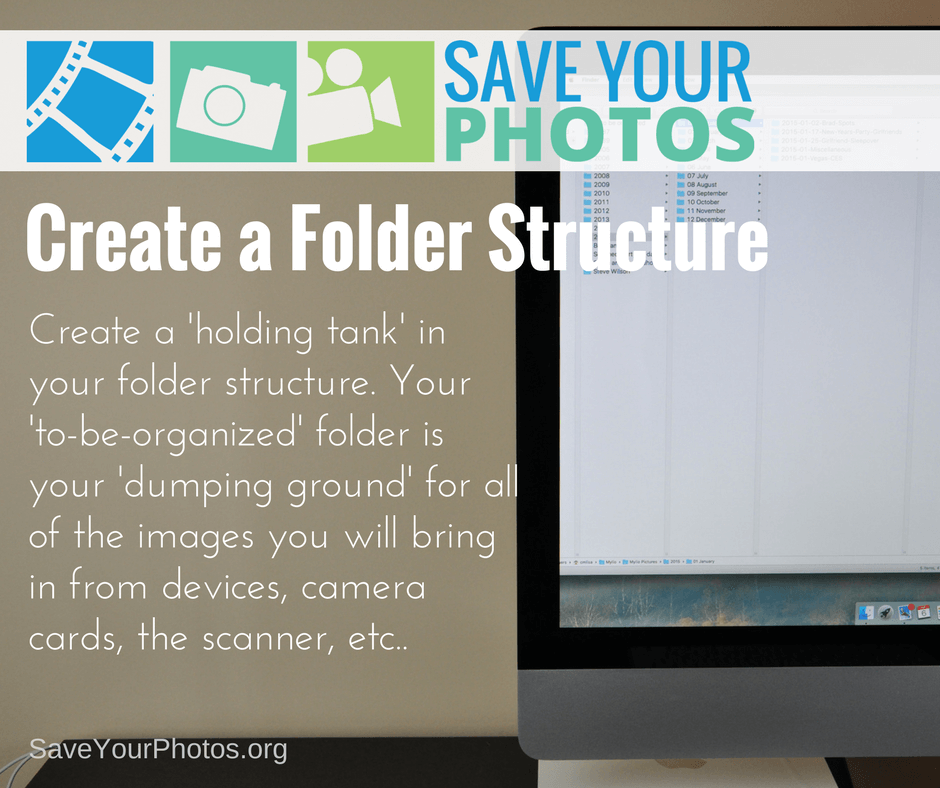
Save Your Photos: Create A Digital Folder Structure | SaveYourPhotos.org

Create Some Structure in Your Life

Now that you’ve chosen your digital photo hub, let’s create some structure. We recommend a folder structure that is scalable, and easy to understand.

For example, a dated folder structure is predictable and easy to maintain because today’s digital images have dates embedded. Themed folders with no ‘dated’ structure work better for old scanned photos that are hard to date. Use a numerical file name for your folders which allows your computer to sort your folders in date order. Here is an example of a scalable folder structure that incorporates both:
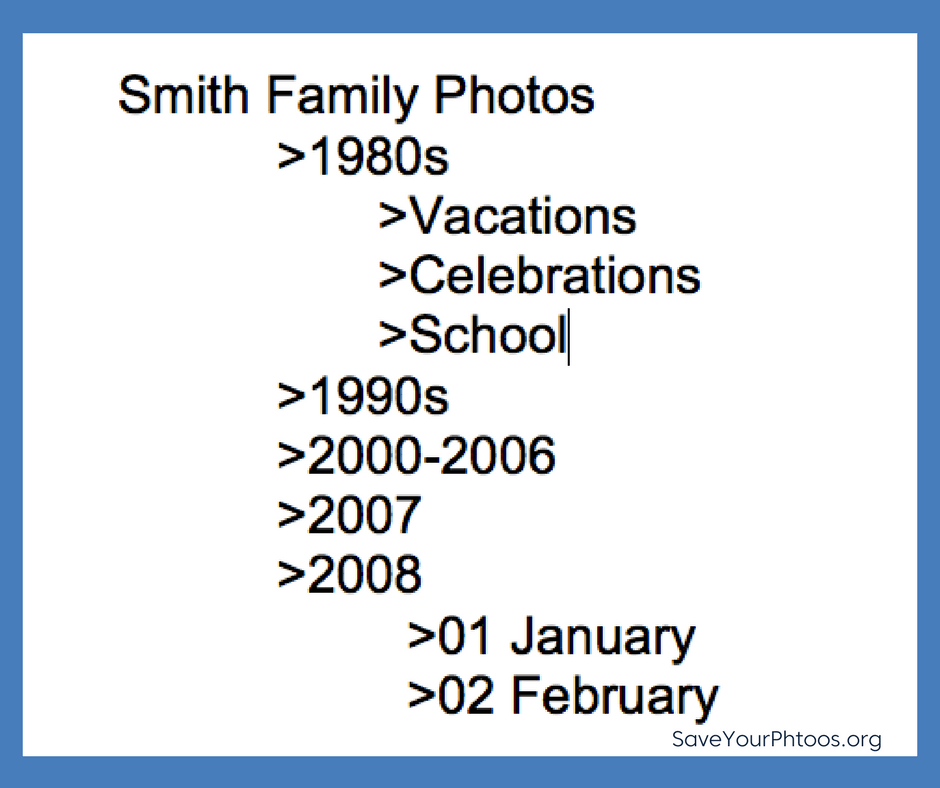
Save Your Photos: Create A Digital Folder Structure | SaveYourPhotos.org

Create a Holding Tank: To-Be-Organized

Eventually, your sorted images will go into this folder structure, but first, we need to create a ‘holding tank’. This one folder in your hub will denote images that need sorting. Your ‘to-be-organized’ folder is your ‘dumping ground’ for all the images you bring in from devices, camera cards, the scanner, etc.

Start to Sort

Once you have your structure in place, you can start pulling in images from all your devices. Next week we’ll give you some specific tips to help streamline this work so don’t jump in just yet.

Stand Alone File Structure

One final thought about the importance of this structure. You will notice that we haven’t introduced any photo organizing software yet. We believe this structure is a ‘friendly’ option for everyone and ensures that your workflow is software independent. If you aren’t currently using a software program to organize your photos, the added learning curve may slow you down or paralyze you. We’ll teach you how to organize your photos without a specific software and we’ll leave the decision to introduce software up to you.


Sign up today for more great photo organizing tips directly in your email box.

We also invite you to visit our sister blog The Photo Organizers for more tips and in-depth knowledge from some of the top photo organizing industry professionals. To find a photo organizer near you, visit the Association of Personal Photo Organizers.

Written by Andi Willis · Categorized: Photo Organization · Tagged: digital photos, how to organise digital photos, how to organize digital photos, photo organising, photo organizing

Aug 23 2017

Save Your Photos: Start With Your Digital Photos

Save Your Photos: Start With Your Digital Photos

Tackle your digital photos first. Your images may be at greater risk than your printed photo collection if you don’t have sufficient backups in place.

Save Your Photos: Start With Your Digital Photos | SaveYourPhotos.org

You may be tempted to start with your printed photos, but we have a good reason for tackling your digital photos first!  We asked Certified Photo Organizer Caroline Guntur of Organizing Photos by The Swedish Organizer why she recommends starting with your digital images and she gave us 4 GREAT reasons.

Tech Failure Rates vs. Natural Disaster

Consider this fact: Statistically, you are more likely to lose your digital photos in a tech crash than your analog memories in a house fire or other natural disaster.

It’s no secret that hard drives fail. Lots of phones are stolen every day. Computers shut down, never to be powered on again. In other words, your device is the most likely culprit when it comes to lost memories, not a natural disaster.

Is it always accurate? Of course not. No disaster or accident should be treated casually, so you’ll have to consider the dangers that your photos face, and make a good judgment call, but in general, I tend to acknowledge this statement as fact. I live in a low-risk area, and I know for sure that my photos are more at risk on the tech side. Every project needs a plan of action, and if you’re statistically more likely to lose your digital photos, why not start by keeping those safe?

4 reasons you should start organizing your digital #photos today #saveyourphotos Click To Tweet

Most of Your Photos are Digital

If you lose your digital collection, you’ll probably end up losing more photos, maybe even most of them. I mean, aren’t the majority of your photos digital? I’d bet my last quarter on the fact that most of your photos are digital, even if you have lots of prints. If you’re anything like me, you’ve probably taken more pictures in the last few years of smartphone-clicking than in the past few decades combined (unless your polaroid cam was working overtime!).

Save Your Photos: Start With Your Digital Photos | SaveYourPhotos.org

Intangible Memories are Easier to Lose

Digital photos are easier to lose because they’re not tangible. Printed photos are usually stuck in a box somewhere, and are relatively safe if you store the box well. You’re not that likely to forget about it. Digital photos, on the other hand, are usually scattered on different devices and across different platforms, and they don’t come together as quickly. You just haven’t looked at them enough to remember all of them, so they’re easier to forget. You’ve never held them in your hand, and that makes a big difference. Many studies show we relate better to things we touch, so I have to believe that tangibility matters. It’s much easier to forget about a few photos on an individual device than about a box of prints that you can physically see.

A Digital System Makes Maintenance Easier

It’s not uncommon for the photo organizing process to take a few weeks, and sometimes clients take hundreds of new photos while we’re in the organizing mode. Without a system in place to deal with all the new digital photos, the to-do list keeps growing, and the project never ends. I like to think of it as a conveyor belt. The photos are just going to keep coming, so it’s easier to quickly set up the conveyor belt to go in the right direction rather than having to deal with an amassing pile of files. Why add more to the mess? With a digital system in place, it’s easier to maintain order, and when your older printed photos are ultimately scanned, it’ll be much less work to add them to your collection.

What do you think? Are you ready to tackle those digital photos?


Sign up today for more great photo organizing tips directly in your email box.

We also invite you to visit our sister blog The Photo Organizers for more tips and in-depth knowledge from some of the top photo organizing industry professionals. To find a photo organizer near you, visit the Association of Personal Photo Organizers.

Written by Andi Willis · Categorized: Photo Organization · Tagged: appo, digital photos, how to organise digital photos, how to organize digital photos, organise digital photos, organize digital photos, photo organising, photo organizing, save your photos

Aug 16 2017

Save Your Photos: Collect Your Photo Organizing Supplies

Save Your Photos: Collect Your Photo Organizing Supplies

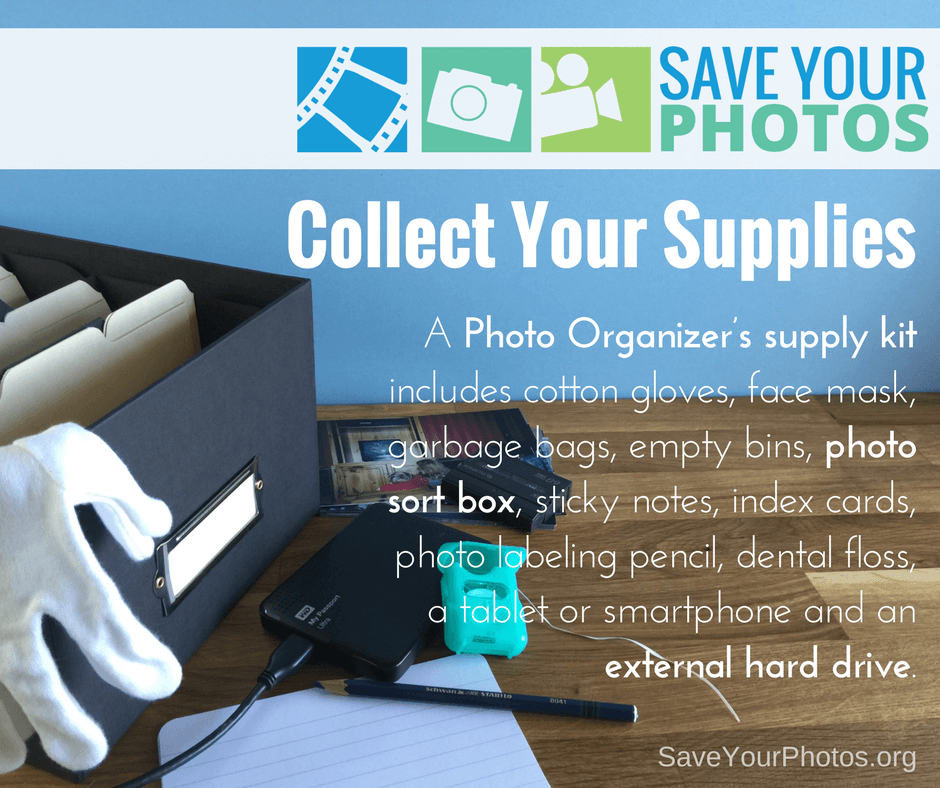
The proper photo organizing supplies are an important part of your photo organizing project. A Photo Organizer’s kit includes many different items that make the job of handling, identifying and storing your precious lifetime of photos.

Save Your Photos: Collect Your Photo Organizing Supplies | SaveYourPhotos.org


What the Experts Use

Before you get down to the business of organizing your photos, you’ll need to collect some photo organizing supplies. We polled Professional Photo Organizers for their supply list; these are the ‘must haves’ when they begin any photo organizing project.

Cotton Gloves

Fingertips contain an oily residue that will further deteriorate your delicate photo.

Face Mask

If your printed photos smell musty, or they were stored in an attic or basement they may contain mold spores that you could find irritating during the sorting process.

Gather these helpful #photo organizing supplies that the experts use. #saveyourphotos Click To Tweet

Soft-lead Blue or Black Art Pencil

As you sort photos you may want to include a date, year or name on the back of a photo. This pencil is not permanent, and will not indent or harm your photo until you can capture the details digitally once scanned. Never use a pen to mark the back of your photo.

Index Cards

Jot down more details, facts, stories and dates on index cards and group them with printed photos. Index cards can be scanned with printed photos, so important details remain grouped together.

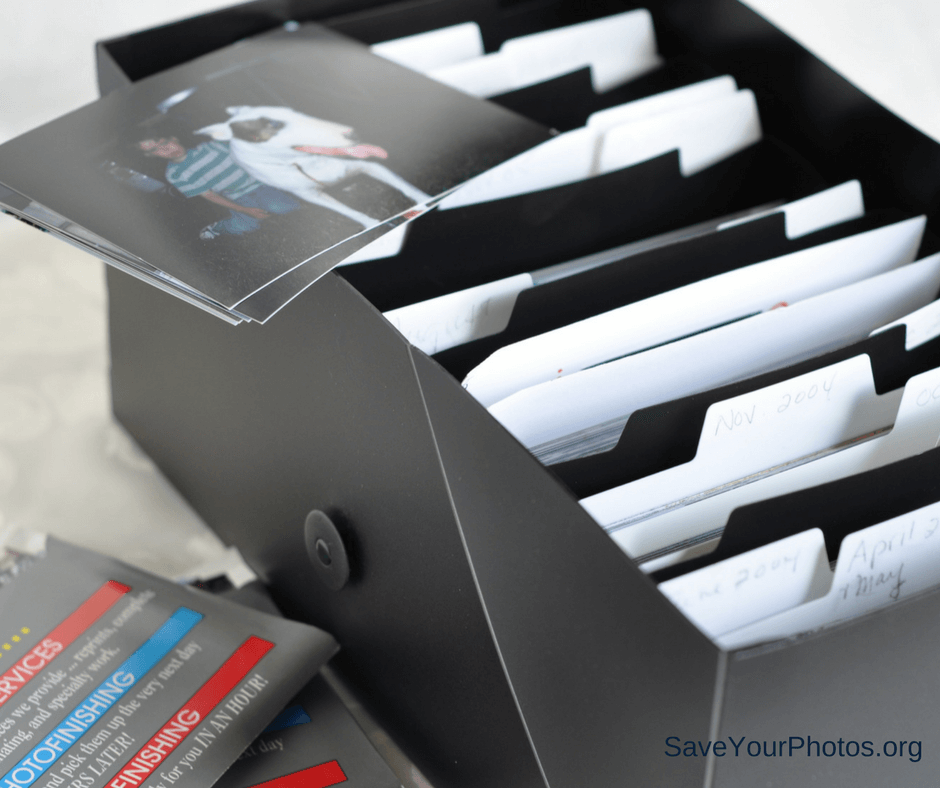
Archive Quality Photo Safe Storage Box

Choosing a good quality photo box will keep your photos safe, and aid in the sorting process.

Save Your Photos: Collect Your Photo Organizing Supplies | SaveYourPhotos.org

Dental Floss and Hair Dryer

If you have peel and stick albums, some of your photos may be difficult to remove.

Smartphone Camera

If you have old albums with details on the page, you can take a snapshot of the page to keep the details with the photos.

Sticky Notes or a Notebook

These come in handy for creating a timeline during the sorting process.  Some organizers use apps like Evernote or OneNote to curate information or create timelines.

External Hard Drive

Choose a high capacity drive according to the amount of images you have.

Garbage Bags

You’ll come across toss-away pictures, artwork and meaningless ticket stubs that will help reduce your clutter. Let’s set a goal to fill a bag!

These are the essentials, but you may have some more ideas too. Whatever makes your job easier, add it to the list.

What are your must-have photo organizing supplies?


Sign up today for more great photo organizing tips directly in your email box.

We also invite you to visit our sister blog The Photo Organizers for more tips and in-depth knowledge from some of the top photo organizing industry professionals. To find a photo organizer near you, visit the Association of Personal Photo Organizers.

Written by Andi Willis · Categorized: Photo Organization · Tagged: appo, photo organiser, photo organising, photo organizer, photo organizing, photo supply kit, photo tool kit, photo tools, save photos, save your photos

Aug 09 2017

Save Your Photos: Create A Family Timeline

Save Your Photos: Create A Family Timeline

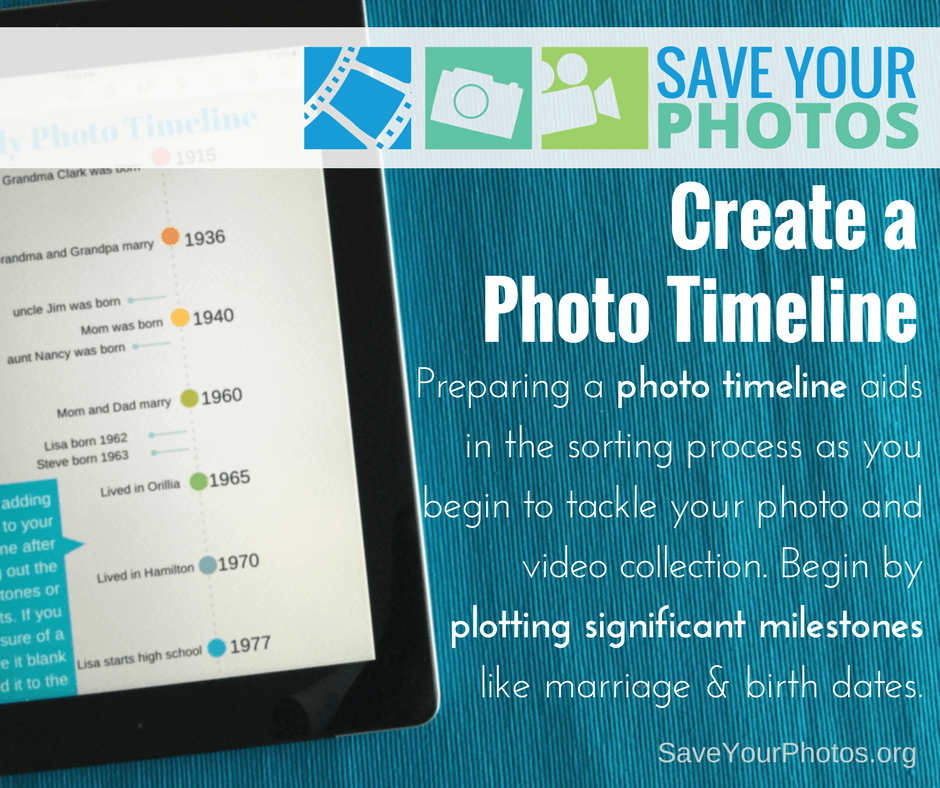
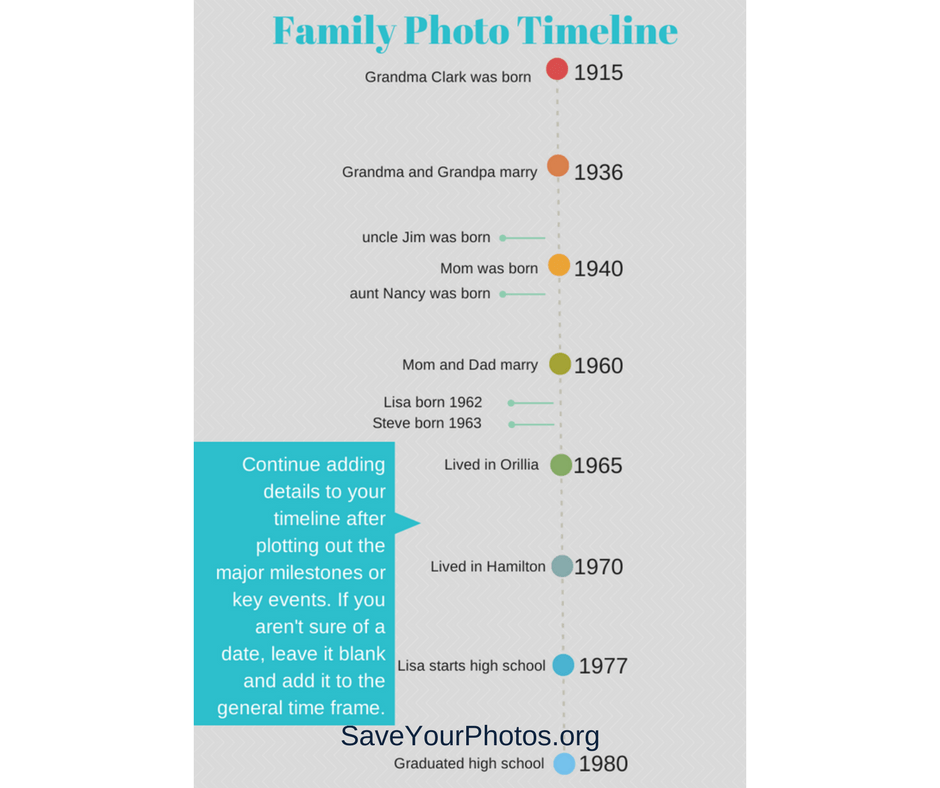
Preparing a family timeline aids in the sorting process as you begin to tackle your photo and video collection. Begin by plotting important milestones like marriage and birth dates.

Create a Family Timeline | SaveYourPhotos.org

Most of our lives can be mapped into important milestones on a timeline, even though we may not know specific dates.  Once a timeline is created, you will use this as a roadmap for indexing your photos during the sorting process.  Trust us; you’ll be glad you took the time to complete this step.

Create a family timeline to act as a road map for your #photo #organizing project #saveyourphotos Click To Tweet

Map Your Family Timeline

As you look at the entire collection of photos/videos that you are working with, determine the oldest photo and the most recent photo. This is the time span that you will plot on your map.

Once you have these major markers in place, you can begin to jot other moments or milestones in between until you are satisfied with your timeline. Plot your timeline on a spreadsheet or in a notebook, for easy reference. You will refer to this often as you start sorting, and details may change based on some of your photo discoveries.

Now is a good time to ask your relatives about key dates and events for accuracy, especially if you are working with heritage photos!

Create a Family Timeline | SaveYourPhotos.org

Events/Dates to Add to Your Family Timeline

Here are a few event and date ideas to get your family timeline started.

  • Birth
  • Marriage/Divorce
  • Death
  • Adoption
  • Immigration/Naturalization
  • Move to new home/city
  • Graduations
  • Baptism/Christening
  • Military Service
  • Retirement

Are you ready to start your timeline?


Sign up today for more great photo organizing tips directly in your email box.

We also invite you to visit our sister blog The Photo Organizers for more tips and in-depth knowledge from some of the top photo organizing industry professionals. To find a photo organizer near you, visit the Association of Personal Photo Organizers.

Written by Andi Willis · Categorized: Photo Organization · Tagged: family timeline, how to organise photos, how to organize photos, photo organising, photo organizing, photo timeline

Aug 04 2017

Don’t Let Great Memories Fade Away

Don’t Let Great Memories Fade Away

Rick Voight of Vivid-Pix™ reminds us to not let our memories fade away.  Vivid-Pix™ is a proud sponsor of 2017 Save Your Photos Month.

Don't Let Your Memories Fade Away | SaveYourPhotos.org

Our memories make us who we are.

Our memories are the stories of us. They’re the bridge to our past that links us to our grandparents, parents, siblings, children, grandchildren, and friends. Like treasured heirlooms, our memories teach us that the bonds of family and friendship need to be cherished above all else. Sharing those memories enriches our life by bringing us closer to our loved ones.

Memories cannot be replaced, but they can be revived.

Those photographs lying in a shoebox are memories waiting to be revived, relived, and shared. That old photo album collecting dust might have an irreplaceable picture of your daughter playing with her dolls; or that memorable picture of you and your college roommates the day you all moved in. These amazing memories deserve a second chance.

Breathe new life into old memories by reviving & restoring your #photos to their original splendor. @VividPixFix Click To Tweet

Restore, revive, keep and share your precious memories easily.

Breathe new life into old memories by reviving and restoring your photos to their original splendor. With a wide range of services and programs available, the process of restoring old photos is not as challenging as you think. Just take it one step at a time.

Don't Let Your Memories Fade | SaveYourPhotos.org

Gather

Gather all your photos from those boxes and photo albums. Don’t forget any photos stored digitally on old computers or laptops. Start by gently removing any dust or dirt from your photos with a soft cloth.

Don't Let Your Memories Fade | SaveYourPhotos.org

Organize

Think about how you want to organize your photos. You can group them by date or event, family members or vacations. There are lots of ways to organize your collection. Choose a system that works for you and create stacks of your photos accordingly. If this sounds like too much, check out APPO.org, where you can search for a professional to help you organize your entire photo collection.

Scan

Now it’s time to digitize your photos by scanning them. You can scan several photos at once on your printer’s scanner. Or use an app such as Shoebox from Ancestry.com on your phone. (If you’re using your phone to scan, remember to scan photos in a room with lots of natural light.) You can also just delegate this process to a local store or a scanning service like Scanmyphotos.com, which scans, crops, edits and archives your photos.

Don't Let Your Memories Fade | SaveYourPhotos.org

Restore

After your photos are scanned, the next step is to restore their vibrancy. With innovative photo correction software like Vivid-Pix™ RESTORE Picture-Fix, enhancing and refining your old photos is as easy as 1, 2, 3. You can restore color and clarity with just one click. And what’s more, RESTORE also improves on the built-in enhancement software in scanners and scanning services.


So relive and celebrate those unforgettable moments once again by converting your slide and print photos to digital images. Revive their vivid color and clarity and store them securely, so you can share them with family and friends–and continue to enjoy them for years to come. Just as memories stand the test of time, now your treasured pictures will, too.


Sign up today for more great photo organizing tips directly in your email box.

We also invite you to visit our sister blog The Photo Organizers for more tips and in-depth knowledge from some of the top photo organizing industry professionals. To find a photo organizer near you, visit the Association of Personal Photo Organizers.



Rick Voight of Vivid-PixRick Voight is a lifelong snapshooter, who has been in the imaging business for a few decades. “Rick, Randy, and a few excellent people” created Vivid-Pix™ to make it easy for customers to get and share better photos. Vivid-Pix patented and proprietary software’s follow the slogan created a century ago – “you press the button, we do the rest”.

At HP, Rick helped create the Retail Publishing Solutions division – connecting home, store and online – delivering photos and gifts in minutes, in an hour, and in a few days. At Kodak, he enjoyed working with just about every class-of-trade, developed relations and promotions with local, regional, national, and international sporting teams, theme parks, and organizations; creating new technologies and revenues.

Rick is a volunteer and board member working with multiple non-profit organizations.

Vivid-Pix | Save Your Photos Month 2017 Sponsor


Don't Let Your Memories Fade | SaveYourPhotos.org

Written by Andi Willis · Categorized: Photo Organization · Tagged: how to organise photos, how to organize photos, photo organising, photo organizing, photo restoration, save your photos, Vivid-Pix

  • 1
  • 2
  • Next Page »

© Copyright 2017 Association of Personal Photo Organizers · All Rights Reserved · Privacy Policy