Save Your Photos

  • Home
  • Blog
  • Disaster Help
    • Disaster Resources
    • Hurricane Harvey Photo Recovery
    • Hurricane Irma Photo Recovery
  • Who We Are
    • Save Your Photos Group
    • The Photo Organizers Blog
    • Association of Personal Photo Organizers
  • Sponsors
    • How To Become A Corporate Sponsor

Aug 16 2016

The Simplest Ways to Make the Best Slideshows

The Simplest Ways to Make the Best Slideshows

This is a guest contribution by Andrea Sims of Your Story. Share It!

Sims Post

Remember the occasion of the family slideshow of the old days? Usually enjoyed a few weeks after a big vacation or event. The family would gather around, set-up the screen or hang a sheet and dim the lights. The projector would hum in the background as the photos went around with a “clickety-click.” Inevitably, the soothing ambiance would be disrupted by snoring, as Grandpa dozed off.

But, family slideshows don’t need to exist in the dim living rooms of yesteryear nor do they need to put family members to sleep. Slideshows are still an excellent way to celebrate milestone birthdays and anniversaries, graduations, the bride and groom, vacations or the-year-in-review. With these simple guidelines you’ll be able to plan slideshows that evoke emotion and fond memories.

Recently, my family returned from an annual trip to the Lake Region of Maine. I decided to celebrate our many Maine vacations with a slideshow. My husband grew up visiting his grandmother at the lake cabin, and now enjoys taking our family and making new memories. My Maine slideshow includes photos from many visits—including my husband as a child, our visits before we had kids and visits with our kids.

When getting started with a slideshow, ask yourself these simple questions. The answers will help you plan the best slideshows.

WHO IS VIEWING THE SLIDESHOW?

It’s important to consider the audience and environment for viewing when planning the length and number of photos to be included. Basically, the larger the audience, the shorter their attention span will be.

  • Social media audience à less than 1 minute, 15-20 photos
  • Captive, large audience during a presentation à 3-4 minutes, 40-50 photos
  • Small, personal audience at home à 5-6 minutes, 75-100 photos

My Maine Vacations slideshow is for home viewing by family and fits the last scenario.

In any case, it’s important to curate your photo collection carefully. Remember to include a variety of photos from a wide range of activities without being repetitive.

HOW IS THE STORY TOLD?

I recommend using a storyboard to plan the slide order. Photo order can be either:

  • Chronological
  • Logical sequence with thematic sections

For my Maine slideshow, I chose to use thematic sections. I’m often asked what my family does during our Maine vacations. While gathering photos, I found that our visits focus on three things—the deck, the dock and the family. First, the deck is where we enjoy sharing meals and playing games. Next, the dock is the hub of water activities including fishing, swimming and boating. Finally, the family is the focus as we relax, take walks and laugh together.

Be intentional in the structure of the slideshow and use the slide order to show connections and story development.

WHAT IS THE MOOD OF THE SLIDESHOW?

One of the best reasons to use a slideshow to showcase your photos is the ability to convey emotion with animation and music. Music is used to set the pace and mood. Plus, changes in music identify transitions. Graphic elements, fonts and color help to set the mood just as they do in print.

When telling the story of our Maine vacations, I included music and graphic elements to provide a summery, happy feel—reminiscent of visiting a summer camp as a kid.

Ready to visit Maine with us? Click here for a sample of my Maine slideshow to see how I considered the audience, structured the story and set the mood. This slideshow even passed the Grandpa test—he didn’t fall asleep!

Whether you want to celebrate a lifetime or events of the past year, slideshows make a great way to enjoy your photos. With a little bit of preplanning, making a memorable slideshow can be simple. There are many programs and apps to create your own, such as, iMovie (Mac), Animoto (Web), ProShow (PC or Mac), Lightroom (Mac/PC), Windows Movie Maker (PC), etc. Or, contact the Association of Personal Photo Organizers (APPO) to find a photo organizer to help you share your story with a slideshow.


Andrea Sims of Your Story. Share It!Andrea Sims is a member of the Association of Personal Photo Organizers (APPO) and the owner of Your Story. Share It!   She is passionate about celebrating memories with photos. After many years of scrapbooking as a hobby and volunteering with school yearbook staffs—first as a student and later as a parent—she decided to become a photo organizer. Andrea especially enjoys creating slideshows for events. Being a photo organizer gives her the opportunity to help other people enjoy their photos and share their stories.

Written by Jackie Lyals · Categorized: Creating Memories

Aug 11 2016

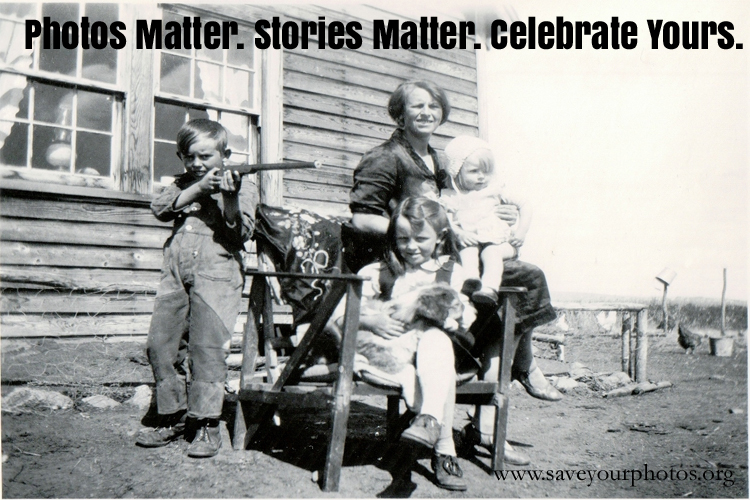
Photos Matter. Stories Matter. Celebrate Yours.©

Photos Matter. Stories Matter. Celebrate Yours.©

This is a guest contribution by Kathy Stone of Calgary Photo Solutions

Stone Post

How we honor those we love is inextricably tied with our photos. Earlier this year, my Aunt passed away. The family gathered, told stories, looked at photos, laughed, and cried. My cousin succinctly captured this time in a Facebook post: “How do you begin to capture a life and tell the story of someone you love? It is through stories, memories, pictures, and reflections…Since my mom passed, I am growing even closer to those I love that knew (and loved) my mom.” This described exactly how I felt as we went through old photos and put together a slide show and the story of her life. Photos trigger memories of stories forgotten in the busyness of daily life. Sharing these stories – both good and bad – and the emotions that accompany them gave me the gift of remembering my aunt, and getting to know my cousins as the fine adults they have become.

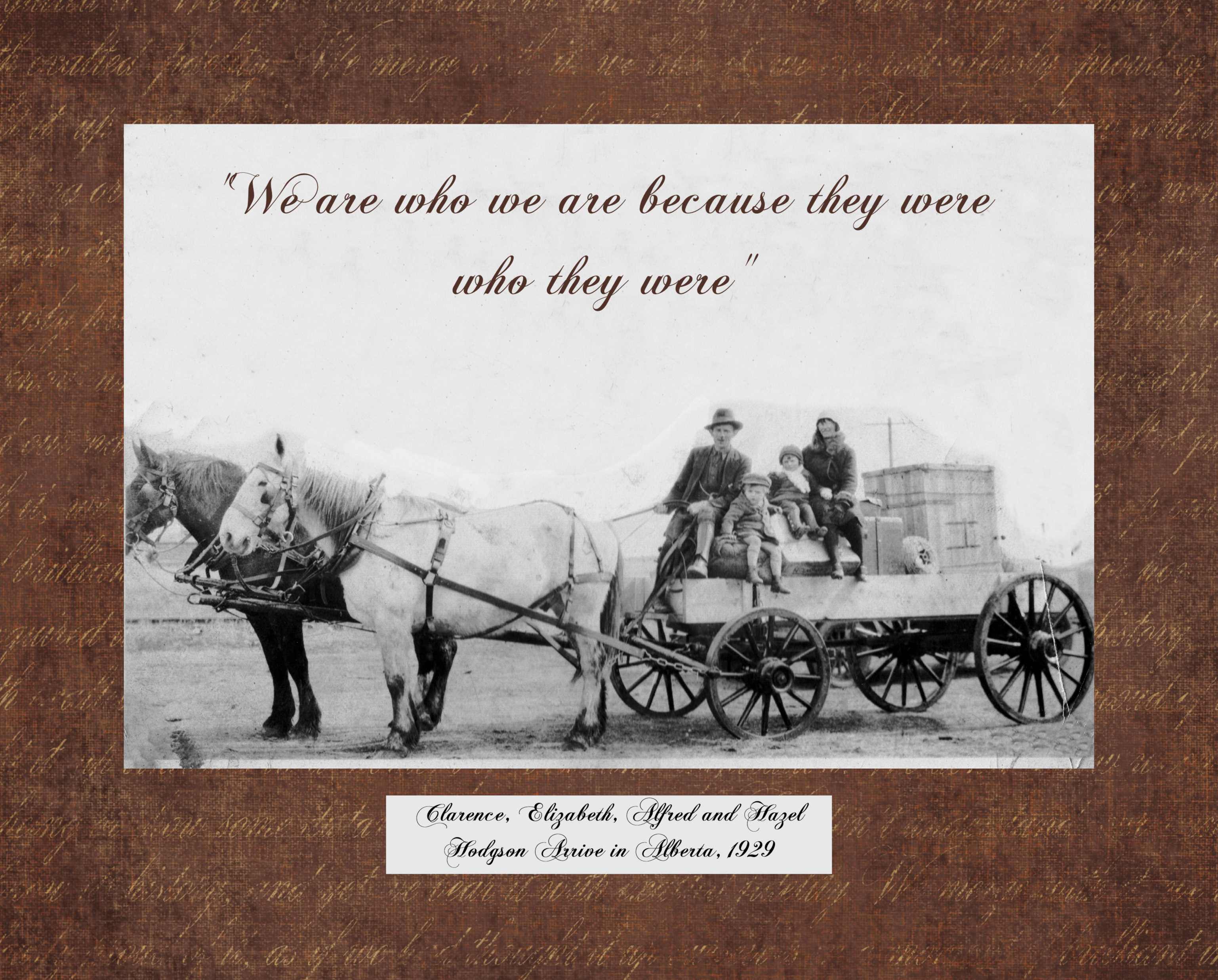
It also got me thinking about how we celebrate the lives of those we love. We gather at Celebrations of Life, to share those stories, Hodgson metal print copymemories, and photos – often in videos or slide shows set to music. What struck me is that we wait until our loved one is gone to tell their story, and share how important they were to us, and the mark they left on the world. When we accumulate photos in shoe boxes, dusty old slide carousels, old format film, and thousands of jpegs, we lose the opportunity to celebrate the stories – good and bad, that tell our loved ones how we feel about them. Wouldn’t it be great to celebrate our loved ones through stories and photos while they are still with us?

Saving our photos is about more than just having 3 back-ups of all our photos stored in safe places. It is about finding ways to look at our photos, tell the stories behind the photos, and celebrate the lives depicted in those photos every day. Enjoying our photos has become both easier and harder in the digital age. We have many ways to share our photos now, but take so many that we are too overwhelmed to see them. Take advantage of technology and make a quick album or slide show of your best or favorite pictures that tell a story. Make a canvas, metal print or wall print of a photo or collage of a few photos of your grandparents. Or a day with the family that has special meaning. Sit down with a loved one and make that slide show that tells the story of his or her life. Let them tell the stories, and hear what they mean to those who love them.

Don’t just save your photos – use them to celebrate and honor your loved ones. Somehow, with that purpose in mind, the effort involved seems less overwhelming and much more rewarding.


53. Kathy Stone-5008 copyKathy Stone, a Certified Personal Photo Organizer, founded Calgary Photo Solutions to help people preserve their photos and stories by providing a range of photo organizing services. Kathy has been helping people organize and enjoy their printed and digital photos for over 16 years. During severe flooding in Southern Alberta in 2013, Kathy saved thousands of photos for several families. She is a Certified Adult Educator, and has presented at the Association of Personal Photo Organizers Conferences in 2014 and 2016, provided digital and print photo training to numerous groups and individuals, and has spoken to individuals and organizations about the importance of photo preservation.

Written by Jackie Lyals · Categorized: Creating Memories, Displaying Photos

Aug 10 2016

How to Backup Photos While Traveling

How to Backup Photos While Traveling

This is a guest contribution from Chantal Imbach of Simply In Order

Travelling

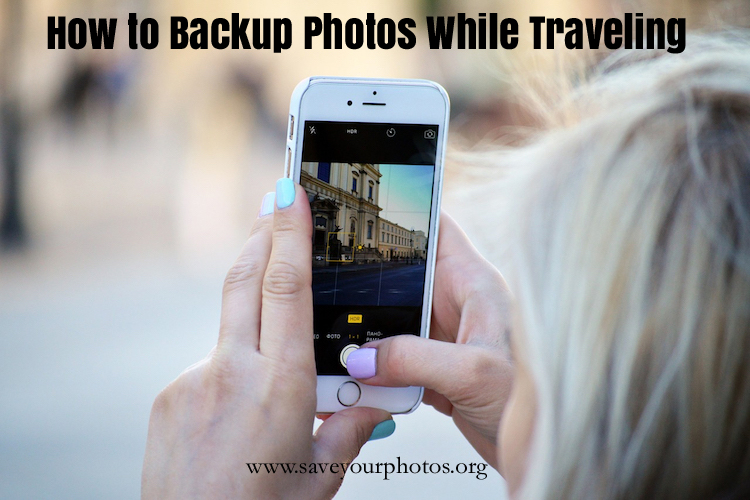
Do you know anybody who doesn’t take photos while traveling? Well, certainly not me! Modern technology enables us to take photos very easily and we often not only use a digital camera but also our phone or other devices to take photos.

However, these things can easily get lost, stolen, or damaged and you might lose all of those precious photos you took (possibly even those taken before your trip if you haven’t got a backup system in place). So, what can you do to keep your photos safe and backed up during your trip?

Below are some options for various needs and budgets. Just go through the list and find which method suits you most. You may even vary between methods from one trip to another depending on where you go.

Photo organizers recommend that you save three copies of a photo. This might not always be realistic while traveling but keep it in mind. Also, downloading your photos to a backup place and then deleting the photos on your camera is not a backup – it’s just a relocation of your photos!

Technology changes all the time so please do your own research with regards to the equipment you need.

Backup from a Phone

To the cloud (automatically or manually)

If you’ve got internet access it is a great way to backup your photos. Especially because we recommend that you not only have three copies of a photo but also in two different locations.

I recommend checking out two of APPO’s partners – either Forever or Mylio.

Dropbox has worked well for me in the past. There are of course lots of other services such as iCloud, Google+, OneDrive, etc.

A word of caution: read the small print of all providers before you make a choice. As an example: there are some who will charge you if you want to download your photos from their cloud service or with some of them you won’t get back the original resolution or you might have to download them one by one.

To a portable hard drive with WiFi

Together with the right app (depending on your phone) you can upload your photos wirelessly to a portable hard drive. An example is Seagate Wireless Plus.

To a portable hard drive without WiFi

This is a bit trickier because you will need a computer via which you can copy your photos to (see below how to do this). Don’t shy away from the idea of using a portable hard drive. I use Seagate all the time and they’re really light and small; perfect to carry around.

To a computer

If you take a laptop on your trip you simply need to connect your phone to your computer and copy your photos. To be even safer you could then copy the images to an external hard drive or USB to backup your computer – et voilà: you’ve got your three copies.

You may also use a computer in a hotel business centre or in an internet café if you travel without your own.

To a USB flash drive for smartphones and tablets

There are various USB flash drives which you can connect directly to your phone and download your photos to. They come in various sizes and are pretty easy to carry around. This is definitely a favourite of mine.

Examples are the PictureKeeper, SanDisk iXpand, or SanDisk Ultra Dual Drive.

As an option you can also buy adapters to connect your phone with a regular USB flash drive.

To a tablet

The fastest way if you don’t have internet access is probably to use Airdrop, which creates a peer-to-peer network. SHAREit works similarly.

To an SD card

Some Android phones actually include a mini SD card. Make sure in the settings that this is where the photos are stored. If you want to transfer photos from the SD card please see below for options.

iPhones cannot export or copy photos from the phone directly to an SD card. It is only possible via a computer.

Backup from a Camera Memory Card

Remove the memory card from your camera (or your Android phone) and use a card reader to import the photos to a computer, your phone, a tablet, or another mobile device. Make sure you have the correct reader/s and adapters with you.

If a computer and a portable hard drive is too much to carry along, a memory card backup system like Nexto DI or Hyperdrive might be the ideal solution. They are like a hard drive with slots for the memory cards and come with a display as well.

Backup from a Camera via USB Connection

Connect the camera to a computer via the USB cable and copy your photos. While you’re at it, you could make another copy to an external hard drive or to the cloud if you have internet access.

Wireless Backup from a Camera Memory Card

Invest in an Eye-Fi memory card which can transfer photos wirelessly to your device or computer. Keep in mind that the camera will have to be powered on while photos are transferred which requires battery power.

Once you have copied the photos from your camera to a computer or other device, you can use the above-mentioned tips to back these up.

Before You Travel

  1. Work out a backup plan that suits your needs.
  2. Make sure you have all the necessary equipment formatted correctly (especially portable hard disks).
  3. Don’t forget at least one international power adapter.
  4. Think about how you want to transport these things so they stay organized and safe. I like zip lock bags (protects against humidity and dirt at the same time). Also try to keep the camera away from the backup.
  5. Make sure all your cameras always have the correct date/time setting (of the time zone you’re in when taking the photo). It will make your life a lot easier because you will automatically have the correct chronological order (especially if you use several cameras and devices).
  6. Once your trip has started, keep in mind to set aside some time to backup your photos regularly.
  7. Enjoy your holiday!

After Your Trip

Remember, these backups are meant to happen while you’re traveling. If one of the copies you made is now already in your photo hub (e.g. if you used Forever or Mylio) it will save you the time to download everything again. If they are not in your usual hub yet, you’ll have to download your photos as soon as possible and use your usual photo management workflow.


2013_04_08_Chantal – Version 3
      Chantal Imbach

Living in a beautiful but also very fire prone area outside Melbourne (Australia) has triggered Chantal Imbach’s passion for keeping photo collections safe and organized so they can be passed on to future generations in a meaningful way.

Starting out as a home declutterer and organizer, she has now specialized in digital photo organizing and shares more of her tips in her blog at Simply In Order.


Written by Jackie Lyals · Categorized: Backup, Photo Organization, Photo Storage, Safeguard

Aug 01 2016

Top 10 Reasons People Don’t Organize Their Photo Collections

Top 10 Reasons People Don’t Organize Their Photo Collections

This is a guest contribution by Bonnie Shay of Mariposa Creative Solutions

top 10 - 1

1.  They are overwhelmed with the quantity of printed photos they have.

2.  They are embarrassed because they never did anything with the photos while their kids were young.

3.  They expect it to be a bittersweet process seeing people who have passed away or who they used to be married to, etc.

4.  They think they will get to it someday when life gets back to “normal.”

5.  They don’t have the time.

6.  They don’t have the computer skills to deal with digital photos.

7.  They can’t remember what cloud/online sites they have their photos stored on or what their login ids and passwords are.

8.  Their digital photos are scattered over all multiple computers, phones, tablets, hard drives and more.

9.  They can’t choose what app or photo management software program to use.

10.  They don’t know a Photo Organizer like me that can help them.

Come back next week to see Bonnie’s Top 10 Reasons why people don’t organize their [specifically] printed photo collections!


bonnie_shay copy
         Bonnie Shay

When I was a little girl, my idea of a fun activity was to organize my family’s kitchen pantry, cabinets and drawers.  I discovered many years later that it wasn’t every girls’ idea of a good time. Who knew? But it planted the seed of an idea that underlies Mariposa Creative Solutions: that each of us loves and excels at different things and if we recognize that and do what we do best, we can make a difference in other people’s lives.

My clients often say that at the beginning of our work together they feel like some or all of their home is chaotic. The great filmmaker Francis Ford Coppola said, “Anything you build on a large scale or with intense passion invites chaos.” And so it goes whether you have built a family, a career, friendships or a beautiful garden, a certain amount of “chaos” has been part of the process while you’ve been living life.

And if you’re reading this, my guess is you’re not like me — one whose passion it is to make order. The important thing for you is to stop feeling bad about that.  It’s about recognizing what you’re good at, what you enjoy, and how to relieve that which weighs on you.

Written by Jackie Lyals · Categorized: Creating Memories, Photo Organization

Jul 30 2016

Remember the Fire Drills from Your School Days?

Remember the Fire Drills from Your School Days?

This is a guest contribution by Debra Benbow of Big River Photo Solutions

Fire Escape Plan

Raise your hand if you’ve ever done a Photo Fire Drill. I don’t think most of us have even given it any thought, and I’m talking about myself, too. It has always been one of those “I need to do that sometime” tasks. Well, last summer I was put on the spot, and “sometime” was here!

We live in Central Washington State, and if you keep up with the news, you know we’ve had our share of wild fires…big wild fires that level entire forests, wildlands, and towns. It was June 2015, early in the season, and as I was driving home, I noticed smoke on one of the hills surrounding the Wenatchee Valley. fire hillsI figured the fire fighters were on it, and it would be out in no time. Then the winds kicked up, and it started spreading very quickly. Evacuations were happening by the minute, and when it looked like we might be in the path of it, I decided it was time to gather all things photo related as well as important documents.  Well, it was certainly an eye-opener! You see, I had been a Creative Memories Consultant since 1990, and you know what that means! Yep, I had dozens of 4-inch thick scrapbooks, boxes of loose photos and memorabilia, photos on walls, negatives, slides, and family video tapes. Then there were computers, EHD’s, and CD’s. I think you get the picture (no pun intended). It took me over an hour to gather everything into one place! I called my husband at work and told him he really needed to come home, just in case. He would be so proud of my efficiency! Everything was packed and ready to go into the truck. I guess you can imagine how devastated I was when he announced, “You really need to do something about all those pictures.” My defensive reaction was, “WHAT!!!! This is over forty-five years of our family’s memories! We are not leaving one thing behind!”

Once the danger had passed and I came to my senses, I realized that he was right. Not only did it take me over an hour to gather everything, but later I discovered I had even missed some very important things. It would have been a struggle to fit it all in our one small truck and one car. And, oh yeah, we needed room for the drivers and the cat! I know a couple of people who lost their homes in that same fire, and they literally had less than fifteen minutes notice to get out. Had I been in that situation, we would have lost it all.

I have made the commitment to scan all those albums, other loose photos, memorabilia, and important documents so I can back them up to my Forever account. It’s a huge job, and I’m still working diligently on it, but I’m making progress. I’m grateful that my experience last summer was only a fire drill and not the real thing.

The Five P’s of Immediate Evacuation

  1. People and Pets — And other livestock too
  2. Papers – Important documents and financial records
  3. Prescriptions – Pills and eyeglasses
  4. Pictures – Irreplaceable memories
  5. Personal Computer – Information on hard drives and disks

For more information on disaster preparedness: http://www.justincasearizona.com/be-informed/natural-disasters/wildfires.asp


debraDebra Benbow is the owner of Big River Photo Solutions, LLC of Wenatchee, WA.

Her passion for photos began as a young child when she would spend hours looking through her family’s boxes of photos.

As a Creative Memories Consultant for over 25 years, she enjoyed helping people tell their stories and protect their photos. She started Big River Photo Solutions in 2013 and is a Certified Photo Organizer and member of the Association of Personal Photo Organizers (APPO). Debra specializes in scanning and photo organization.

She lives in the beautiful Pacific Northwest with her husband of forty-five years, is a Master Gardener, photographer, and mom to three grown children, and has five adorable grandchildren.


Written by Jackie Lyals · Categorized: Photo Organization, Safeguard

  • « Previous Page
  • 1
  • 2
  • 3
  • 4
  • 5
  • 6
  • 7
  • Next Page »

© Copyright 2017 Association of Personal Photo Organizers · All Rights Reserved · Privacy Policy