Save Your Photos

  • Home
  • Blog
  • Disaster Help
    • Disaster Resources
    • Hurricane Harvey Photo Recovery
    • Hurricane Irma Photo Recovery
  • Who We Are
    • Save Your Photos Group
    • The Photo Organizers Blog
    • Association of Personal Photo Organizers
  • Sponsors
    • How To Become A Corporate Sponsor

Aug 30 2017

Save Your Photos: Create Your Digital Photo Hub

Save Your Photos: Create Your Digital Photo Hub

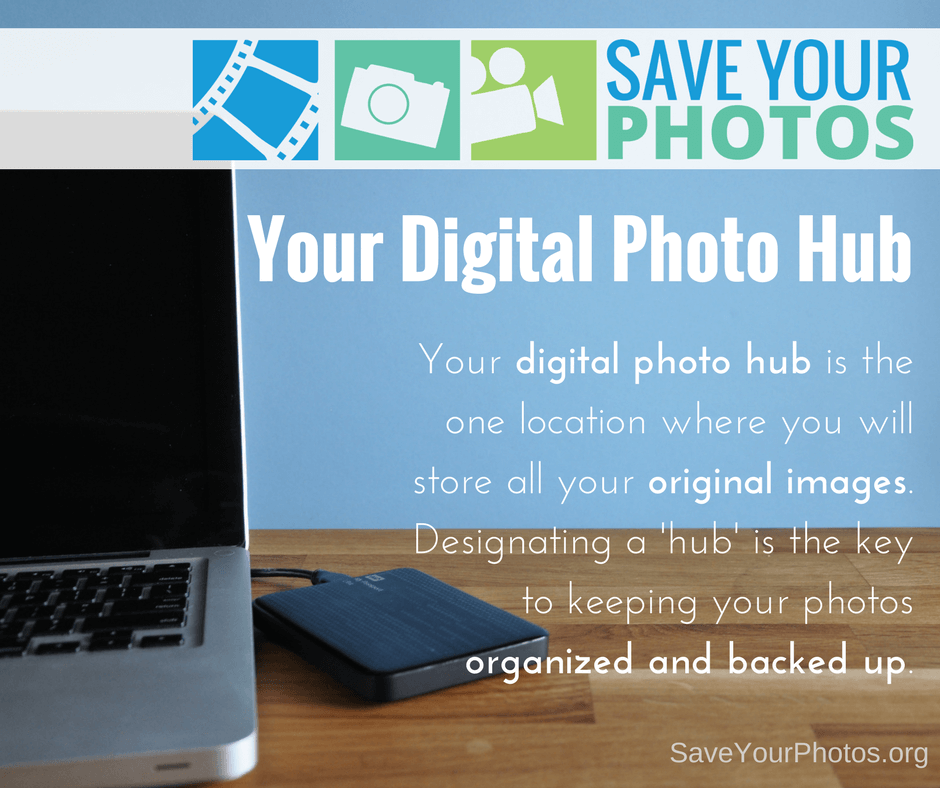
Your digital photo hub is the one location where you will store all your original images. Designating a ‘hub’ is the key to keeping your photos organized and backed up.
Save Your Photos: Your Digital Photo Hub | SaveYourPhotos.org

Choosing your digital photo hub is the most important decision you will make when organizing your digital pictures, so let’s dig in.

Your Digital Photo Hub = Your Digital Home

You’re going to create a digital photo hub to store every photo (and video) you take including your soon-to-be-digitized prints and home movies. Your ‘hub’ will be the ‘home location’ for your entire memory collection and can be a master folder on your computer hard drive, an external hard drive or in some cases a cloud-based location. When you have a designated hub, you will find it easy to backup your memory collection and you will simplify your workflow significantly.

Create a single digital hub for all of your digital photos and videos. #saveyourphotos Click To Tweet

Things to Think About

Here are a few things to consider when choosing your ‘hub.’

1. Does your hub have the capacity to expand?

Chances are, you’ll continue to take photos and videos. If you locate your hub on an external hard drive or your computer, then you need to ensure you have ample storage space for your existing images and your future ones. High-resolution images and videos require a lot of space, so choose wisely.

2. Is your hub accessible and within your complete control at all times?

You should have access to your photos whenever you need to which means your hub needs to be stored locally, and not online. The only exception to that rule is if you are living an entirely mobile life where you aren’t tethered to a home computer.

Save Your Photos: Your Digital Photo Hub | SaveYourPhotos.org

Cloud Questions

Mobile devices don’t have the capacity to store your entire collection, making a cloud-based solution your only option. If you need to choose an online service, pick a reputable established provider and read the fine print. Ask about privacy (protecting your image info), photo ownership, data stripping (removing your metadata or compressing your images) data mining (sharing your personal info for advertising purposes) and how you retrieve your images if you decide to ‘break up’ with your provider. Some online services make you pay to download your own pictures. Buyer beware!

What’s In a Name?

Finally, give your hub a name that makes it easy to locate. Smith Family Memories is a good example. My Pictures or Pictures is a little too vague.

Where will you locate your digital photo hub?


Sign up today for more great photo organizing tips directly in your email box.

We also invite you to visit our sister blog The Photo Organizers for more tips and in-depth knowledge from some of the top photo organizing industry professionals. To find a photo organizer near you, visit the Association of Personal Photo Organizers.
Written by Andi Willis · Categorized: Photo Organization · Tagged: cloud storage, digital photo hub, digital photos, how to organise digital photos, how to organize digital photos

Aug 23 2017

Save Your Photos: Start With Your Digital Photos

Save Your Photos: Start With Your Digital Photos

Tackle your digital photos first. Your images may be at greater risk than your printed photo collection if you don’t have sufficient backups in place.

Save Your Photos: Start With Your Digital Photos | SaveYourPhotos.org

You may be tempted to start with your printed photos, but we have a good reason for tackling your digital photos first!  We asked Certified Photo Organizer Caroline Guntur of Organizing Photos by The Swedish Organizer why she recommends starting with your digital images and she gave us 4 GREAT reasons.

Tech Failure Rates vs. Natural Disaster

Consider this fact: Statistically, you are more likely to lose your digital photos in a tech crash than your analog memories in a house fire or other natural disaster.

It’s no secret that hard drives fail. Lots of phones are stolen every day. Computers shut down, never to be powered on again. In other words, your device is the most likely culprit when it comes to lost memories, not a natural disaster.

Is it always accurate? Of course not. No disaster or accident should be treated casually, so you’ll have to consider the dangers that your photos face, and make a good judgment call, but in general, I tend to acknowledge this statement as fact. I live in a low-risk area, and I know for sure that my photos are more at risk on the tech side. Every project needs a plan of action, and if you’re statistically more likely to lose your digital photos, why not start by keeping those safe?

4 reasons you should start organizing your digital #photos today #saveyourphotos Click To Tweet

Most of Your Photos are Digital

If you lose your digital collection, you’ll probably end up losing more photos, maybe even most of them. I mean, aren’t the majority of your photos digital? I’d bet my last quarter on the fact that most of your photos are digital, even if you have lots of prints. If you’re anything like me, you’ve probably taken more pictures in the last few years of smartphone-clicking than in the past few decades combined (unless your polaroid cam was working overtime!).

Save Your Photos: Start With Your Digital Photos | SaveYourPhotos.org

Intangible Memories are Easier to Lose

Digital photos are easier to lose because they’re not tangible. Printed photos are usually stuck in a box somewhere, and are relatively safe if you store the box well. You’re not that likely to forget about it. Digital photos, on the other hand, are usually scattered on different devices and across different platforms, and they don’t come together as quickly. You just haven’t looked at them enough to remember all of them, so they’re easier to forget. You’ve never held them in your hand, and that makes a big difference. Many studies show we relate better to things we touch, so I have to believe that tangibility matters. It’s much easier to forget about a few photos on an individual device than about a box of prints that you can physically see.

A Digital System Makes Maintenance Easier

It’s not uncommon for the photo organizing process to take a few weeks, and sometimes clients take hundreds of new photos while we’re in the organizing mode. Without a system in place to deal with all the new digital photos, the to-do list keeps growing, and the project never ends. I like to think of it as a conveyor belt. The photos are just going to keep coming, so it’s easier to quickly set up the conveyor belt to go in the right direction rather than having to deal with an amassing pile of files. Why add more to the mess? With a digital system in place, it’s easier to maintain order, and when your older printed photos are ultimately scanned, it’ll be much less work to add them to your collection.

What do you think? Are you ready to tackle those digital photos?


Sign up today for more great photo organizing tips directly in your email box.

We also invite you to visit our sister blog The Photo Organizers for more tips and in-depth knowledge from some of the top photo organizing industry professionals. To find a photo organizer near you, visit the Association of Personal Photo Organizers.

Written by Andi Willis · Categorized: Photo Organization · Tagged: appo, digital photos, how to organise digital photos, how to organize digital photos, organise digital photos, organize digital photos, photo organising, photo organizing, save your photos

Aug 30 2016

Dare to Automate Your Digital Photo Workflow

Dare to Automate Your Digital Photo Workflow

When it comes to organizing your digital photos, do you have a workflow? A what? Learn from Caroline Guntur of The Swedish Organizer, LLC.

Dare to Automate Your Digital Photo Workflow | SaveYourPhotos.org

In today’s fast-paced world, it’s easy to get behind on your to-dos, especially keeping up with your digital media. With so many photos coming at you every day from devices, email, and social media, it can be really overwhelming to stay organized, but we all know that neglecting your memories isn’t a good option. You cannot afford to lose your memories. They are too valuable! So how do you stay on top of everything?

You need to delegate.

Imagine, if you will, an elaborate system of rivers, all running to the same great lake. They are rapids and as such, hard to keep up with. If you try to stop them mid-stream, they’ll be hard to control, and may spill over. Now imagine that these streams aren’t actually real rivers, but your digital photo streams.

If you think about it, your digital photo streams are flowing just as quickly, and are just as hard to keep up with… The stats were released just this past month. An estimated 1.2 trillion photos will flood our devices this coming year, according to Mylio. How many photos will end up in your stream? You should know. You are responsible for curating them.

Instead of trying to stop each and every single stream, try redirecting them all to the same great lake, and back them up from there instead. Maybe this isn’t the most eloquent way of describing it, but it’s how I see my digital photo life. I’d rather deal with one spot over several different ones. So how can you achieve this streamlined workflow?

By using funnels.

In my opinion, the best backup strategies consolidate your digital rapids into one steady stream instead of dealing with them individually. Creating automatic backups is one component of this system because it allows you to re-direct your stream where you want them to go. All it takes is the willingness to set it up. It may sound like a lot of work, but just like organizing anything else, it actually ends up saving you a lot of time.

Here are some examples of ways you can simplify your life by automating your digital photo workflow:

Example #1: Redirect all new photos posted on your social media profiles to a cloud storage provider, like Dropbox or Google Drive.

Why not just grab them off your devices? Because the photos that post to your social media accounts aren’t just your own. Your friends and family members post to your account too, and I doubt you’ll want to borrow all of their devices on top of dealing with your own! If you think about it, Facebook itself is a funnel for all the important people in your life. Now take it one step further, and automate it by using an API service, like Zapier or IFTT.

Dare to Automate Your Digital Photo Workflow | SaveYourPhotos.org

Example #2: Import all the photos from all your devices at the same time, and to the same location.

Why at the same time? Because batching not only save you time, but it ensures that you don’t forget any of your devices. Now take it one step further, and automate it by auto-syncing your photos regularly using a program like Mylio, or to a cloud solution like Forever.

Example #3: Send the photos from your DSLR camera straight to your computer or cloud solution using a wireless SD card.

Remember the old days when you actually had to plug your SD card into your computer? Sure, that’s still a good way to do it, but why not bypass that step entirely? Most Professional Organizers will tell you that the less steps it takes to complete a task, the better, so I challenge you to take it one step further. Automate it with a wireless SD card, for example Eye-fi.

These are just some of the ways you can simplify your workflow by setting up automated rules. Depending on your comfort with technology, budget, likes, and dislikes, you have to find the right solutions for you, but don’t be afraid to think outside of the box. Automation is my best friend, and it can be yours too.


NAPO-79-WEB

A native of Ystad, Sweden, Caroline Guntur now resides just outside of Chicago, IL, where she runs The Swedish Organizer, LLC, a company that provides customized family history solutions to clients around the world. As a Certified Photo Organizer, Personal Historian, and Professional Genealogist, she enjoys helping others preserve and protect their memories. Caroline runs the blog OrganizingPhotos.net, a site that discusses best practices in organizing, digitizing, and preserving family history, as well as SearchingScandinavia.com, a site dedicated to helping Scandinavian-Americans connect with their heritage. She is a member of APPO, NAPO, APH, APG, and NGS.


Dare to Automate Your Digital Photo Workflow | SaveYourPhotos.org

Written by Jackie Lyals · Categorized: Photo Organization, Photo Storage · Tagged: digital photos, how to organise digital photos, how to organize digital photos, photo organising, photo organizing, workflow

  • « Previous Page
  • 1
  • 2

© Copyright 2017 Association of Personal Photo Organizers · All Rights Reserved · Privacy Policy