Save Your Photos

  • Home
  • Blog
  • Disaster Help
    • Disaster Resources
    • Hurricane Harvey Photo Recovery
    • Hurricane Irma Photo Recovery
  • Who We Are
    • Save Your Photos Group
    • The Photo Organizers Blog
    • Association of Personal Photo Organizers
  • Sponsors
    • How To Become A Corporate Sponsor

Sep 02 2016

Why Should I Organize My Photos?

Why Should I Organize My Photos?

This is a guest post by Amanda Henley of Memory Momentum.
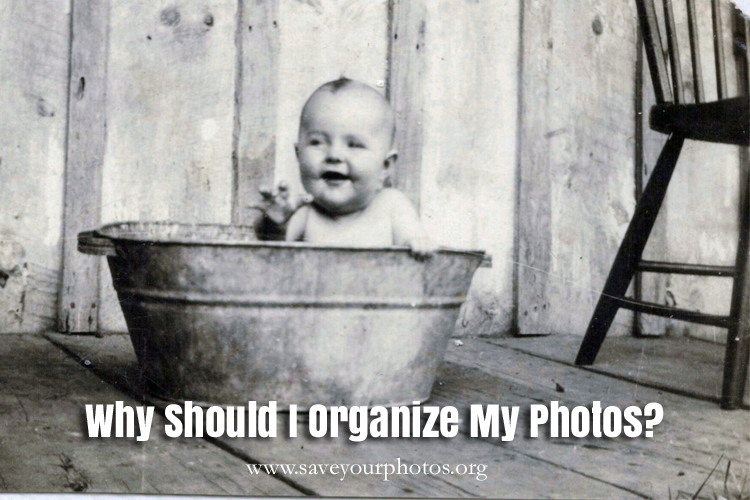
Rogers Main

As photo-organizers we have asked this question of ourselves and we ask our clients. Why DO you want to organize your photos? Do you feel guilty? Are you curious to see what’s in those collections? Are you curious to see what stories are there? Are you longing to revisit those memories or a little hesitant because of the emotional value that may be housed there?

Why do YOU want to organize your photos?

For me, I am fascinated by the stories both about the people and the times they lived in. I love watching how a photo can tell a different story to each viewer. As a photo-organizer, I was rather naturally motivated to organize and preserve my own and past generations’ collections, but I didn’t expect to feel what I did when I began to scan my grandmother’s neatly organized album collection.

When I began to scan her albums, I uncovered stories that moved me – that opened up my mind to the hard-working, war-affected laborious world of the first half of the 19th century. I became inspired to write and reflect about my own time and sit down with my own family and talk about what it must have been like for my Grandma and her family in those times.

I felt so deeply and instantly connected to these people I never knew, these people who I see in the faces of several generations later and I was astounded that my cousin’s child could look like my great-great aunt. Really.Rogers Family Gramma Birdie Album_00034A
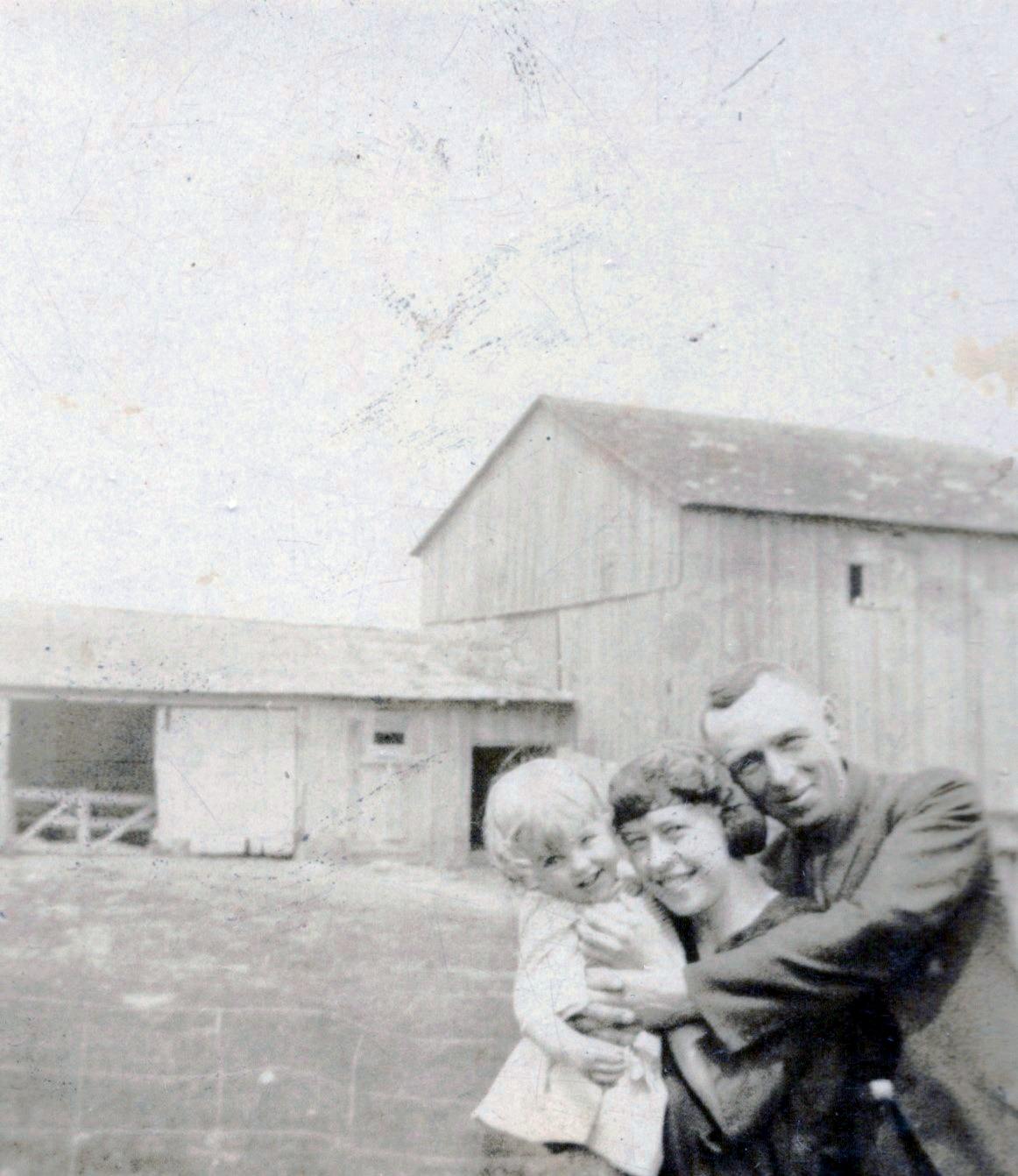
And I instantly missed my Grandma.

I thought, why didn’t I open these albums with her when she was in her nursing home and we at times struggled for conversation outside of my own updates? These were her stories we could have visited together so much more.

I cried as I saw the black and white story unfold into coloured photos and realized that my Grandma wasn’t just my Grandma. She was the Grandma for her whole street, too. She had school photos and newspaper clippings of the neighbourhood children who I had later met at her funeral because she, too, was a Grandma in their lives.Rogers Family Gramma Birdie Album_00024A
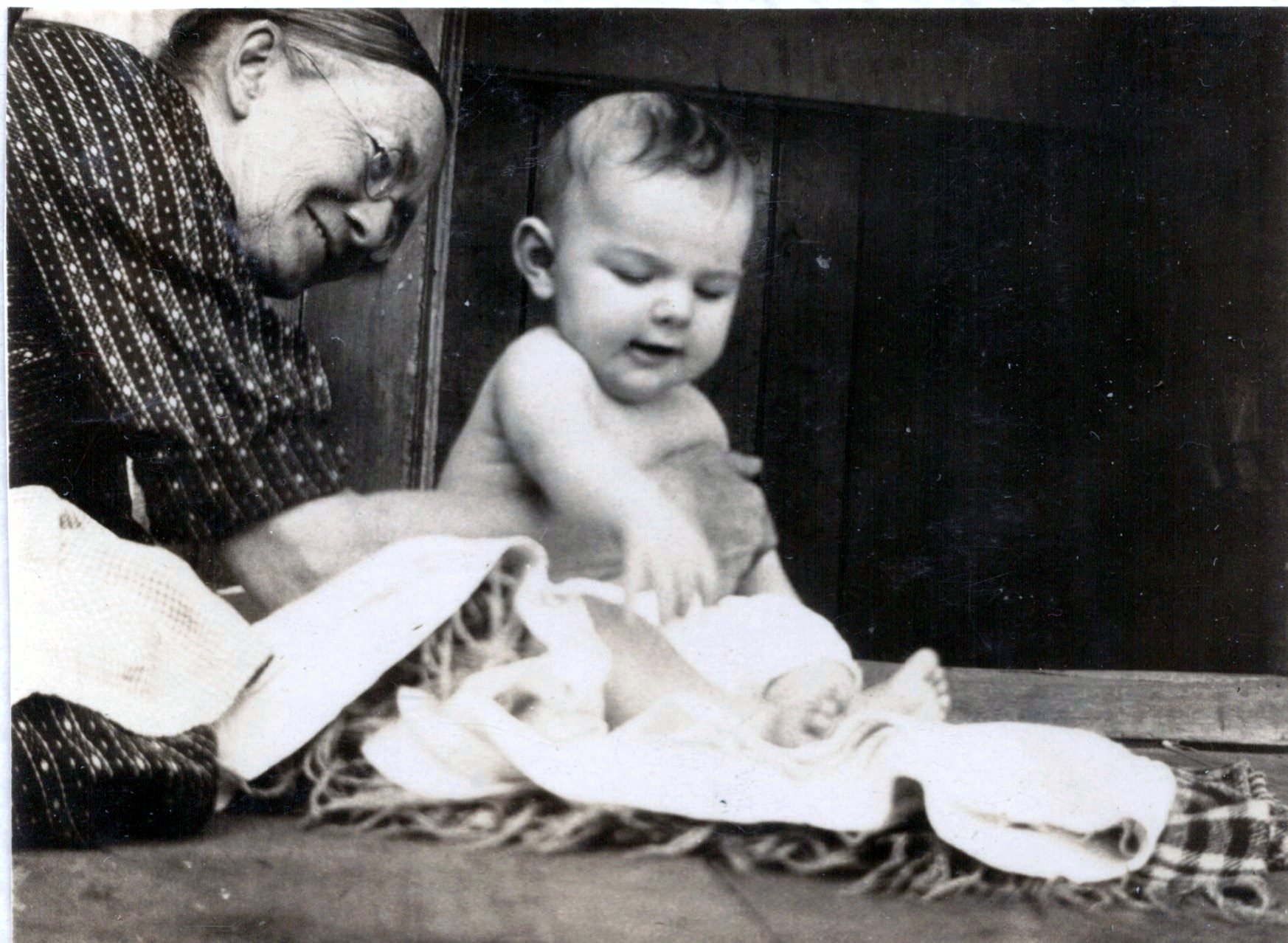
In her photos I not only saw my Grandma, now in my adult years as a mom, I saw a fellow mother who lost her husband too young and moved forward with strength and love for her family.

That love continues to reflect back at everyone who opens these albums and sees how much she loved us because our story has been preserved in the pages she created.

It is these pictures and stories that inspire this mom-writer to focus and make memory-keeping a priority because I know the powerful feeling and instilled confidence that can emerge from the love of someone who cares enough to tell MY story.

So maybe this is a little narcissistic. But I realized it’s not just about preserving the loved one’s past stories: it’s about discovering the love someone had for YOU because you were important enough in his or her world to have your story told. And if no one’s told your story, then be important enough to yourself to tell your own story – it can be incredibly emotional, but powerful experience to reflect and create your story through photos.

Yes I know. We are busy. We are distracted. We are overwhelmed.

But you can still do this because it’s important. I made a very simple plan that I could chip away at so that I would be successful, and I made memory-keeping a valued party of my life and schedule.

Because I want my kids to know MY story.

I want them to know THEIR story.

And I have a story to tell.

I want to share that.

We are a people of stories and there are too many good things to note of what comes out of these photo stories, but WOW does it ever feel great to connect to something bigger than ourselves through these shared photos and stories!

I didn’t just revisit my grandmother and her history. My Grandma became a fellow-mom as I flipped through those album pages and I discovered such a deep sense of gratitude that she took the time to preserve her (and our) story.

Be the connector. Keep it simple so you will begin and you will be successful. And if you’re not sure where to start, you can call a photo organizer for guidance on how to get started here.

But do begin.


Kristi Green & Amanda Henley

We grew up together as best friends in a very small town in Ontario, Canada. A close-knit community, small town roots, and endless extended family memories became our foundation from which we have established many of our values. We ventured through our post-secondary years and launched into the next chapter of our lives – one as a teacher in BC, the other as a Registered Nurse in Ontario. In our new worlds we began to lay down our own new roots, but always remained connected.   Becoming mothers solidified our passion for organizing, sharing, preserving and telling our family stories and so we opened our business in 2013 specializing in photo-organizing and helping people discover, preserve, and share their photo stories. We love to have fun, we love to be organized, and we love photo-storytelling! You can reach Kristi and Amanda at Memory Momentum.



Written by Jackie Lyals · Categorized: Photo Organization

Aug 30 2016

Dare to Automate Your Digital Photo Workflow

Dare to Automate Your Digital Photo Workflow

When it comes to organizing your digital photos, do you have a workflow? A what? Learn from Caroline Guntur of The Swedish Organizer, LLC.

Dare to Automate Your Digital Photo Workflow | SaveYourPhotos.org

In today’s fast-paced world, it’s easy to get behind on your to-dos, especially keeping up with your digital media. With so many photos coming at you every day from devices, email, and social media, it can be really overwhelming to stay organized, but we all know that neglecting your memories isn’t a good option. You cannot afford to lose your memories. They are too valuable! So how do you stay on top of everything?

You need to delegate.

Imagine, if you will, an elaborate system of rivers, all running to the same great lake. They are rapids and as such, hard to keep up with. If you try to stop them mid-stream, they’ll be hard to control, and may spill over. Now imagine that these streams aren’t actually real rivers, but your digital photo streams.

If you think about it, your digital photo streams are flowing just as quickly, and are just as hard to keep up with… The stats were released just this past month. An estimated 1.2 trillion photos will flood our devices this coming year, according to Mylio. How many photos will end up in your stream? You should know. You are responsible for curating them.

Instead of trying to stop each and every single stream, try redirecting them all to the same great lake, and back them up from there instead. Maybe this isn’t the most eloquent way of describing it, but it’s how I see my digital photo life. I’d rather deal with one spot over several different ones. So how can you achieve this streamlined workflow?

By using funnels.

In my opinion, the best backup strategies consolidate your digital rapids into one steady stream instead of dealing with them individually. Creating automatic backups is one component of this system because it allows you to re-direct your stream where you want them to go. All it takes is the willingness to set it up. It may sound like a lot of work, but just like organizing anything else, it actually ends up saving you a lot of time.

Here are some examples of ways you can simplify your life by automating your digital photo workflow:

Example #1: Redirect all new photos posted on your social media profiles to a cloud storage provider, like Dropbox or Google Drive.

Why not just grab them off your devices? Because the photos that post to your social media accounts aren’t just your own. Your friends and family members post to your account too, and I doubt you’ll want to borrow all of their devices on top of dealing with your own! If you think about it, Facebook itself is a funnel for all the important people in your life. Now take it one step further, and automate it by using an API service, like Zapier or IFTT.

Dare to Automate Your Digital Photo Workflow | SaveYourPhotos.org

Example #2: Import all the photos from all your devices at the same time, and to the same location.

Why at the same time? Because batching not only save you time, but it ensures that you don’t forget any of your devices. Now take it one step further, and automate it by auto-syncing your photos regularly using a program like Mylio, or to a cloud solution like Forever.

Example #3: Send the photos from your DSLR camera straight to your computer or cloud solution using a wireless SD card.

Remember the old days when you actually had to plug your SD card into your computer? Sure, that’s still a good way to do it, but why not bypass that step entirely? Most Professional Organizers will tell you that the less steps it takes to complete a task, the better, so I challenge you to take it one step further. Automate it with a wireless SD card, for example Eye-fi.

These are just some of the ways you can simplify your workflow by setting up automated rules. Depending on your comfort with technology, budget, likes, and dislikes, you have to find the right solutions for you, but don’t be afraid to think outside of the box. Automation is my best friend, and it can be yours too.


NAPO-79-WEB

A native of Ystad, Sweden, Caroline Guntur now resides just outside of Chicago, IL, where she runs The Swedish Organizer, LLC, a company that provides customized family history solutions to clients around the world. As a Certified Photo Organizer, Personal Historian, and Professional Genealogist, she enjoys helping others preserve and protect their memories. Caroline runs the blog OrganizingPhotos.net, a site that discusses best practices in organizing, digitizing, and preserving family history, as well as SearchingScandinavia.com, a site dedicated to helping Scandinavian-Americans connect with their heritage. She is a member of APPO, NAPO, APH, APG, and NGS.


Dare to Automate Your Digital Photo Workflow | SaveYourPhotos.org

Written by Jackie Lyals · Categorized: Photo Organization, Photo Storage · Tagged: digital photos, how to organise digital photos, how to organize digital photos, photo organising, photo organizing, workflow

Aug 24 2016

Top 10 Reasons People Don’t Organize Their Digital Photo Collection

Top 10 Reasons People Don’t Organize Their Digital Photo Collection

As promised last week, please enjoy this guest contribution by Bonnie Shay of Mariposa Creative Solutions where she shares her final installment of the Top 10 Lists featuring reasons people don’t organize their digital photo collections.

Shay digital photos

1.  They are overwhelmed with the quantity of photos they have.

2.  They don’t have the computer skills to deal with digital photos.

3.  They think they will get to it someday when life gets back to “normal.”

4.  They don’t have the time.

5.  They can’t remember what cloud/online sites they have their photos stored in.

6.  They can’t remember their passwords to log in to the cloud/online sites where they have stored their photos.

7.  They have so many duplicates scattered over all their devices and don’t know how to find them.

8.  They can’t choose what app or photo management software program to use.

9.  They have photos on outdated computers and/or phones that they can’t access.

10.  They don’t know a Photo Organizer like me that can help them.

Click here to read Bonnie’s Top 10 Reasons why people don’t organize their printed photo collections!

Did 1 or more of the reasons pertain to you?  Please take a moment to comment!


Sign up today for more great photo organizing tips directly in your email box.

We also invite you to visit our sister blog The Photo Organizers for more tips and in-depth knowledge from some of the top photo organizing industry professionals. To find a photo organizer near you, visit the Association of Personal Photo Organizers.


Bonnie Shay of Mariposa Creative Solutions

When I was a little girl, my idea of a fun activity was to organize my family’s kitchen pantry, cabinets and drawers.  I discovered many years later that it wasn’t every girls’ idea of a good time. Who knew? But it planted the seed of an idea that underlies Mariposa Creative Solutions: that each of us loves and excels at different things and if we recognize that and do what we do best, we can make a difference in other people’s lives.

My clients often say that at the beginning of our work together they feel like some or all of their home is chaotic. The great filmmaker Francis Ford Coppola said, “Anything you build on a large scale or with intense passion invites chaos.” And so it goes whether you have built a family, a career, friendships or a beautiful garden, a certain amount of “chaos” has been part of the process while you’ve been living life.

And if you’re reading this, my guess is you’re not like me — one whose passion it is to make order. The important thing for you is to stop feeling bad about that.  It’s about recognizing what you’re good at, what you enjoy, and how to relieve that which weighs on you.


Written by Jackie Lyals · Categorized: Photo Organization

Aug 23 2016

Get Started: Find Your Pictures

Get Started:  Find Your Pictures

If you are like most people your print and digital photos are scattered.  Andi Willis of Good Life Organizing gives us a jump start to help find your pictures.

Get Started: Find Your Pictures | SaveYourPhotos.org

The first real step to organizing and saving your photos to actually find your pictures and gather them all into one place. You might think that’s the easy part, but for some people it becomes a full-blown treasure hunt. To help get you started on this quest to find your pictures (both printed and digital), I’ve brainstormed a couple of lists to help you get started.

Get Started: Find Your Pictures | SaveYourPhotos.org

For Printed Photos

Some print photos are easy to find like the photo albums on the bookshelf, while others are a little more wily. Here are some places to start your search. As you find them, put the photos all together in one place like the dining room table or the guest room closet. Then you are ready to move forward with your photo organizing project, they will all be waiting for you…together.

  • Photo albums
  • Photo boxes
  • Framed pictures (even behind other pictures in the frames)
  • Scrapbooks
  • Relatives’ homes
  • Plastic bins
  • On refrigerator
  • Drawers – dresser, junk, kitchen, coffee table, china cabinet
  • Closets
  • Under or behind beds, couches, dressers and other furniture
  • In the nightstand
  • Jewelry boxes
  • Tucked between pages of books think favorite books, cookbooks, family history books)and bibles.
  • Wallet
  • File Folder
  • Memory boxes and hope chests
  • Yearbooks
  • Safety deposit box or safe
  • Undeveloped film
  • Unpacked moving boxes
  • Attic
  • Garage
  • Storage unit
  • Storage room
  • Secret hiding spot – under a floor board, inside the mattress


Get Started: Find Your Pictures | SaveYourPhotos.org

For Digital Photos

Digital pictures can be a little trickier since they literally hide inside our devices. As you discover these digital images, move them all into one central storage location like your computer’s hard drive or an dedicated external hard drive. Just be sure that you have that central storage location backed up. This is really important.

  • Cell phone (old, current, your phone, the rest of the family’s phones)
  • Computer hard drive (old, current)
  • Laptop (old, current)
  • Tablet
  • CD and DVD
  • SD card from digital cameras
  • Digital Camera with built in storage
  • USB drive
  • Cloud storage (i.e., iCloud, Shutterfly, Dropbox)
  • External hard drive

Let’s get searching for those photos.  It’s time to find your pictures!

Then come back and tell us where is the most interesting place you’ve found a family photo?


Sign up today for more great photo organizing tips directly in your email box.

We also invite you to visit our sister blog The Photo Organizers for more tips and in-depth knowledge from some of the top photo organizing industry professionals. To find a photo organizer near you, visit the Association of Personal Photo Organizers.


Andi Willis of Good Life Organizing

Andi Willis is the owner of Good Life Organizing in Perry, Georgia, as well as a Certified Personal Photo Organizer, Home Organizing Expert, author and video host. Passionate about helping people organize their homes and preserve their precious photos, Andi can be found at Good Life Organizing, Facebook, Twitter, Pinterest, Instagram, YouTube and on Amazon.


Get Started: Find Your Pictures | SaveYourPhotos.org

Written by Jackie Lyals · Categorized: Photo Organization · Tagged: digital photos, photo organiser, photo organising, photo organizer, photo organizing, print photos, where to find my photos

Aug 18 2016

Capturing The Stories to Go With The Photo

Capturing The Stories to Go With The Photo

This is a guest contribution by Kathy Rogers of Baltimore Photo Solutions

Rogers

Saving family photographs is why I became a photo organizer. But a big part of that is recording the stories that go along with the photos. Photos without context and identifiers lose a lot of their value.
Recently, we’ve been cleaning out my mother-in-law’s apartment. We came across a few more photos I hadn’t already claimed, and sadly, many of them were stuck together. We couldn’t tell if there was writing on the back identifying who was in the images, and no one was left who could tell us the stories of the photos. So into the trash they went. I’m grateful that my father-in-law was into geneaology and wrote down many of the family stories.
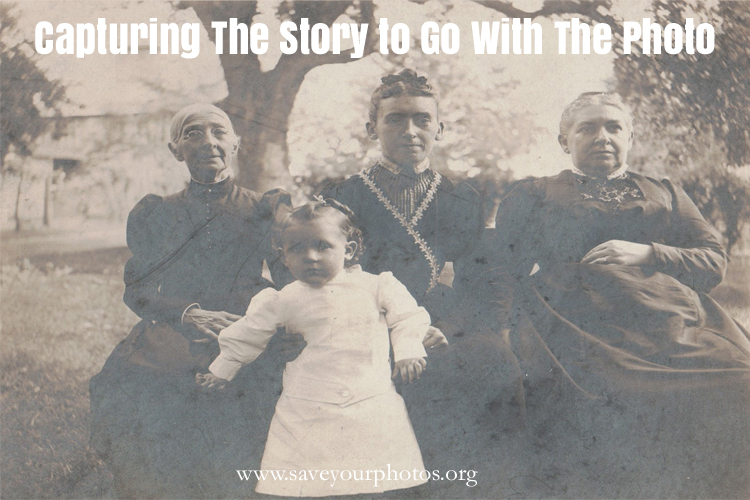
I’m still trying to capture the stories that go along with the photos from my side of the family. I’ve tried to do this a variety of ways. Photo books are great. Lots of room for narrative, and easy for anyone to flip through them. You can even make extra copies for siblings or cousins. I’ve also tried to capture my parents telling stories. Sometimes about a picture, like the image below.

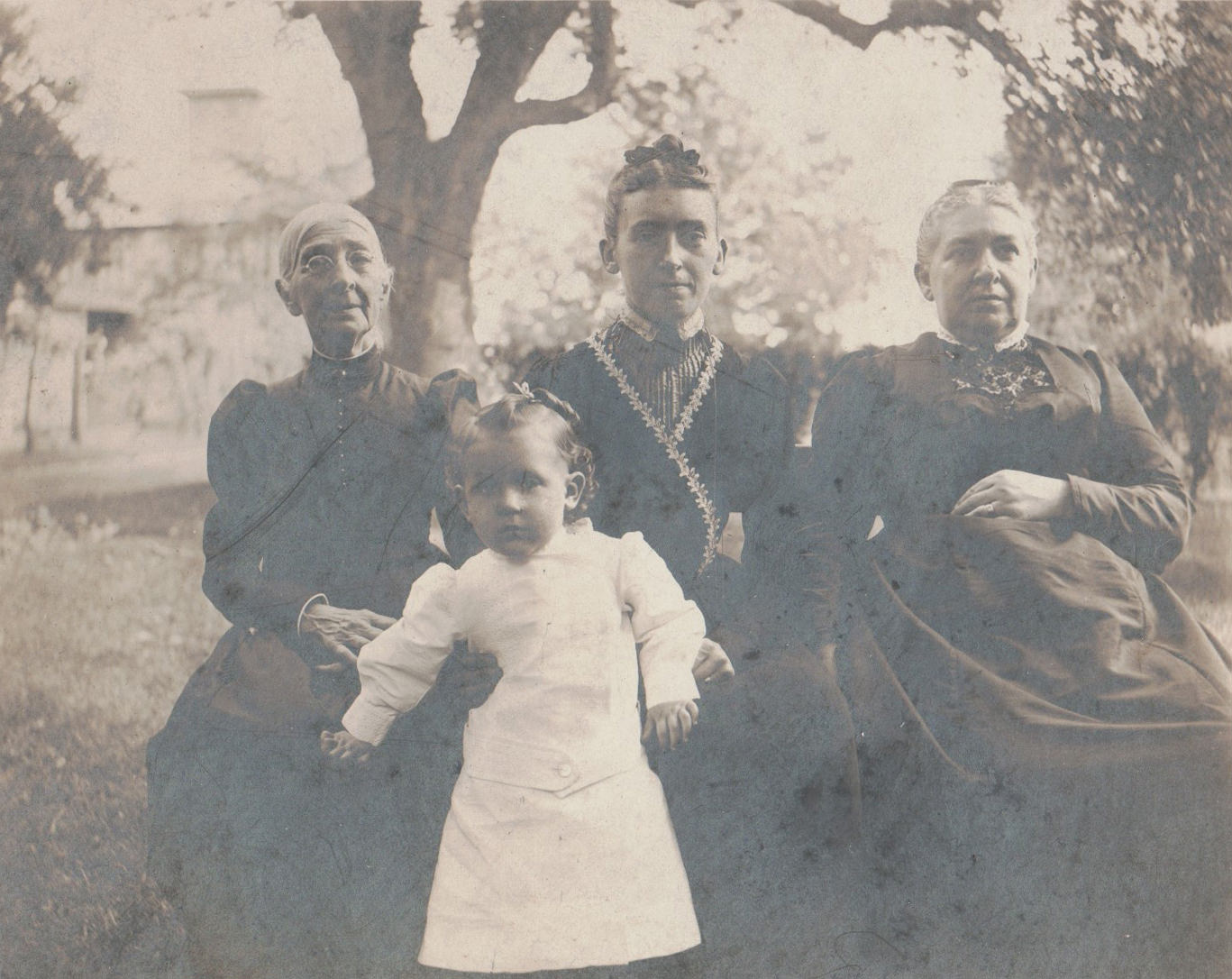
JERsr4generations
Four generations. The child is my grandfather. c 1903

Just looking at that image, you might think it was a little girl. Actually, it was my grandfather with his great-grandmother, mother, and grandmother when he was a few years old. He was born in 1899. It’s important to capture the names to go along with the faces, even though we have family tree(s) and Bibles that record the generations. This not only told me the fact that little boys wore dresses back then, but also gives a glimpse into austere Quaker styles in turn of the century Philadelphia.

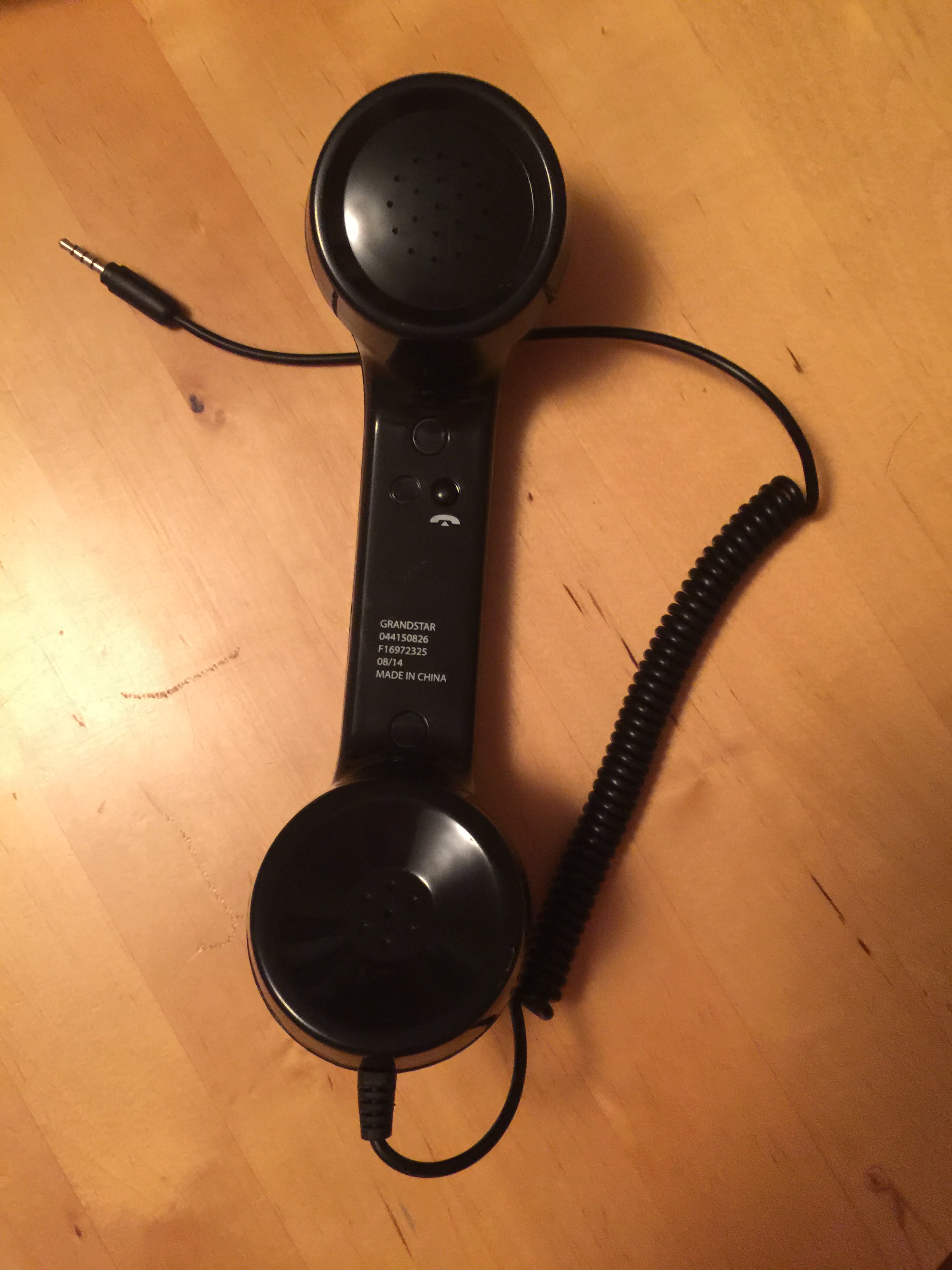
PhoneMic-1
Can be purchased on line or at the big box stores.

When there’s a longer story to capture, I like to use the app Saving Memories Forever. I can organize my father’s stories, my mother’s stories, and also collect tales from my friend’s mom all in the same app. One thing I have noticed while interviewing older friends and family is that they aren’t comfortable being videoed. Their posture and storytelling can get stilted and unnatural. They also don’t know what to do when you put a fancy microphone lavaliere on them, or stick a smart phone mic in their face. However, they’re usually very comfortable talking on the phone. So for longer stories that don’t work as video, I just try to get their voice. And I use this handy tool:

This microphone isn’t professional sound quality, but that’s OK. It looks and feels like a handset, and I’ve found that people of a certain generation are most comfortable with this kind of setup. There’s a button on the grip to start and stop the mic, so you have to watch that, but otherwise it works like a charm. Plugs right in to the jack on my iPhone, and away we go. I pick the story prompt from Saving Memories Forever, or create my own topic, and the oral history is recorded and filed away.

I hope these tips are helpful to you as we celebrate Save Your Photos Month. Having a backup plan is important, but capturing the stories that go with the pictures is a crucial first step in saving your family’s photos and legacy.


My name is Kathy Rogers and I am a certified personal photo organizer. Because so much of my life is digital, I understand how overwhelming it can be to deal with the thousands of photos we have scattered around on memory cards, phones, old hard drives, you name it. There are great systems out there for organizing, and backing up, your digital pictures. They are simple to learn, and simple to maintain. It takes some time to get everything set up but I can show you how to do that in manageable chunks of time, or you can hire a professional photo organizer (like me!) to do it for you.

I have always loved photos and the stories behind them, and have turned this passion into a business. I started out making my own scrapbooks as a teenager but really got into it after my son was born. Friends saw what I’d done for him, and asked me to do the same for their children. Add in some elderly relatives who needed to stay connected and a business evolved.

As I’ve learned more about photography, photo organization and digital scrapbooking, I’ve been amazed by the treasure troves of pictures tucked in the back of closets. It saddens me when there’s no one left who can tell us the stories in the pictures, but with a little detective work it’s amazing what you can piece together. I get the most joy out of taking those scary boxes away and coming back with a neat, organized (and safely preserved) photo storage system along with a beautiful custom photo book of the best of the best, with copies to go to other family members.

Bringing order to the photo chaos is my specialty, and my pleasure. Email me today for a free assessment.

Written by Jackie Lyals · Categorized: Creating Memories, Displaying Photos, Photo Organization

  • « Previous Page
  • 1
  • …
  • 4
  • 5
  • 6
  • 7
  • 8
  • 9
  • Next Page »

© Copyright 2017 Association of Personal Photo Organizers · All Rights Reserved · Privacy Policy