Save Your Photos

  • Home
  • Blog
  • Disaster Help
    • Disaster Resources
    • Hurricane Harvey Photo Recovery
    • Hurricane Irma Photo Recovery
  • Who We Are
    • Save Your Photos Group
    • The Photo Organizers Blog
    • Association of Personal Photo Organizers
  • Sponsors
    • How To Become A Corporate Sponsor

Jul 21 2016

Enjoy Your Photos Now

Enjoy Your Photos Now

This is a guest contribution by Cheryl DiFrank of My Memory File

DiFrank Post

Over the 21 years that I have known my husband, he has given me several pieces of very nice jewelry. Some of them were expensive so I diligently hide them in my underwear drawer to keep them safe, and to eventually hand down to my children, because the pieces are so special and meaningful. But I hardly ever wear them. Some of them my children have never even seen. Unfortunately, I have never gotten in the habit of wearing diamonds to a PTA meeting or when I’m working from my home office. So I just keep them safe, knowing that they will make someone very happy one day.

The question is: Why do I hide such special things away when I could be enjoying them now, sharing their stories with my kids now? Wouldn’t they be more meaningful to my husband, myself and my children if they could see me wearing them now and knew the stories of when I received them?

Does the same thing happen to your photos? We take thousands of photos every year to preserve all these wonderful memories and stories. Hopefully we organize and backup all the photos to keep them safe for our children and grandchildren. But when was the last time you actually went back and looked at the photos you took from the last birthday party, or that fantastic vacation? Did you share the photos with your kids so you could all relive it together? Or, like the jewelry, do you just make sure the photos are safe and you’ll get around to looking at them later, and handing down a photo collection of yours and your children’s lives, many of which they have never even seen?

Often the only reason we even download the photos is to regain storage space on our phone or camera memory card, a message that we inevitably get just minutes before the recital or the birthday party. So then we hurriedly download months of photos while the rest of the family is waiting in the car, heading for the next photo-worthy event. Going back and leisurely looking at the photos ends up on the to-do list right between “organize sock drawer” and “teach the dog to use the toilet.” We think: The photos will be there. I can look at them when I retire. Hopefully I’ll remember who everyone is.

Wouldn’t it be nice to enjoy the photos now? My kids love looking at photos of themselves when they were young. They love reliving old vacations and birthdays. And let’s face it, I like seeing photos of myself before the gray hairs appeared. So is there an easy way to view and enjoy your photos now? Yes! There are several! A couple that you can even do while you’re reading this. Here are a few ideas to get you started.

Enjoy Your Photos

One caveat…. To really enjoy your photos (and not end up seeing 15 variations of the same shot, or all those pictures your daughter took of her brother’s tongue), the first step needs to be a certain amount of editing. If you are an average digital photographer, you cannot help but click the shutter at least three times every time you take a photo, just to make sure you got the shot, and just in case the first (or second, or third) one was out of focus. You need to edit down to the best shot of each sequence, take out the tongue photos and any other photos that are out of focus or just not worth keeping. Once you’ve gotten down to the selection of the best photos, consider your options to enjoy and share them.

Traditional Picture Frames

Traditional picture frames may seem very old-fashioned in our high-tech world. But I smile every time I walk by the photos sitting on the piano or hanging on the wall. I also like to change the photos in the frames periodically. My family notices when a photo in a frame has been changed, and they always comment on the event in the photo. Find inexpensive frames at stores like Marshalls, TJ Maxx or Home Goods and then it’s easy to print out a few photos from a fun event or from the previous year and swap out the photos in the frames.

A Computer Slideshow

There are several software and online options for making easy (or more complex) slideshows. In addition, both Mac and PC computers have resident software that allows you to make a simple slideshow in seconds. In iPhoto or Photos on a Mac, simply create an album and put all the photos you want to view into the album. Hit the play button to view your slideshow full screen. If you don’t use iPhoto or Photos, but have all your edited photos in a single folder or directory, just highlight/select all the photos you want to view in your slideshow and double-click one of them, or select File->Open to open them all in Preview, the Mac photo viewing software. Once the photos are open in Preview, select View->Slideshow to view a full-screen slideshow of the photos.

On a PC, open the folder of photos you want to view and double click on the first photo in the folder.  It should open up in the resident photo viewing software on your computer (probably “Windows Viewer” or “Windows Live”).  At the bottom of the screen you can use the right or left arrows to move through the photos or you can click on the small slide show icon in the bottom left, or click on the “slide show” button at the top of the screen.  Both will start a full-screen slideshow.  Roll your mouse down at the bottom of the screen to get a play or pause button to start or stop the show.  To exit the slideshow, hit the “esc” key on your keyboard.

Digital Frame

The only downside to a slideshow on your computer is that for more than one person to view it, you need to crowd around your computer screen. A portable laptop can solve this problem but you might also consider a digital picture frame that displays a continual slideshow. There are lots of different digital frames but most can hold a memory card with over a thousand photos. There are also several wi-fi frames, where you can easily email photos from your phone to the frame without having to plug-in a memory card or camera. Place the frame where everyone can enjoy it as they walk by.

Photo book

If you have a little more time and want something that’s more tangible and permanent, a photo book is a great option. Photo books are created digitally, usually online, and then printed and sent to you. They are the current (and much improved) version of the old magnetic photo albums with the plastic overlay pages. There are seemingly endless websites to make photo books, many offering a wide variety of layouts and designs. One of my favorites is Shutterfly, which offers a number of layouts and tools that make it easy to put together a beautiful book.

Whenever you make any kind of photo album (digital photo book, or more traditional photo album) consider burning a DVD of all the photos in the book and placing the DVD in an adhesive pouch in the back of the book. (You can find plastic adhesive DVD envelopes at Staples or Amazon.) So when you or someone else are looking through the album and you find the perfect photo for Throwback Thursday, or need to collect photos for a wedding or anniversary party, you can easily find the photos on the DVD. The DVD also serves as an additional backup of the photos on your hard drive. *But always make sure to backup your photos in at least 2 places.

Warning: Please do not use Shutterfly or any other book making site as your “online/cloud” backup. It may seem like killing two birds with one stone – upload the photos to make the book and now they’re backed up on that site as well. However, most of the book printing sites do not make it easy to get your photos back if you need to. And isn’t that the point of a back up – the ability to get your photos back if your computer crashes or some other catastrophe wipes out all your photos. Do not depend on being able to get all your photos back easily from a book printing or even photo sharing site.

Photo Gifts

You’ve probably received (and most likely made) a photo holiday card. And maybe you’ve seen or purchased photo mugs and mousepads. But did you know that you can make personalized photo placemats, aprons, playing cards, blankets, shower curtains, coasters, puzzles, neckties, and much more. You can even customize a Rubik’s Cube with your photos on each side, instead of solid colors! What unique conversation pieces and fun ways to enjoy your photos every day.

Don’t forget why we take photos in the first place – to actually view and enjoy them. So enjoy them now. Make it a January tradition, or a holiday tradition, or any time, to review the photos from the last year and share them with your family. The photos will mean even more to you and your family when actually enjoying the photos becomes part of the story you are handing down.


DiFrank_portrait
      Cheryl DiFrank

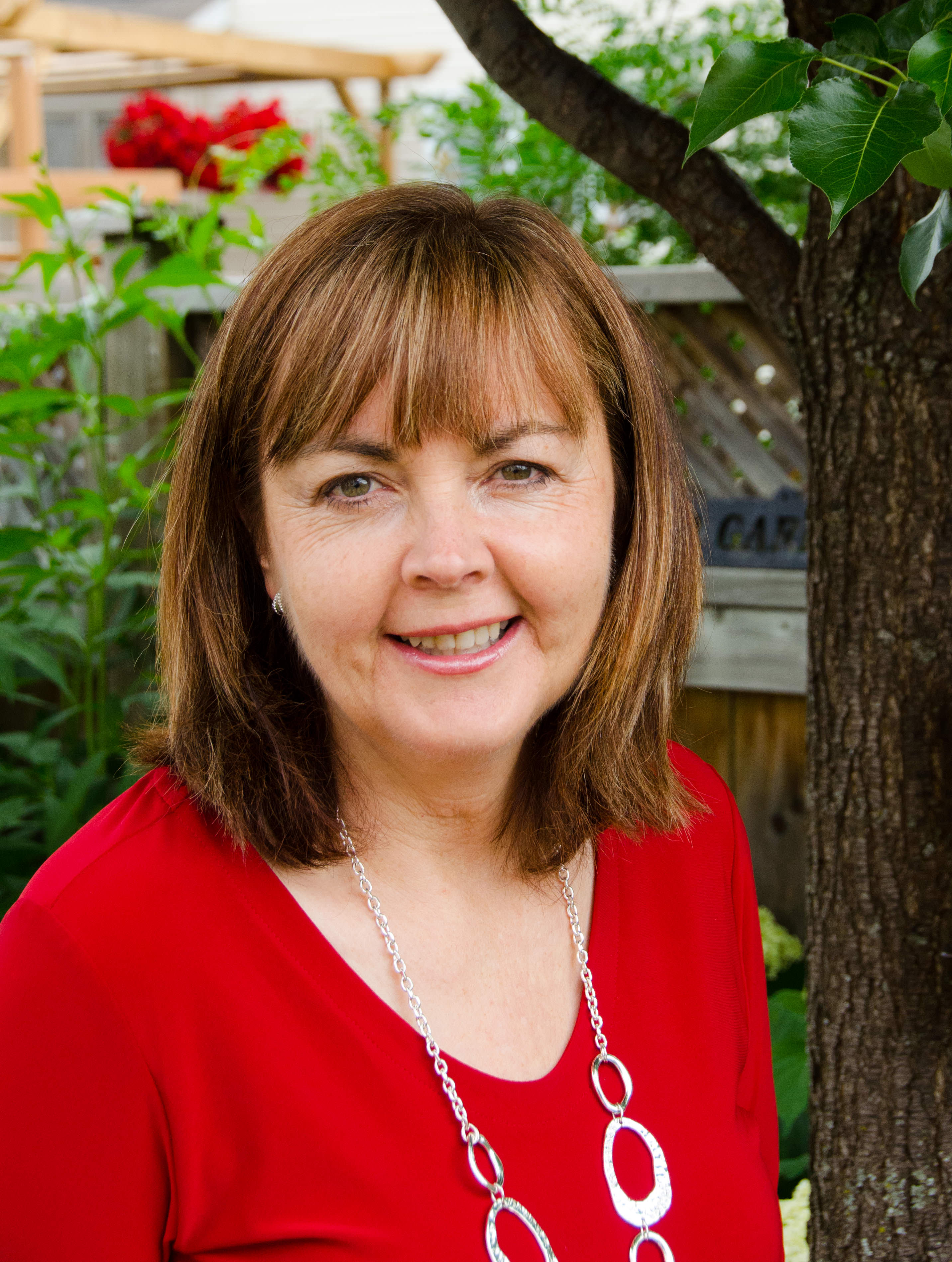
Cheryl is the owner of My Memory File (mymemoryfile.com).  Growing up with her professional photographer father, Cheryl has always known the power photos have to tell a story, to teach, to inspire and to connect people.  For many years she owned a professional photo agency, managing the collections of over 400 professional photographers.  When she started her own family it became even more clear how important it was to preserve her family’s story and be able to share it with her own children.  Cheryl started helping individuals organize their own photo collections in order to preserve and share their own stories.  She is passionate about making sure that her clients’ irreplaceable photos are organized in a way that keeps them safe and allows them to be viewed and shared, not just kept in a box or hidden on a hard drive. Whether it’s scanning the boxes of old prints in the attic, or organizing all the digital photos that are spread over computers, cameras, memory cards and phones, Cheryl can help get them all organized and in a format that is easy to access and enjoy.

Written by Jackie Lyals · Categorized: Backup, Creating Memories, Photo Organization, Printing, Safeguard

Jul 19 2016

Get Your Photos into Your Life – Photo Albums

Get Your Photos into Your Life – Photo Albums

This is a guest contribution by Personal Photo Organizer Nancy Keegan

Nancy K's Post

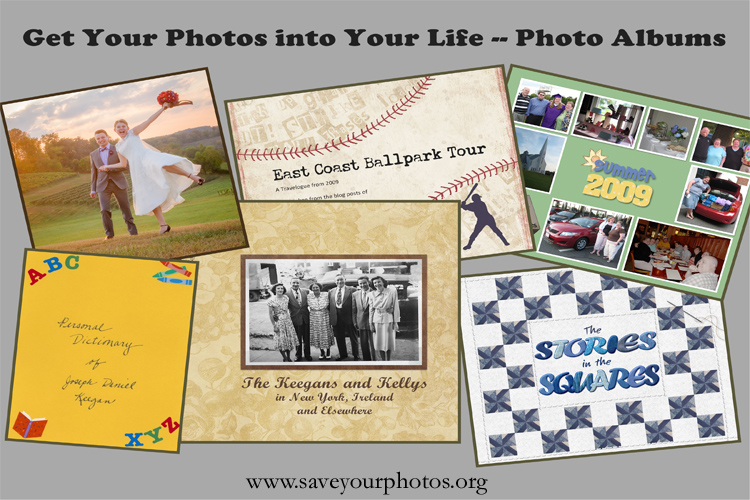
There is FOMO – Fear of Missing Out – and FOBO – Fear of Better Offers – and lots of other phobias that don’t have such clever acronyms. Sometimes I have FOGS – Fear of Getting Started – and perhaps you do as well. I know that as I am making progress in getting my photos and images safe and organized (is it ever really complete?) I also want to get them into my life and that of my family. One way to do that is to make photo albums.

You don’t have to use the same approach for a lifetime of photos and stories. While some people might have a series of albums that cover a year or few years of their family story, that prospect is daunting if you haven’t kept up. Sometimes the best thing is just to jump in and do one album.

Photo Albums

A few of my favorite albums were prompted by special occasions:

An ABC Album

Each letter of the alphabet had a double-page spread in an album I made for my elementary-school-teacher husband’s 50th birthday.  Every person, place, interest and event in our family experience up to that time is depicted under its appropriate letter. An ABC book, especially one for a child, might have just one or two things shown per letter.  I’ve seen books where a character trait of the recipient serves as the title of each page.

Vacations

Some special vacations warrant a book of their own. Even a special weekend could be remembered with its own small softcover photobook. I’ve also done a big album of all family vacations, each trip covered on two or more pages.

The Kids

We probably take more photos of our children – their sweet faces and their events and milestones – than just about anything else. I confess to having dropped the ball on keeping up with albums through the years when my kids were young. Several years ago, I heard of an idea from a former memory-keeping colleague, Missy Tidwell, and I am actually still working on the “Toddler to Teen” album for each of my now-grown kids. Each holiday or event gets a double-page spread. So you have one spread with photos of the first day of school through the years, another for all birthdays, all Halloweens, little league, big snow storms, and so on. Include whatever events and traditions are significant in your family.

A Heritage Photobook

My husband had collected photos of ancestors and he asked me to help him pull the story together in a photobook. Gathering the information was kind of like doing a jigsaw puzzle with no borders, but it is so much fun to have it all in one place. He took delight in presenting the finished product to his siblings, and now they each have their own copy of the book.

Hobby or Collection

One of my favorite books is called “The Stories in the Squares.” I was given a delightful friendship quilt as a wedding gift, but I recently realized that I was the only one who knew the significance of each block. I photographed each square individually and wrote something that told about the creator, their relationship to me and the explanation of what was depicted in their square. The final product actually became the story of my life and friendships up through the time of my wedding. Maybe you don’t have a quilt, but perhaps you have a special collection or a hobby that you would like to document for posterity!

A Love Letter

I had missed the occasion of our 25th wedding anniversary, but I wanted to do something special, so I made an album for the next Valentine’s Day. Some ideas would be to use photos from every year; or a special song or poem as a theme. I simply used pairs of photos on pages entitled things like “love and marriage” “hearts and flowers” “friends and family” “cake and ice cream” (for birthday celebrations!) It was a very, very simple book. He loved it.

What kind of album?

One big decision is whether to make traditional albums using print photos, or just go directly to a photobook with your digital images. Again, you don’t have to take the same approach with every album. I confess to being partial to photobooks for several reasons. They take up less space; additional (or replacement) copies can be ordered; I love varying the sizes of the images and the number of images on a page; and I simply prefer working in that medium.

Whichever type you choose, be sure to include writing to document the who, what, where, when and even how everyone was feeling about the events you cover.

The poignant last line of the hit musical Hamilton is “who tells your story?” Will you use photo albums to help tell your story and the stories of those close to you?


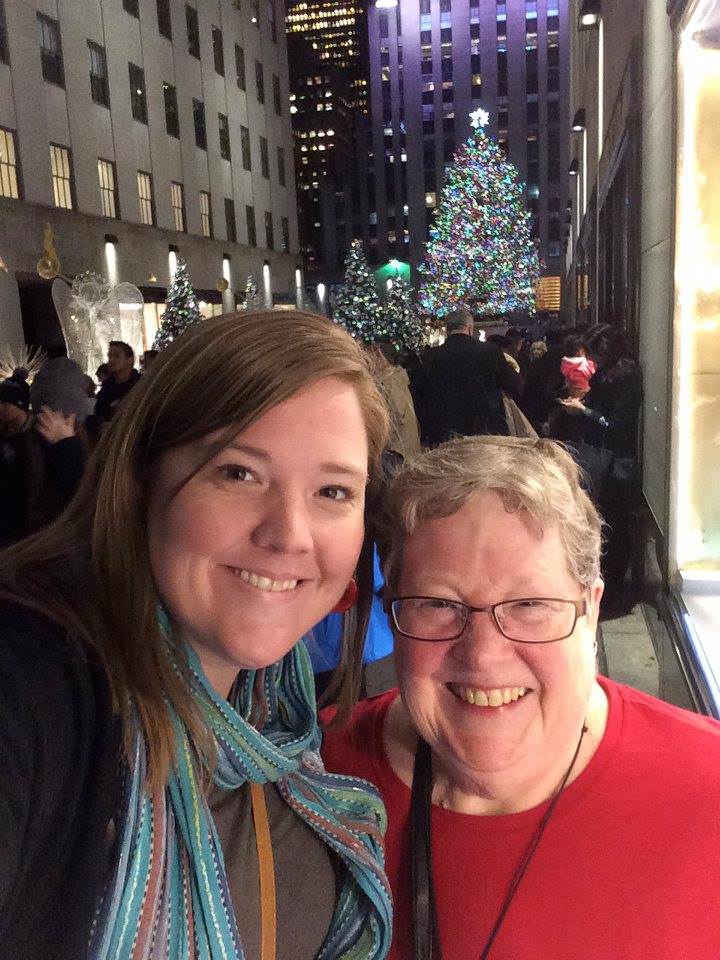
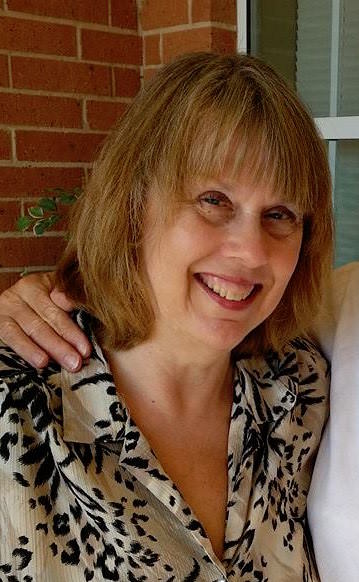
Nancy Keegan (& Daughter!)
Nancy Keegan

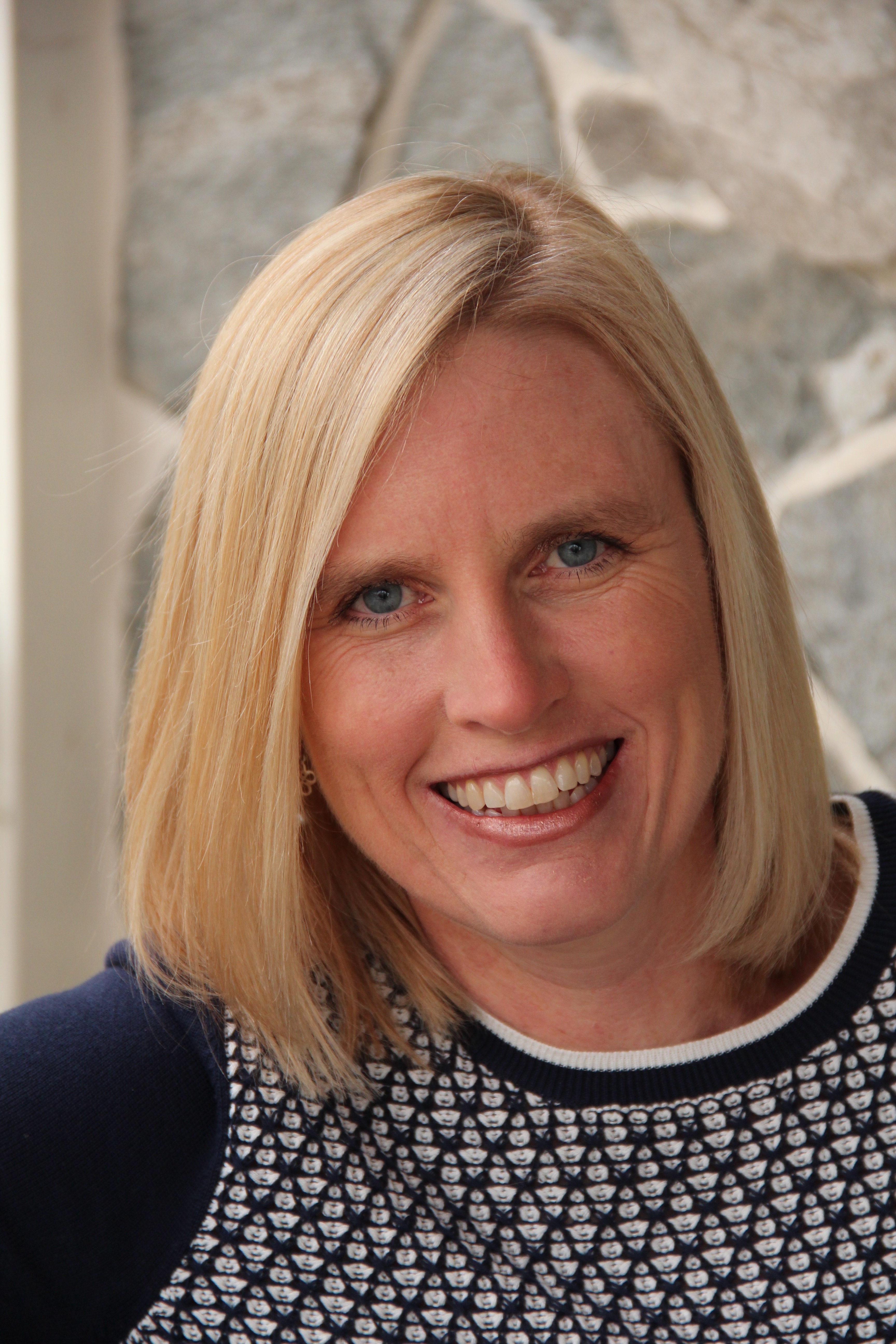
Nancy Keegan is a member of APPO, the Association of Personal Photo Organizers. Her favorite way to help people is creating custom photobooks. She has made albums for milestone birthday celebrations including folks turning 90 and 98; and she particularly enjoys designing wedding photobooks.
This photo shows Nancy with her daughter during their trip to NYC last winter. Yes, they did see Hamilton!

You can reach Nancy at her APPO website here.

Written by Jackie Lyals · Categorized: Creating Memories, Photo Organization

Jul 15 2016

The Importance of Labeling Photographs

The Importance of Labeling Photographs

This is a guest contribution by Joan Gingras of Joan’s Shoebox Memories


The importance of labeling photographs:

It all started in 2006.  My parent’s 60th anniversary was quickly approaching and my sister and I wanted to make something special for their party.  We began our quest for pictures of their early years to make a collage for their memory table.  It soon turned into something much larger as we began discovering more and more pictures tucked into shoe boxes, albums that were quickly disintegrating, and an old metal box from my grandmother’s attic!  I felt like we had hit the jackpot!  Thus began my passion with old family photographs.

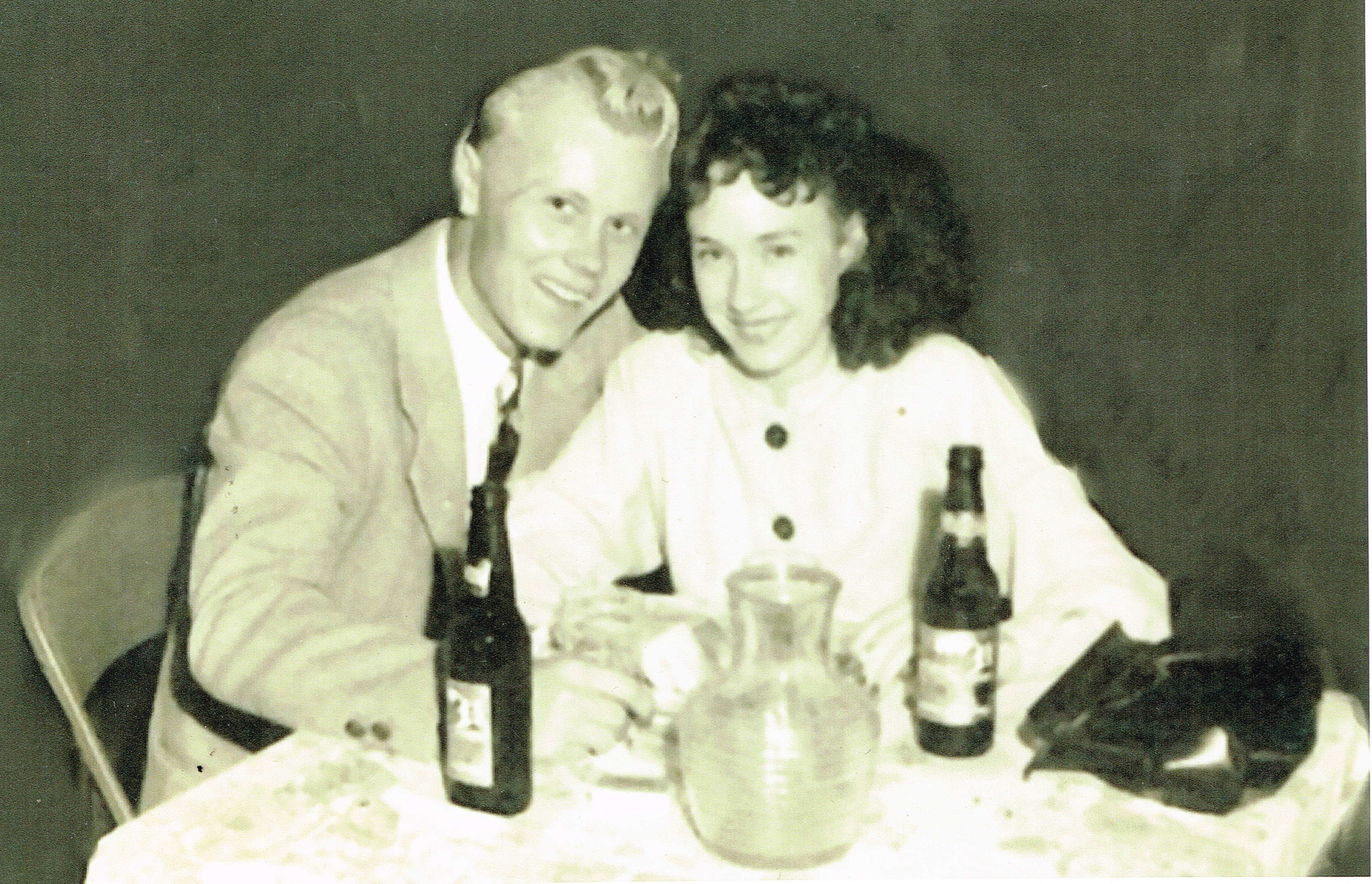
The problem was that we had a treasure trove of pictures, but we were not able to identify some of the people.  As I showed them to my parents, they really enjoyed the memories that came flooding back to them: The picture of the night that Dad had proposed to Mom at Cameron Park;

1945-jean-doris-engaged

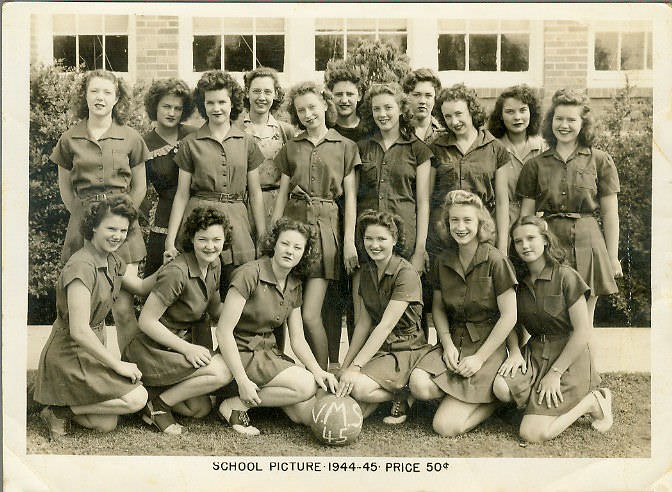
Dad in his Navy uniform; their high school basketball and football pictures, etc.  My mother had interesting stories about some of the pictures. She remembered for them to play on the basketball team they had to make their own uniforms in the homemaking class.  (I never would have made the team!)

40_04_momteam

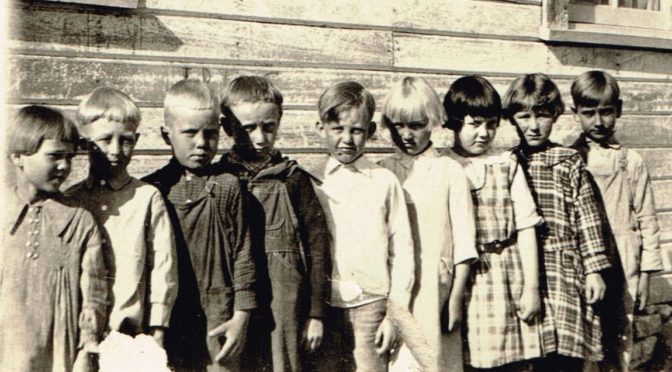
Several years went by and I found a picture of some of the children at my father’s little one-room schoolhouse he attended as a boy, and this is where my heartache began.  The picture was of 9 elementary age boys and girls.

Turkey Creek Kids

By the time I found this, my father was 87.  His memory was fading and he could only remember a few of the names.  I called my uncle and told him about the picture and he said that he remembered seeing that picture long ago and knew all of the names.  I was so excited!  I live out of town and I would come to see them every weekend.  My uncle’s vision was very bad and in order for him to see it clearly I had to enlarge it.  I kept putting that off.  Once I got the enlargement I kept forgetting to take it with me.  Somehow I took for granted that my father and uncle would always be there to help me.

One weekend I went to visit my father in the nursing home and he wasn’t doing well.  He ended up passing away that weekend.  We were all heartbroken.  At that time I accepted that my uncle may not be there forever either.  But in the hustle and bustle of funeral arrangements, I totally forgot about the picture.  I promised myself that the next time I went to see him I would bring the picture.  As it turned out, the next time I saw him was a couple weeks later, under not so good circumstances.  My cousin had called to tell me that he was going to have heart surgery, so we rushed to see him.  Of course, I had not brought the picture.  I was so confident that the surgery would be a success that I told him that when he came home from the hospital he could help me with the picture.  Unfortunately, that was not the case.  He never woke up.  I mourned for my father, I mourned for my uncle, and I mourned for the memories that died along with them.

I share this story with my clients so that they understand the importance of labeling photographs.  I recommend labeling photos with names and dates (if known), and to jot down a little info about each.  Your grandchildren who later look at these pictures may not know who “Grangy and Mimi” are in their family tree.  Procrastination crushed me.  Don’t let it crush you, either.


joan crop
Joan Gingras

I’m a “native Texan” and we currently live in Georgetown, just north of Austin, TX.  I’ve been married to my husband, Santa Phil, for 33 years.  We have two sons in their early 20s.  When they were growing up we were involved in scouting, sports, and band.  Needless to say I was drowning in pictures!  As the years went by, I became overwhelmed with photos and that’s when I decided to become a photo organizer because I know many people in the same situation as I am.  I also enjoy family history and I am fascinated by old family photographs and want to preserve as many of them as I can find.

You can reach Joan at Joan’s Shoebox Memories.

Written by Jackie Lyals · Categorized: Creating Memories, Photo Organization

Jul 07 2016

This Is Us Today

This Is Us Today

This is a guest contribution by Pepper Mintz of Get It Done Photo Solutions


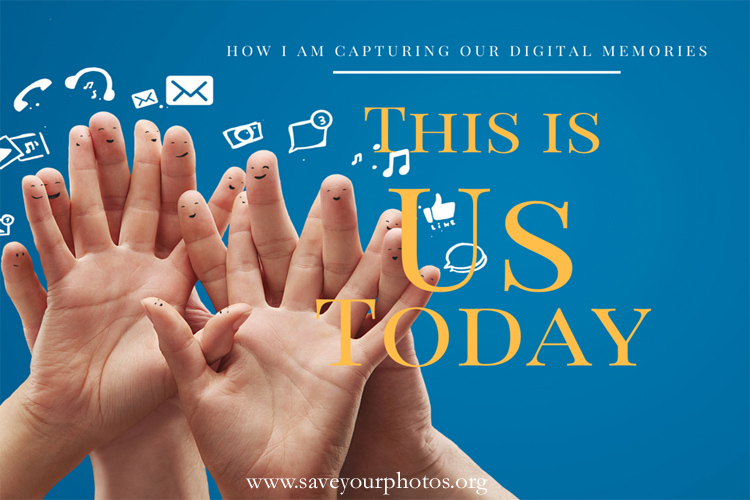
This is Us

How I am Capturing Our Digital Memories

We are the very model of the modern, digital family (to take from the Gilbert & Sullivan patter song). Husband and I are from the tail-end of the boomer generation, our daughters are millenials. Daughter #1 lives in Australia and Daughter #2 lives in the same city as we do. Thus far, it’s the four of us.

It’s a joy to share stories, discussions, observations and experiences with our daughters. Much of that sharing happens digitally – on social media, via Skype or Facetime, texts and photo sharing sites. We have a secret group on Facebook – just the 4 of us. On it we share personal updates we don’t want to make public, articles to read that one or all 4 of us will find relevant, references to discussions we’ve had.

Social media is all about sharing. I enjoy social media because I like to connect, I like to hear about other’s experiences and stay in touch with friends all over the world. I enjoy quirky humour and quotes beautifully displayed.

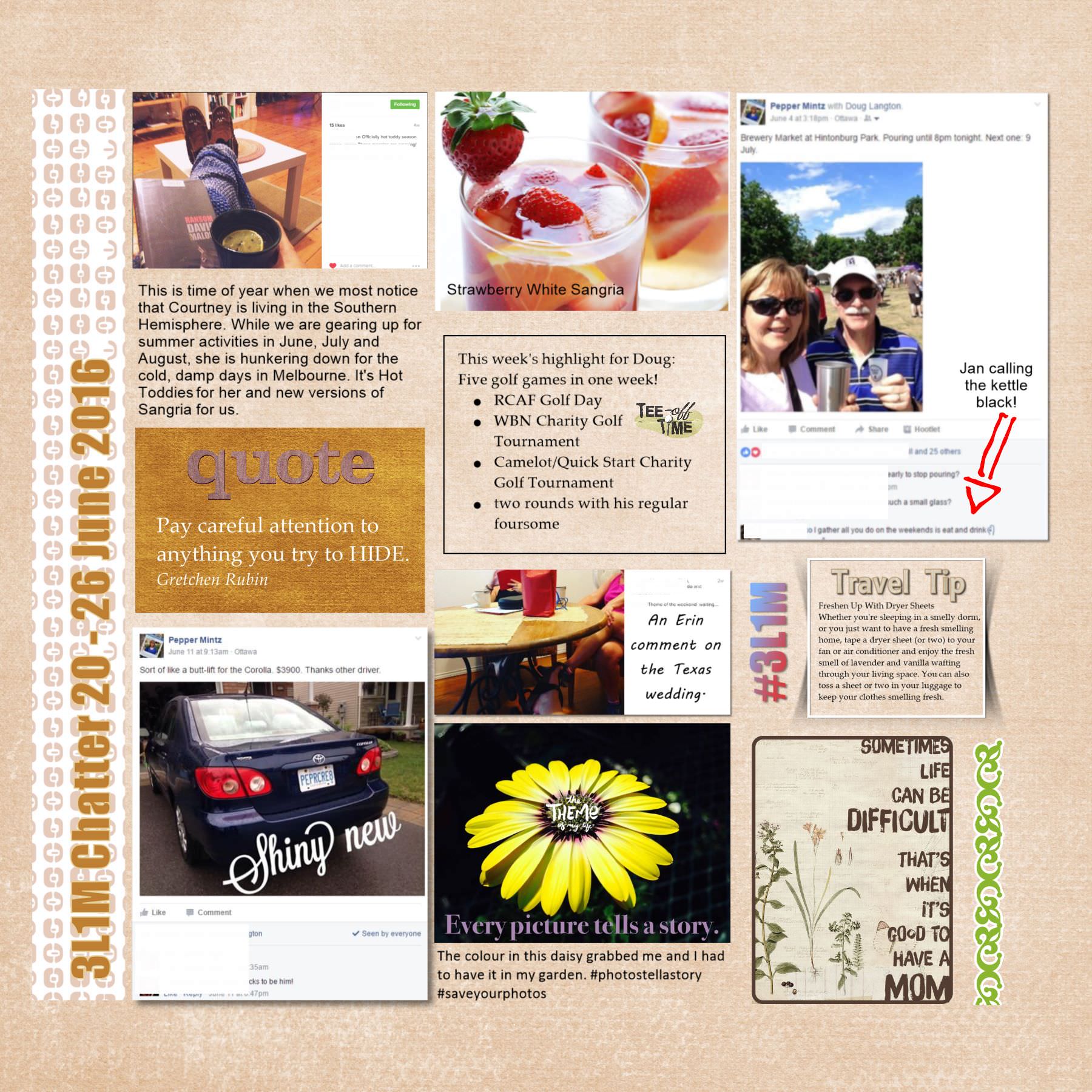
PPC Blog 2016-06 Digital Memories copyRecently, it occurred to me – those things that we are sharing, all that digital memorabilia, describe our today – our 2016. How do I capture that sharing to make it part of our story? When creating family scrapbooks, I included pieces of memorabilia – tickets, brochures, artwork – that would add depth to the stories told by the photos. I did the same when I transitioned to photobooks – paper items are scanned and made part of the story of a trip or celebration.

The solution had to be simple and easy to do – see something, collect it, capture it. Here’s what I do:


  1. Collect It. This is my digital pile of stuff. It’s not as pretty as letters tied up with a pretty ribbon but it makes it easy on a day-to-day basis. I use a note-taking, organizing app – I have a notebook called Family Albums and a note for 2016. In that note, I capture the things I want to remember – events, thoughts, screenshots, whatever. Because I usually have my phone or tablet nearby, this keeps it simple. (the app I use is Evernote)
  2. Create It. Just as memorabilia got glued into albums, the digital memorabilia goes in our yearly photobooks, which I make using scrapbooking software. I prefer a desktop program as opposed to an online design option because, while it gives me the ease of using simple, get it done templates, it has flexibility to alter the page designs and most importantly, all the work and draft pages are kept in my possession on my own computer. (The software I use is Artisan)
  3. I title the pages “Our Chatter” and put in the dates. Using a grid pattern of 3 columns, I plop in the photos, screenshots, quotes and stories. I can place editorial or explanatory comments on top of Facebook posts. It is often a hodge-podge collection and I like that it reflects us, what we are doing and what we are sharing.
This is Us Today Pepper's Photo Corner
Pepper’s Photo Corner

I got inspiration for this idea from around the web – the paper-based Bullet Journal, the Smash Journal, page layouts using screenshots and the Project Life inspired ideas.

Our theme here is to Save Your Photos and I believe our photos need stories to help us save our memories, our experiences, our life.  This is Us Today.


2015-07 Pepper Profile-1Pepper Mintz is the owner of Get It Done Photo Solutions.

Her interest in organization began early with her decision to become a Logistics Officer with the Canadian Air Force. She is a Certified Photo Organizer and member of the Association of Personal Photo Organizers (APPO). She has extensive experience in the organization and curation of both printed and digital photo collections. She collaborates with clients to expertly design high quality, premium photobooks and albums that reflect the style and choices of the client.

“At Get It Done Photo Solutions, we believe in the power and importance of the photographs. Our stories tell the story of us.”


Written by Jackie Lyals · Categorized: Creating Memories, Photo Organization

Jun 30 2016

Do You Have a Photo Plan?

Do You Have a Photo Plan?

This is a guest contribution from Shelley Murray, Executive Sales Director of Forever


As we prepare for the annual Save Your Photos Month, we should begin thinking about where our photos are kept. Some think of getting old family photos out of dusty boxes in the attic so they can be scanned and preserved digitally. Others, like me, may be thinking about all the digital photos that are seemingly lost in our computer or locked away across camera cards. Saving our digital photos is just as important as saving our printed photos. These days, we have huge numbers of digital photos and they are often being forgotten about because there are just too many of them filling up our phones and computers. And because of this, they are “as good as” lost in our computers. Having a photo plan in place is important so we can not only take photos of special moments, but also get them back into our lives and enjoy them.

My photo plan includes gathering all my photos into one place, organizing them, telling the stories behind them, and then creating digital albums to share with friends and family and/or creating photo books so that we can relive the special moments all over again. The end result of this plan? I have peace of mind knowing that all of my photos are stored permanently and privately in their digital home of my Forever account. No matter what – even if my computer crashes or my hard drive fails, my photos will be safe. They will also outlive me so they can be = enjoyed by future generations of my family.

I have a personal example that I would like to share with you that illustrates the importance of my photo plan. While my family and I were on vacation a few weeks ago, we went on a fishing trip. I had my son and two young nephews in my boat and we caught 11 sharks! It was a thrilling experience that we don’t ever want to forget. During the trip, I took photos on my camera, my dad took photos on his camera and many of us were taking photos on cell phones as well. When the trip was over, I put my photo plan into action.

1st– I gathered all the photos from all the cameras and phones and brought them together into one place by uploading them into my Forever account. Once they were in my account, I had peace of mind knowing they were permanently stored in the cloud.

2nd– I created one album that included everyone’s photos. I cleaned them up by deleting all the photos that were unneeded: such as duplicates, those that were out of focus or just unnecessary in telling the story of our fishing trip. I went from over 100 photos down to around 50. And then I used Forever’s editing tools to improve some of the photos that needed enhancement.

3rd-When we used to print out a roll of film, it was a good practice to write the date, people’s names and the description on the back of the photo. The same thing is true with digital photos. So, my next step was to use the tools in my account to record each of these details. The description or “story” behind the photo is the most important piece because it allows the photos to go from just a photo, to a memory.

4th-My family is always asking me to send them photos. The captain and first mate on our boat, Richard and Kevin, asked me to send them photos as well. So right from my Forever album, I was able to click the share button and email the entire album to them.

5th-The last and certainly the most fun part of my photo plan process is creating a photo project. I can do this right in my Forever account under the Projects tab. I decided to create a simple 8×8 softbound photo book. It would be less than $20 to print and I would print one for each of the little boys on my boat. I wanted it to be a fun book with lots of photos and stories of our big day so they would be able to remember the details many years from now. It was simple because the photos were all available in one place, and I simply needed to choose a layout and add some text. I also happened to use these photos to do a live training webinar while I was on vacation on how to create a photo book. Check out the recording here: Projects Instructional Webinar (40 minutes)

We just got the photo books in the mail this week, and my son has not set his down. Being able to pull these photos out of being trapped on my computer or lost way back in my photo roll on my phone is so valuable to my family. You can see some of the pages I created in this short “Capture the Moment” video. Nick Kelsh, the photo tips guy, helps me with some great photo editing tips and I share a few pages from the photo book. Capture the Moment with Nick and Shelley

Also, I know exactly where these photos are and I can grab them at a moment’s notice. They are all together in one album and I can pull up on the web or right from my mobile app. And then finally and most importantly, I have complete peace of mind knowing that all of my photos are saved and will live on in its permanent digital home of my Forever account. To learn more about what Forever can do to help you with this process check out this 90 second video. A look at FOREVER

So, as we move through the summer and get closer to Save Your Photos Month in September, I encourage you to think of a great memory you have had with loved ones and go find those photos. Get them in your hands and tell the story behind them. Then share them with others either via a digital album or a printed treasure.


IMG_0459
Shelley Murray

Shelley Murray is an avid memory maker and memory keeper. She has always had a love for photos and scrapbook design.  As an executive with Forever, she is passionate about sharing their unique mission with others. She has worn many hats at Forever over the last three years. But, her favorite is simply helping others learn how to organize, preserve and enjoy their photos.

Written by Jackie Lyals · Categorized: Backup, Creating Memories, Photo Organization, Safeguard

  • « Previous Page
  • 1
  • …
  • 6
  • 7
  • 8
  • 9
  • Next Page »

© Copyright 2017 Association of Personal Photo Organizers · All Rights Reserved · Privacy Policy