Save Your Photos

  • Home
  • Blog
  • Disaster Help
    • Disaster Resources
    • Hurricane Harvey Photo Recovery
    • Hurricane Irma Photo Recovery
  • Who We Are
    • Save Your Photos Group
    • The Photo Organizers Blog
    • Association of Personal Photo Organizers
  • Sponsors
    • How To Become A Corporate Sponsor

Jun 16 2016

It Doesn’t Take a Hurricane

It Doesn’t Take a Hurricane
This is a guest contribution from Jan McCallum of Pixels2Pages.

hurricane

Living in a hurricane zone makes life interesting for several months each year.  I remember watching news reports of devastating hurricanes that demolished houses built on beaches or near large bodies of water and thinking “What were they thinking, to want to live THERE?  What did they expect?”  And now, here I am, living on a tiny island in a house on stilts, seventeen feet in the air, right above a large body of water called Galveston Bay.

Hurricanes are no joke here.  In 2008, two years before we moved here, Galveston Island (which is much larger than Tiki Island) was pounded by Ike, which was ‘only’ a Category 2 hurricane, but it was massive and produced the greatest storm surge ever seen with a Category 2 hurricane.  Galveston Island is a long, narrow, barrier island – about 30 miles long and only a mile wide at its widest point, and much of the damage done to Galveston happened in addition to the winds and waves in the Gulf of Mexico due to the storm surge coming from the other side – the bay side.

Despite major warnings and mandatory evacuation orders starting days before Ike made landfall, many people didn’t comply.  I guess you never think it will happen to you…  Along this part of the Texas coast, over 140,000 people did not evacuate, despite the mandatory order to do so.  Almost 1,000 people were rescued from rising waters, and nearly 2,000 were rescued after the storm.  84 people lost their lives.  Estimates of damage from Hurricane Ike hit 37.6 BILLION dollars, and of course, that figure does not include memories lost, in the form of photographs, albums, slides, videos, documents, letters and more.  And even if it did, we know those memories are precious and PRICELESS.

Although our house (which wasn’t ours at the time) survived Ike, I will be among the first to hit the road when the next big storm comes our way.  My friends and I have our evacuation plan in place, but it doesn’t include room to take all of the material goods that we value.  That is why my Forever account is so important to me!  With all of the things I have to worry about when preparing for a major storm, knowing that my digital images are safely stored in multiple places around the country is such a blessing.  Important documents have been scanned and saved; my favorite digital images are secure in my Forever albums, and I’m in the process of filling boxes full of non-digital images to be converted and stored in my Forever account.  Guess I’d better get that done, now that is is officially hurricane season!

SYPM Anna photo
My friend Anna’s new puppy ate one of her books. Ouch!

You may not live in a hurricane zone, but none of us live in a place where we are immune to natural disasters.  Floods, fires, earthquakes, tornadoes, tsunamis, hail, lightning strikes, and even things like robberies, computer crashes, and pets can wreak havoc on our photographs, albums, books, and other precious memories.   A couple of years ago, I lost three external hard drives in the space of a few weeks.  Two just stopped working, while I was in the process of using them, and one dropped about six inches to the table top when I forgot I had it plugged in and picked up my laptop to move it.  NONE of the information on those devices could be retrieved, even though I was willing to pay big bucks to try.

Thankfully, the worst thing I lost was a good number of digital scrapbook pages that I created in Artisan, and while that is heartbreaking, it’s not the end of the world.  Because I had posted the completed pages on Facebook or on pixels2Pages.net, I have the .jpg images (although not at high resolution) as well as a list of the content I used to create them and the fonts I used.  It does mean I have to recreate those pages, though….

SYPM Forever screen
In my Forever account, inside my album of photos of my puppy, Crockett, I have an album of completed pages I’ve done about him.

One of my favorite new features in Artisan 5 is the ‘Share’ button that allows me to upload my completed album pages directly to my Forever account.   As soon as I finish a page and proofread it, I save it to my Forever account.  In the description of each page, I list contents, fonts, and Blueprints or Challenges used to create it – just in case I want to make changes – but I can always download that .jpg image and print it if needed.  Oh, to have had that feature a couple of years ago!


SYPM Crockett page
For each completed page, I list the digital art kits, fonts, and Blueprints or Challenges I used to create that page.

What is your emergency plan for saving your photographs and important documents?  Are they all in one place?  Could you get to them in a hurry?  Would you know they were missing if you were robbed?  Are your memories and photos out where you can enjoy them – in books, albums, frames, or otherwise displayed?  Locking them in a fireproof safe isn’t the answer, either!  Have a look around your house now, and think about the images and pages that are most important to you, and evaluate your current situation.  Make a plan to get things the way you want them, and then act on it!  Support is only a phone call (1-888-FOREVER) or email away – Forever Ambassadors are happy to help you save your photos!


Jan McCallum Profile
Jan McCallum

Jan McCallum loves travel, photography, storytelling, food and games – and digital scrapbooking! Jan is the founder of pixAbilities, LLC, and manager of a team of women from around the world who created and operate the www.pixels2Pages.net website. Recently acquired by Forever, Inc., pixels2Pages is proud to be a part of the Forever family and remains committed to helping people celebrate their photos and stories using Forever’s Artisan and Historian software.

Written by Jackie Lyals · Categorized: Backup, Creating Memories, Recover, Safeguard

Jul 09 2015

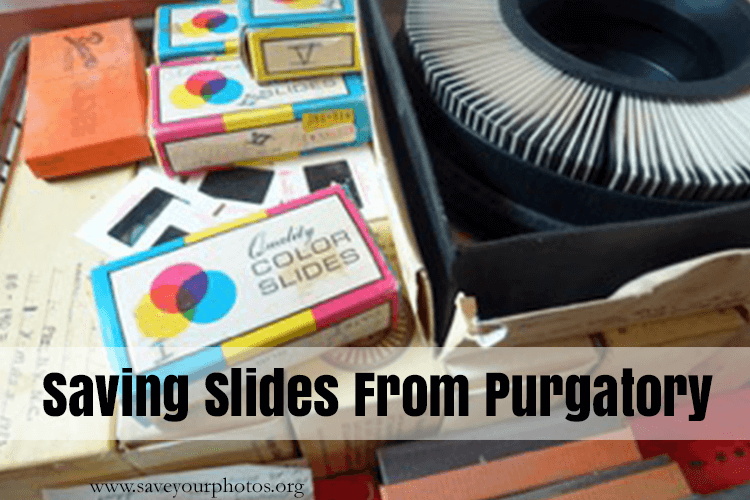
Saving Slides from a Purgatory in the Garage

Saving Slides from a Purgatory in the Garage

This is a guest contribution from Meaghan Kahlo of Ephemera Photo Organizing.

Save Your Slides

My parents have always been the adventurous type. You could say that adventure has defined their entire relationship. They met while hiking at the bottom of the Grand Canyon, fell in love and were soon married. They then scrimped and saved so they could take a year-long honeymoon traveling in Europe and the Middle East. This was the mid-1970s and 35mm slide film was the least expensive way to take photos. You didn’t have to get prints made from slide film to see your images and most people actually had slide projectors and screens, or at least a white sheet to tack up, at home.

Although my parents had been fairly well organized about listing the dates and locations of these slides from the early part of their lives together, the slides began to languish in their carousels and small cardboard boxes from the processing lab. Eventually the whole slide collection was stacked in a milk crate and placed in the garage along with other usurped media like their vinyl albums.The slide projector and screen were sold or cast off and then the slides were kind of forgotten about.

This past January when I was home for a visit I took a closer look at the condition of the slides. I was relieved the crate of slides had at least been moved from the very unstable environment of the garage into a spare bedroom, but I was alarmed by evidence of water damage and some mold spots on the carousel boxes. It appeared that the slides themselves had not been damaged by water or mold but they were certainly dusty from their years of purgatory in the garage.

What past and possibly forgotten adventures had the slides captured? Wouldn’t it be thrilling to find out again and be able to view them all together on a large screen again? It was finally time to rescue these slides from their previous fate and have them digitized.

First the slides need to be taken out of the various boxes and the large plastic carousels and then placed into zip top bags carefully labeled with the original dates and location information. The scanning lab would transfer this information onto the batches of digital files. During this step many slides were discarded if it was obvious after a quick glance that the image was blurry, a duplicate, or of some unidentifiable scenery. This drastically cut down on the ultimate number of slides to scan. The slides that made the final cut were shipped off to a reliable scanning vendor.

Within a couple of weeks the slides were returned along with a DVD of the high-quality scans. I was so excited to see that not only were all the travel pictures revived and brought back to life but there were so many photos of my childhood that I had never seen.

I know I will be having some of these rescued photos printed and framed very soon!


Meaghan
Meaghan Kahlo, MA

Meaghan, owner of Ephemera Photo Organizing of Seattle, WA, began her professional life with graduate work in museum studies focused on collections management. Her enthusiasm for photography and historical preservation combined with a passion to organize and create order are the driving forces behind her business. Meaghan helps clients transform the ephemeral nature of digital and printed images into meaningful photo solutions.


Do you have slides that you have saved or that need saving?  Tell us about it in the comments, we’d love to hear your story!

Written by Mary Moseley · Categorized: Recover, Restore

Jul 02 2015

Hard Drive Heartache

Hard Drive Heartache

This is a guest contribution from Christy Strickler from www.myscrapbookevolution.com.

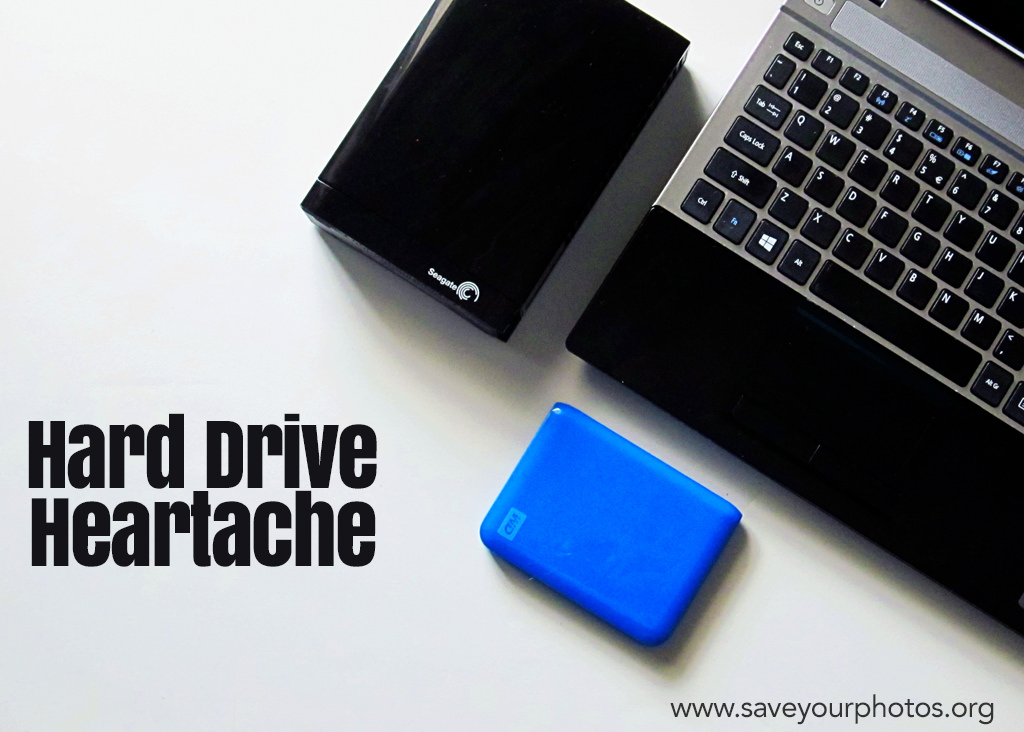
Christy Strickler _ hard drive heartache blog header

I know what you are thinking. Here comes another tale about the importance of backing up your photos. This post isn’t about that (mostly). We’re going to talk about what happens when you move from one hard drive to the next. It seems like the transition could be a smooth one but this isn’t always the case.

I knew my hard drive was dying. It was my first hard drive and now it was time to replace it. I headed over to the store with that one simple goal. I didn’t have any particular brand in mind. What determined my choice of hard drive was the store’s selection and the price range. Backing up the new Western Digital drive was simple. I was relieved knowing my photos were safe.

Christy Strickler_ Screenshot-2015-07-02-02.04

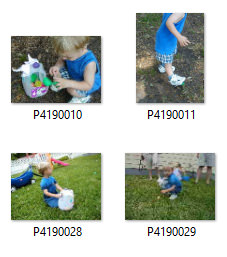
Fast Forward to a few years later. I had become an avid scrapbooker and was going back through older photo folders looking for pictures. To my amazement, I found something unexpected hidden in my files. Inside my October 2002 file was a folder containing almost my entire photo library up until the time of the original transfer. The photo files were intact, but the images had different names. Originally, my camera had downloaded each image with a date stamp for the name. The date stamp had been replaced by a sequence of letters and numbers. I didn’t lose any photos but I sure had a lot of extra copies! Being paranoid about the safety of my photos, I checked through each file to ensure that I was only deleting duplicates. It was a tedious process.

Every so often, I come across another of these duplicate folders. I peruse them and delete the unnecessary copies. In fact, I just did this again about 2 months ago thinking it would be the last time. Except, I opened a folder the other day and found yet another copy of those same photo files.

So how does this happen?

When you take a photo with a digital camera, information about that photo is created and stored within the metadata. That data isn’t always stored directly in the image by the computer’s image management application. If you edit the photo, this can also alter the metadata and the way this is stored. Transfer this edited image to a hard drive and it may have a whole new way of reading the metadata and organizing it. In my case, the hard drive read the photo metadata as a number and letter sequence and not a date. I am not sure why it chose to add random copies of the photo collection to various folders. I only know that it happened.

There may not be a way to prevent this from happening should you switch between various hard drives. To be fair, I haven’t had it happen on either of the drives I use now (a Western Digital and a SeaGate). I do keep two hard drives as a backup in case one of them fails. I also have cloud back up plans.

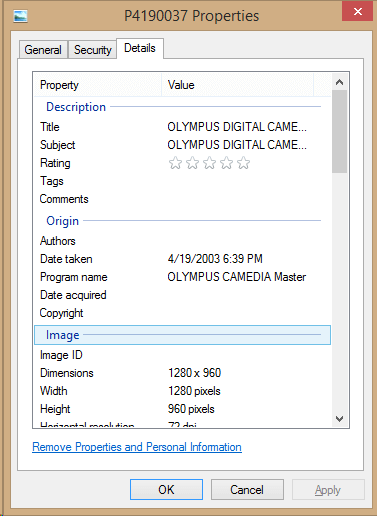
Christy Strickler _ hard Drive heartache photo 2

If it does happen to you, you can recover the metadata for the date. Right click on the photo and select properties. The date the photo was taken should be listed in the photo details tab.

It is always a good idea to back up your photos. Keep more than one backup and your metadata and photos are sure to be kept safe and intact in at least one location.

CStrickler 400x400 headshotChristy is homeschool mom who loves science fiction and video games. She always has a camera in her purse and loves to experiment with a variety of cameras (both digital and analog). Currently, Christy is a member of the Traci Reed Designs, Simple Scrapper, Get It Scrapped, and Scrapbook Challenges creative teams. She is a Deflecto Ambassador as well as a co-host on the DigiScrap Geek Podcast. You can learn more about her and her creative team work at her website MyScrapbookEvolution.com.


Do you have a story to share about using external hard drives or your experience with metadata?  We’d love to hear about it in the comments below.


Written by Mary Moseley · Categorized: Recover, Safeguard

© Copyright 2017 Association of Personal Photo Organizers · All Rights Reserved · Privacy Policy