Save Your Photos

  • Home
  • Blog
  • Disaster Help
    • Disaster Resources
    • Hurricane Harvey Photo Recovery
    • Hurricane Irma Photo Recovery
  • Who We Are
    • Save Your Photos Group
    • The Photo Organizers Blog
    • Association of Personal Photo Organizers
  • Sponsors
    • How To Become A Corporate Sponsor

Jul 14 2015

The Faintest Ink is Better than Forgotten Memories

The Faintest Ink is Better than Forgotten Memories

This is a guest contribution from Kristie Sloan of Artful Adventures.

While you are spending time thinking about saving your photos, make sure you are also giving thought to how you are going to save vital information about those photos! Saving the photos is important, but so is saving the information and stories that accompany them.

Palest Ink This work, “Palest Ink”, is a derivative of “Creative Commons Pen and Ink” by Heather, used under CC BY 2.0. “Palest Ink” is licensed under CC BY 2.0 by Kristie Sloan.

A new scrapbooker joined us at a weekend retreat and made her first scrapbook pages. The pages were wonderful, but she told us she would not be “messing them up” by writing on them. Since I am many years older than this young lady, I just cringed at her statement. I have photos of events that I have no idea what was going on, even though I took the picture! If it was important enough to snap a photo, I’m sure I thought I would never forget the moment; but some of them have been forgotten. It would have only taken a moment to jot down the basics of the who, what, and where of the photo.

We were once at my husband’s parents’ and ran across some family heritage photos which we had never seen. We took a handful of them and went and made copies. The large envelope they were in was missing in action for many years. During our recent move, the envelope turned up. I was so excited when I saw what was in the envelope. Then, as I pulled the photos out to look at them, my excitement gave way to a certain kind of sadness. We had not taken time to write anything on the photos. My husband’s parents have both passed away, along with their siblings. Now, we have photos of ancestors, but have no idea who they are, or which side of his family they were on. If we had taken a few moments to jot down a little info, my children and grandchildren would have some precious family heritage photos.

Whether you are just jotting down the basics on the back of a photo, writing the behind the scenes story on a scrapbook page, or adding metadata to digital photos, be sure you capture information! Either you will be glad you did, or someone years for now will be grateful.

Krisite Sloan
Krisite Sloan

Kristie has enjoyed arts and crafts since she was old enough to hold a crayon, and has enjoyed almost any craft she has ever tried. She enjoys experimenting  and turning art into adventures. Currently, she focuses on scrapbooking, card making, art journaling, and mixed media. Years of teaching crafts to kids, including her three daughters and three grandchildren, has taught her how to break down crafty techniques into clear, easy steps, which she now offers you. Join her on Artful Adventures and explore your creative self at KristieSloan.com.

As an Independent Consultant with Close to My Heart, Kristie is also pleased to offer you a selection of quality products!

 

Written by Mary Moseley · Categorized: Safeguard

Jul 02 2015

Hard Drive Heartache

Hard Drive Heartache

This is a guest contribution from Christy Strickler from www.myscrapbookevolution.com.

Christy Strickler _ hard drive heartache blog header

I know what you are thinking. Here comes another tale about the importance of backing up your photos. This post isn’t about that (mostly). We’re going to talk about what happens when you move from one hard drive to the next. It seems like the transition could be a smooth one but this isn’t always the case.

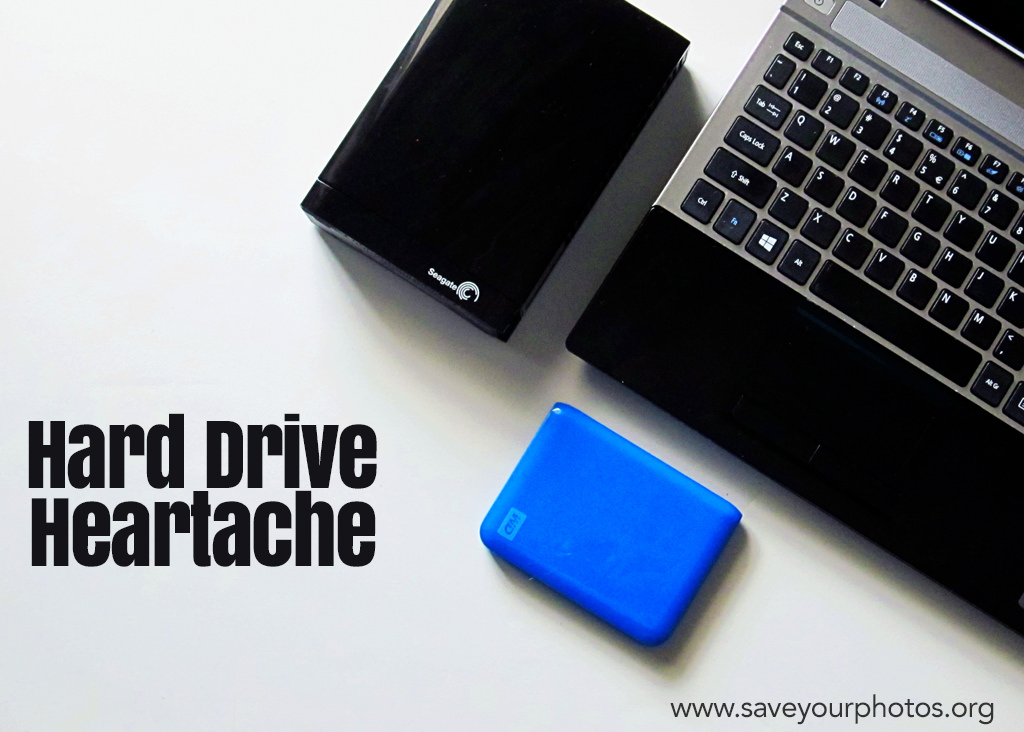
I knew my hard drive was dying. It was my first hard drive and now it was time to replace it. I headed over to the store with that one simple goal. I didn’t have any particular brand in mind. What determined my choice of hard drive was the store’s selection and the price range. Backing up the new Western Digital drive was simple. I was relieved knowing my photos were safe.

Christy Strickler_ Screenshot-2015-07-02-02.04

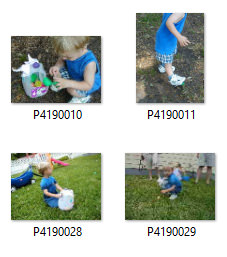
Fast Forward to a few years later. I had become an avid scrapbooker and was going back through older photo folders looking for pictures. To my amazement, I found something unexpected hidden in my files. Inside my October 2002 file was a folder containing almost my entire photo library up until the time of the original transfer. The photo files were intact, but the images had different names. Originally, my camera had downloaded each image with a date stamp for the name. The date stamp had been replaced by a sequence of letters and numbers. I didn’t lose any photos but I sure had a lot of extra copies! Being paranoid about the safety of my photos, I checked through each file to ensure that I was only deleting duplicates. It was a tedious process.

Every so often, I come across another of these duplicate folders. I peruse them and delete the unnecessary copies. In fact, I just did this again about 2 months ago thinking it would be the last time. Except, I opened a folder the other day and found yet another copy of those same photo files.

So how does this happen?

When you take a photo with a digital camera, information about that photo is created and stored within the metadata. That data isn’t always stored directly in the image by the computer’s image management application. If you edit the photo, this can also alter the metadata and the way this is stored. Transfer this edited image to a hard drive and it may have a whole new way of reading the metadata and organizing it. In my case, the hard drive read the photo metadata as a number and letter sequence and not a date. I am not sure why it chose to add random copies of the photo collection to various folders. I only know that it happened.

There may not be a way to prevent this from happening should you switch between various hard drives. To be fair, I haven’t had it happen on either of the drives I use now (a Western Digital and a SeaGate). I do keep two hard drives as a backup in case one of them fails. I also have cloud back up plans.

Christy Strickler _ hard Drive heartache photo 2

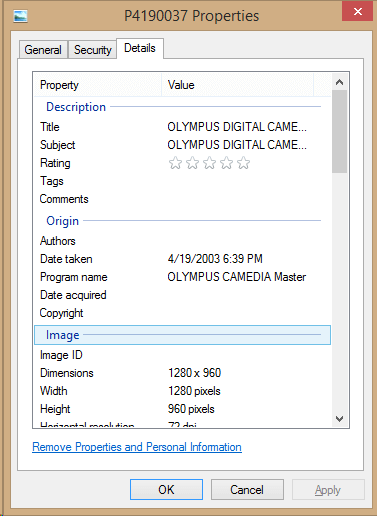
If it does happen to you, you can recover the metadata for the date. Right click on the photo and select properties. The date the photo was taken should be listed in the photo details tab.

It is always a good idea to back up your photos. Keep more than one backup and your metadata and photos are sure to be kept safe and intact in at least one location.

CStrickler 400x400 headshotChristy is homeschool mom who loves science fiction and video games. She always has a camera in her purse and loves to experiment with a variety of cameras (both digital and analog). Currently, Christy is a member of the Traci Reed Designs, Simple Scrapper, Get It Scrapped, and Scrapbook Challenges creative teams. She is a Deflecto Ambassador as well as a co-host on the DigiScrap Geek Podcast. You can learn more about her and her creative team work at her website MyScrapbookEvolution.com.


Do you have a story to share about using external hard drives or your experience with metadata?  We’d love to hear about it in the comments below.


Written by Mary Moseley · Categorized: Recover, Safeguard

Jun 16 2015

Start Managing your Photo Collection Now

Start Managing your Photo Collection Now

This is a guest contribution from Karen McCann from www.savingphotomemories.com.

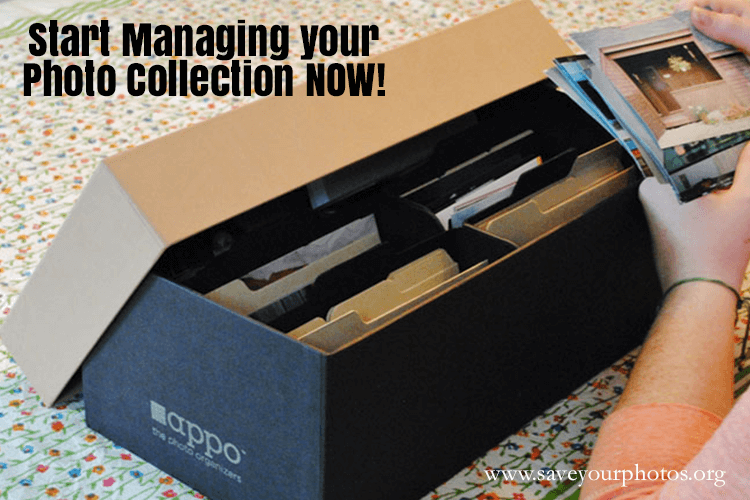
Karen McCann Photo Collection

Many people of my general age, 50-60 have photos they’ve accumulated their whole lives. They probably have several boxes of loose photos from their childhood, many magnetic albums with the sticky backs (very bad we now know), along with bins of vintage photos and framed photographs they may have inherited from their parents at some point.

Now, as if that’s not enough, they most likely are the owners of an ever growing number of digital photos, perhaps of their own children, many of whom were raised with digital photography as the only images of themselves that exist. These digital images may be still stuck in SD cards shoved in the desk drawer, or even still in the old school digital camera up on a closet shelf!

These people no doubt meant to someday get around to organizing all these photos, but “life got in the way.”

Is any of this resonating with you?

Add to that all the memorabilia such as newspaper clippings, certificates, ticket stubs and children’s artwork accumulated through the years, and you’ve got yourself one heck of an organizational project on your hands.

As a Certified Photo Organizer, I have met many people in this dilemma. I always have the same advice – “Start today!”

Here are two different options you may consider to get you on your way:

1. Work on your childhood photos by weeding out those you don’t care about. Scan the best ones to digital for safe keeping on an external hard drive and a cloud based storage plan. Put your culled down collection of photos in a simple album or an archival photo box labeled neatly “Childhood Photos”.

2. Working from the present time frame, choose your favorite 100 digital photos of your family from last year and copy them to a folder called “2014 Family Photos” on your desktop. Remember to look in all the places you may have digital photos, including Facebook, Instagram, etc.. Then copy that “2014 Family Photos” folder to your external hard drive and your cloud based storage plan. Next, have a beautiful family photo book made out of those photos for your enjoyment!

Life will always “get in the way”, and most of us don’t have time to organize a lifetime of photos in one session. But why not try one of these smaller steps to give a sense of satisfaction while enjoying your photos!

karen McCann Profile Karen McCann is the owner of Saving Photo Memories in Providence, RI and has been a certified member of APPO for 4 years. Karen specializes in scanning photos and old media to digital, photo restoration of damaged photos, and designing photo books for all occasions. She loves assisting folks who are downsizing in weeding out and organizing decades of photos and memorabilia. In her spare time, Karen enjoys photographing her travels with her husband and creating art and modern quilts.


What are you doing to manage your photo collection?  Comment below and let us know your best tips.

Written by Mary Moseley · Categorized: Safeguard

Jun 12 2015

House Fire Made Us Realize Value of Photos

House Fire Made Us Realize Value of Photos

This is a guest contribution from Alice Boll at ScrapbookWonderland.com.

2016 will mark a 20 year anniversary that I will not be celebrating. In 1996 my husband (then fiance) and I had a fire in our house.

Photos House Fire

We were young and living in our first home. It was a very small house, less than 500 sqft on the main level with a sloped roof second story with two very small bedrooms and a bathroom.

One day after making supper we took our dog for a walk and went to Gramma’s house. I answered the phone at her house and the caller asked, “Does one of the Boll boys still own that house on the corner of town?”

“Yes.” I answered curiously, knowing that was my house.

“It’s on fire.”

The caller never identified themselves to me. At the same time my husband’s cell phone rang. It was the neighbor calling to tell us that our house was on fire.

We borrowed Gramma’s car and drove to our house. A crowd was gathering and the firemen were trying to hook up to the water supply. After awhile I noticed that I had forgotten to put on my shoes!

There are no words to describe the horror of watching smoke billow from your house and seeing flames through the window.

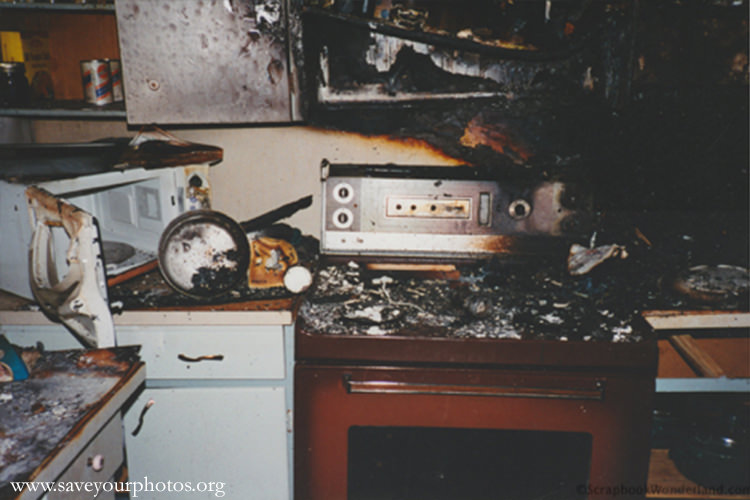
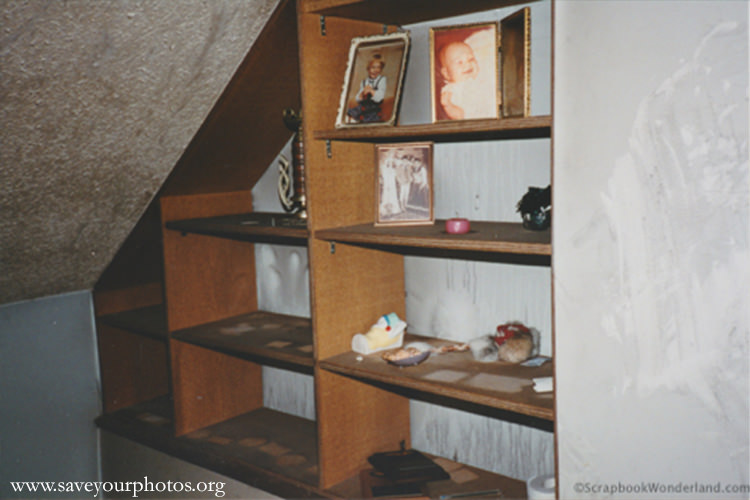
Eventually the fire was stopped. It had started in the kitchen from a short in the back of the stove. The kitchen was destroyed from the waist up. The rest of the house suffered severe smoke and water damage. The house had been so hot that water dripped down the walls leaving sooty trails behind. Actually everything was covered in black soot.

House Fire Save Your Photos

The smell inside the house was awful. When you think of a fire you imagine the smokey scent of a campfire, but a house fire is different. The smell of burning paint, plastic, and other household items does not leave you with a pleasant memory.

And then…

It always seem to get worse before it gets better.

Our house was boarded up for the night and we stayed at Gramma’s. The next morning we discovered that our house had been looted. People broke in and stole our smoke damaged belongings.

In the end we were lucky.

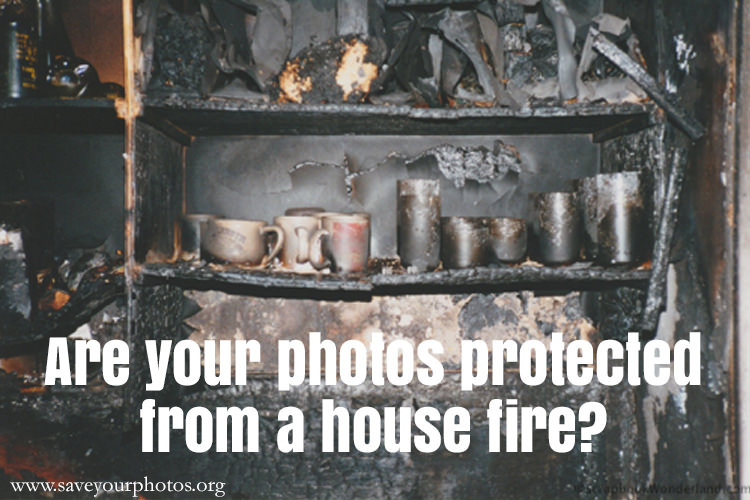
Most of our home had survived. Most of our belongings were still there. Severely damaged, but there. Since we were young we did not have many photo albums, and although they were smoke damaged they survived quite well. The photos in frames around the house were not as lucky. The pictures melted to the glass and were ruined by the heat and humidity.

House Fire Photos in Frames

We lost some treasured possessions, but came through the ordeal safe and with a new understanding of how precious our photos and memorabilia were to us.

My advice to you is to back up your photos off site. If you house is destroyed you can lose everything. It’s also much easier to complete an insurance claim when you have records of your belongings. Take photos of the inside of your closets and cupboards.

I’m lucky this happened early in my adult life. I have learned some valuable lessons and I hope that our precious memories and photos will be safe, no matter what the future may bring.

Alice Boll Profile
Alice Boll

Alice is married and has two teenage sons that work their hardest to be complete opposites of each other. She loves swimming and spends her summers coaching swim club. For the other 8 months of the year, also known as winter in Canada, she’s curled up by a cozy fire enjoying her favourite activity, scrapbooking, eh! You can find Alice sharing tips, tricks and techniques at ScrapbookWonderland.com.  Let Alice show you how to share your memories in a creative way!


We would love to hear your stories about how you have either saved photos from a fire or how you safeguard your photos from fire.  Please share in the comments below!


Written by Mary Moseley · Categorized: Safeguard

  • « Previous Page
  • 1
  • …
  • 3
  • 4
  • 5

© Copyright 2017 Association of Personal Photo Organizers · All Rights Reserved · Privacy Policy