Save Your Photos

  • Home
  • Blog
  • Disaster Help
    • Disaster Resources
    • Hurricane Harvey Photo Recovery
    • Hurricane Irma Photo Recovery
  • Who We Are
    • Save Your Photos Group
    • The Photo Organizers Blog
    • Association of Personal Photo Organizers
  • Sponsors
    • How To Become A Corporate Sponsor

Jul 14 2015

The Faintest Ink is Better than Forgotten Memories

The Faintest Ink is Better than Forgotten Memories

This is a guest contribution from Kristie Sloan of Artful Adventures.

While you are spending time thinking about saving your photos, make sure you are also giving thought to how you are going to save vital information about those photos! Saving the photos is important, but so is saving the information and stories that accompany them.

Palest Ink This work, “Palest Ink”, is a derivative of “Creative Commons Pen and Ink” by Heather, used under CC BY 2.0. “Palest Ink” is licensed under CC BY 2.0 by Kristie Sloan.

A new scrapbooker joined us at a weekend retreat and made her first scrapbook pages. The pages were wonderful, but she told us she would not be “messing them up” by writing on them. Since I am many years older than this young lady, I just cringed at her statement. I have photos of events that I have no idea what was going on, even though I took the picture! If it was important enough to snap a photo, I’m sure I thought I would never forget the moment; but some of them have been forgotten. It would have only taken a moment to jot down the basics of the who, what, and where of the photo.

We were once at my husband’s parents’ and ran across some family heritage photos which we had never seen. We took a handful of them and went and made copies. The large envelope they were in was missing in action for many years. During our recent move, the envelope turned up. I was so excited when I saw what was in the envelope. Then, as I pulled the photos out to look at them, my excitement gave way to a certain kind of sadness. We had not taken time to write anything on the photos. My husband’s parents have both passed away, along with their siblings. Now, we have photos of ancestors, but have no idea who they are, or which side of his family they were on. If we had taken a few moments to jot down a little info, my children and grandchildren would have some precious family heritage photos.

Whether you are just jotting down the basics on the back of a photo, writing the behind the scenes story on a scrapbook page, or adding metadata to digital photos, be sure you capture information! Either you will be glad you did, or someone years for now will be grateful.

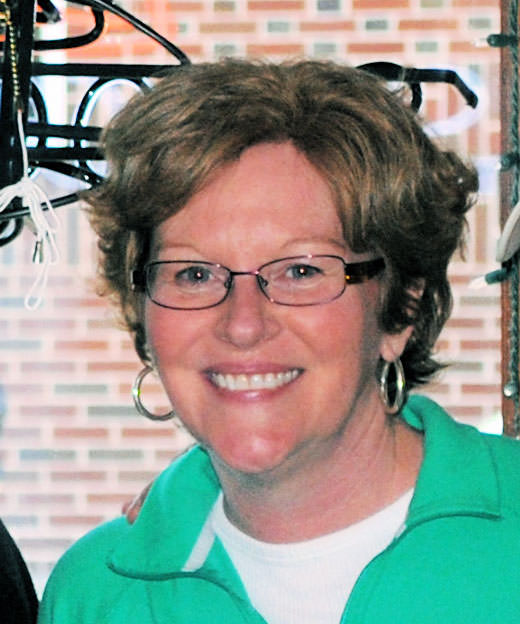
Krisite Sloan
Krisite Sloan

Kristie has enjoyed arts and crafts since she was old enough to hold a crayon, and has enjoyed almost any craft she has ever tried. She enjoys experimenting  and turning art into adventures. Currently, she focuses on scrapbooking, card making, art journaling, and mixed media. Years of teaching crafts to kids, including her three daughters and three grandchildren, has taught her how to break down crafty techniques into clear, easy steps, which she now offers you. Join her on Artful Adventures and explore your creative self at KristieSloan.com.

As an Independent Consultant with Close to My Heart, Kristie is also pleased to offer you a selection of quality products!



 

Written by Mary Moseley · Categorized: Safeguard

Jul 09 2015

Saving Slides from a Purgatory in the Garage

Saving Slides from a Purgatory in the Garage

This is a guest contribution from Meaghan Kahlo of Ephemera Photo Organizing.

Save Your Slides

My parents have always been the adventurous type. You could say that adventure has defined their entire relationship. They met while hiking at the bottom of the Grand Canyon, fell in love and were soon married. They then scrimped and saved so they could take a year-long honeymoon traveling in Europe and the Middle East. This was the mid-1970s and 35mm slide film was the least expensive way to take photos. You didn’t have to get prints made from slide film to see your images and most people actually had slide projectors and screens, or at least a white sheet to tack up, at home.

Although my parents had been fairly well organized about listing the dates and locations of these slides from the early part of their lives together, the slides began to languish in their carousels and small cardboard boxes from the processing lab. Eventually the whole slide collection was stacked in a milk crate and placed in the garage along with other usurped media like their vinyl albums.The slide projector and screen were sold or cast off and then the slides were kind of forgotten about.

This past January when I was home for a visit I took a closer look at the condition of the slides. I was relieved the crate of slides had at least been moved from the very unstable environment of the garage into a spare bedroom, but I was alarmed by evidence of water damage and some mold spots on the carousel boxes. It appeared that the slides themselves had not been damaged by water or mold but they were certainly dusty from their years of purgatory in the garage.

What past and possibly forgotten adventures had the slides captured? Wouldn’t it be thrilling to find out again and be able to view them all together on a large screen again? It was finally time to rescue these slides from their previous fate and have them digitized.

First the slides need to be taken out of the various boxes and the large plastic carousels and then placed into zip top bags carefully labeled with the original dates and location information. The scanning lab would transfer this information onto the batches of digital files. During this step many slides were discarded if it was obvious after a quick glance that the image was blurry, a duplicate, or of some unidentifiable scenery. This drastically cut down on the ultimate number of slides to scan. The slides that made the final cut were shipped off to a reliable scanning vendor.

Within a couple of weeks the slides were returned along with a DVD of the high-quality scans. I was so excited to see that not only were all the travel pictures revived and brought back to life but there were so many photos of my childhood that I had never seen.

I know I will be having some of these rescued photos printed and framed very soon!


Meaghan
Meaghan Kahlo, MA

Meaghan, owner of Ephemera Photo Organizing of Seattle, WA, began her professional life with graduate work in museum studies focused on collections management. Her enthusiasm for photography and historical preservation combined with a passion to organize and create order are the driving forces behind her business. Meaghan helps clients transform the ephemeral nature of digital and printed images into meaningful photo solutions.


Do you have slides that you have saved or that need saving?  Tell us about it in the comments, we’d love to hear your story!

Written by Mary Moseley · Categorized: Recover, Restore

Jul 02 2015

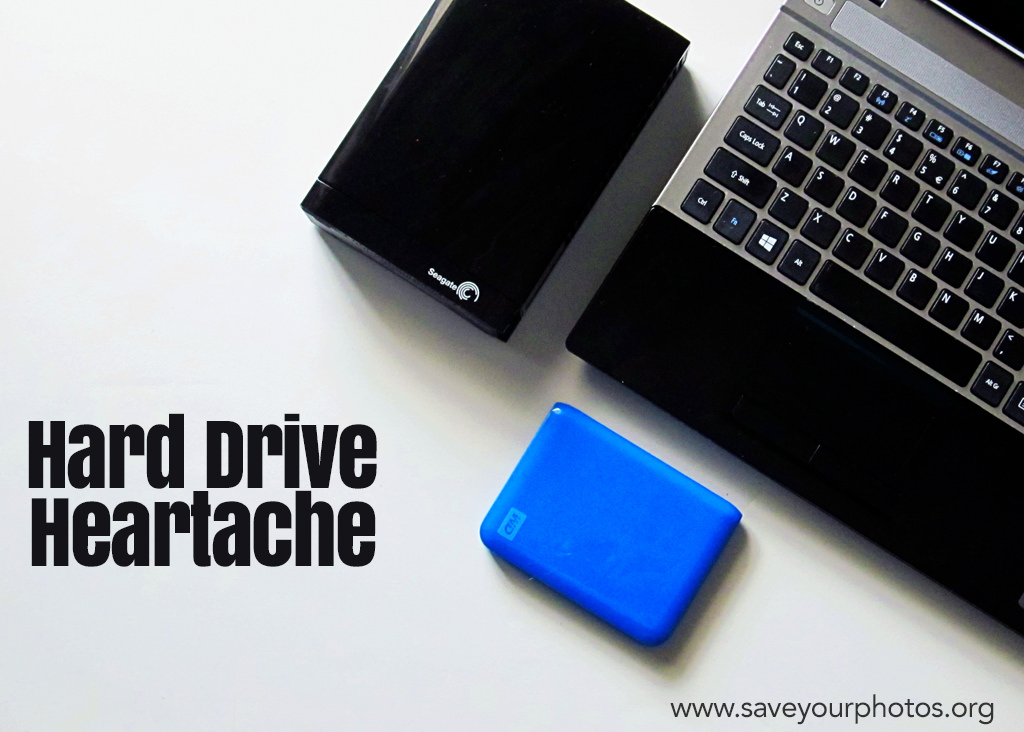
Hard Drive Heartache

Hard Drive Heartache

This is a guest contribution from Christy Strickler from www.myscrapbookevolution.com.

Christy Strickler _ hard drive heartache blog header

I know what you are thinking. Here comes another tale about the importance of backing up your photos. This post isn’t about that (mostly). We’re going to talk about what happens when you move from one hard drive to the next. It seems like the transition could be a smooth one but this isn’t always the case.

I knew my hard drive was dying. It was my first hard drive and now it was time to replace it. I headed over to the store with that one simple goal. I didn’t have any particular brand in mind. What determined my choice of hard drive was the store’s selection and the price range. Backing up the new Western Digital drive was simple. I was relieved knowing my photos were safe.

Christy Strickler_ Screenshot-2015-07-02-02.04

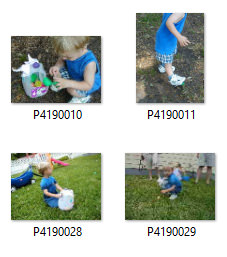
Fast Forward to a few years later. I had become an avid scrapbooker and was going back through older photo folders looking for pictures. To my amazement, I found something unexpected hidden in my files. Inside my October 2002 file was a folder containing almost my entire photo library up until the time of the original transfer. The photo files were intact, but the images had different names. Originally, my camera had downloaded each image with a date stamp for the name. The date stamp had been replaced by a sequence of letters and numbers. I didn’t lose any photos but I sure had a lot of extra copies! Being paranoid about the safety of my photos, I checked through each file to ensure that I was only deleting duplicates. It was a tedious process.

Every so often, I come across another of these duplicate folders. I peruse them and delete the unnecessary copies. In fact, I just did this again about 2 months ago thinking it would be the last time. Except, I opened a folder the other day and found yet another copy of those same photo files.

So how does this happen?

When you take a photo with a digital camera, information about that photo is created and stored within the metadata. That data isn’t always stored directly in the image by the computer’s image management application. If you edit the photo, this can also alter the metadata and the way this is stored. Transfer this edited image to a hard drive and it may have a whole new way of reading the metadata and organizing it. In my case, the hard drive read the photo metadata as a number and letter sequence and not a date. I am not sure why it chose to add random copies of the photo collection to various folders. I only know that it happened.

There may not be a way to prevent this from happening should you switch between various hard drives. To be fair, I haven’t had it happen on either of the drives I use now (a Western Digital and a SeaGate). I do keep two hard drives as a backup in case one of them fails. I also have cloud back up plans.

Christy Strickler _ hard Drive heartache photo 2

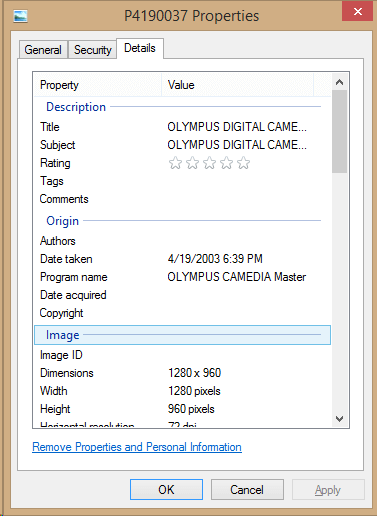
If it does happen to you, you can recover the metadata for the date. Right click on the photo and select properties. The date the photo was taken should be listed in the photo details tab.

It is always a good idea to back up your photos. Keep more than one backup and your metadata and photos are sure to be kept safe and intact in at least one location.

CStrickler 400x400 headshotChristy is homeschool mom who loves science fiction and video games. She always has a camera in her purse and loves to experiment with a variety of cameras (both digital and analog). Currently, Christy is a member of the Traci Reed Designs, Simple Scrapper, Get It Scrapped, and Scrapbook Challenges creative teams. She is a Deflecto Ambassador as well as a co-host on the DigiScrap Geek Podcast. You can learn more about her and her creative team work at her website MyScrapbookEvolution.com.


Do you have a story to share about using external hard drives or your experience with metadata?  We’d love to hear about it in the comments below.


Written by Mary Moseley · Categorized: Recover, Safeguard

Jun 26 2015

Memories Discovered in an Old Slide Carousel

Memories Discovered in an Old Slide Carousel

This is a guest contribution from Cathi Nelson, founder of The Association of Personal Photo Organizers.

Cathi Nelson Slide Carousel

How often do you take the time to go on a treasure hunt in your own attic or basement? If you or your family has lived in the same home more than 30 years, you most likely have priceless possessions gathering dust somewhere. Those treasures include family photos, albums, letters, slides, home movies, children’s artwork and report cards and each is a testament to your unique family story.

Recently I heard a quote that got me thinking,

If you don’t talk to your grandmother and she passes away it is like a library burned down.

Where were all those family photos of my childhood? Was it possible that the only photos ever taken were the few I had seen repeatedly? My father was slowly losing his memories and I knew I only had a limited amount of time before it would be too late to ask the questions I needed to know. Therefore, I sent out on a mission to find the lost photos and memorabilia of my childhood. Sure enough in my parents attic I discovered five fading, yellow Kodak boxes of slide carousels filled with kodachrome slides. I sent them off to be scanned and once returned I discovered twenty years of family vacations, Christmases and holidays lost in time. I marveled at how young my parents were. The cars they drove and the outfits we wore. For Christmas, I created a timeless gift, a digital photo book and surprised my sister, brother and parents with an album full of photos no one had seen in decades. My mother cried as she saw photos of her mother, my grandmother who had passed away before I ever knew her.

If you are missing a link to your family stories, I highly recommend taking the time to discover those priceless memories. Don’t let your family photos languish in basements and attics. Saturday September 26th  2015, is International Save Your Photos Day, use this day as an incentive to begin embarking on this important, meaningful journey into your past. You will never regret it.

Cathi Nelson profile
Cathi Nelson

Pioneer of the Photo-Life Management Industry, Cathi Nelson is the founder of the Association of Personal Photo Organizers (APPO), an association that trains individuals who specialize in helping consumers and businesses rescue their irreplaceable film and digital photos, organizing them in a way that makes it simple to share their memories, lives and traditions. Since its inception, APPO has grown to include hundreds of members throughout the United States, Canada, Australia and United Kingdom.


Where are some places that you have found treasured memories?  Share with us in the comments.  We’d love to hear your stories!

Written by Mary Moseley · Categorized: Reunite

Jun 16 2015

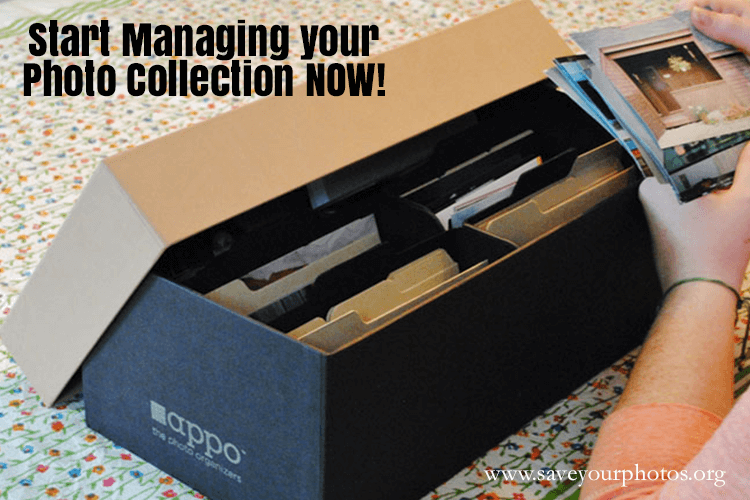
Start Managing your Photo Collection Now

Start Managing your Photo Collection Now

This is a guest contribution from Karen McCann from www.savingphotomemories.com.

Karen McCann Photo Collection

Many people of my general age, 50-60 have photos they’ve accumulated their whole lives. They probably have several boxes of loose photos from their childhood, many magnetic albums with the sticky backs (very bad we now know), along with bins of vintage photos and framed photographs they may have inherited from their parents at some point.

Now, as if that’s not enough, they most likely are the owners of an ever growing number of digital photos, perhaps of their own children, many of whom were raised with digital photography as the only images of themselves that exist. These digital images may be still stuck in SD cards shoved in the desk drawer, or even still in the old school digital camera up on a closet shelf!

These people no doubt meant to someday get around to organizing all these photos, but “life got in the way.”

Is any of this resonating with you?

Add to that all the memorabilia such as newspaper clippings, certificates, ticket stubs and children’s artwork accumulated through the years, and you’ve got yourself one heck of an organizational project on your hands.

As a Certified Photo Organizer, I have met many people in this dilemma. I always have the same advice – “Start today!”

Here are two different options you may consider to get you on your way:

1. Work on your childhood photos by weeding out those you don’t care about. Scan the best ones to digital for safe keeping on an external hard drive and a cloud based storage plan. Put your culled down collection of photos in a simple album or an archival photo box labeled neatly “Childhood Photos”.

2. Working from the present time frame, choose your favorite 100 digital photos of your family from last year and copy them to a folder called “2014 Family Photos” on your desktop. Remember to look in all the places you may have digital photos, including Facebook, Instagram, etc.. Then copy that “2014 Family Photos” folder to your external hard drive and your cloud based storage plan. Next, have a beautiful family photo book made out of those photos for your enjoyment!

Life will always “get in the way”, and most of us don’t have time to organize a lifetime of photos in one session. But why not try one of these smaller steps to give a sense of satisfaction while enjoying your photos!

karen McCann Profile Karen McCann is the owner of Saving Photo Memories in Providence, RI and has been a certified member of APPO for 4 years. Karen specializes in scanning photos and old media to digital, photo restoration of damaged photos, and designing photo books for all occasions. She loves assisting folks who are downsizing in weeding out and organizing decades of photos and memorabilia. In her spare time, Karen enjoys photographing her travels with her husband and creating art and modern quilts.


What are you doing to manage your photo collection?  Comment below and let us know your best tips.

Written by Mary Moseley · Categorized: Safeguard

  • « Previous Page
  • 1
  • 2
  • 3
  • 4
  • Next Page »

© Copyright 2017 Association of Personal Photo Organizers · All Rights Reserved · Privacy Policy